.svg)
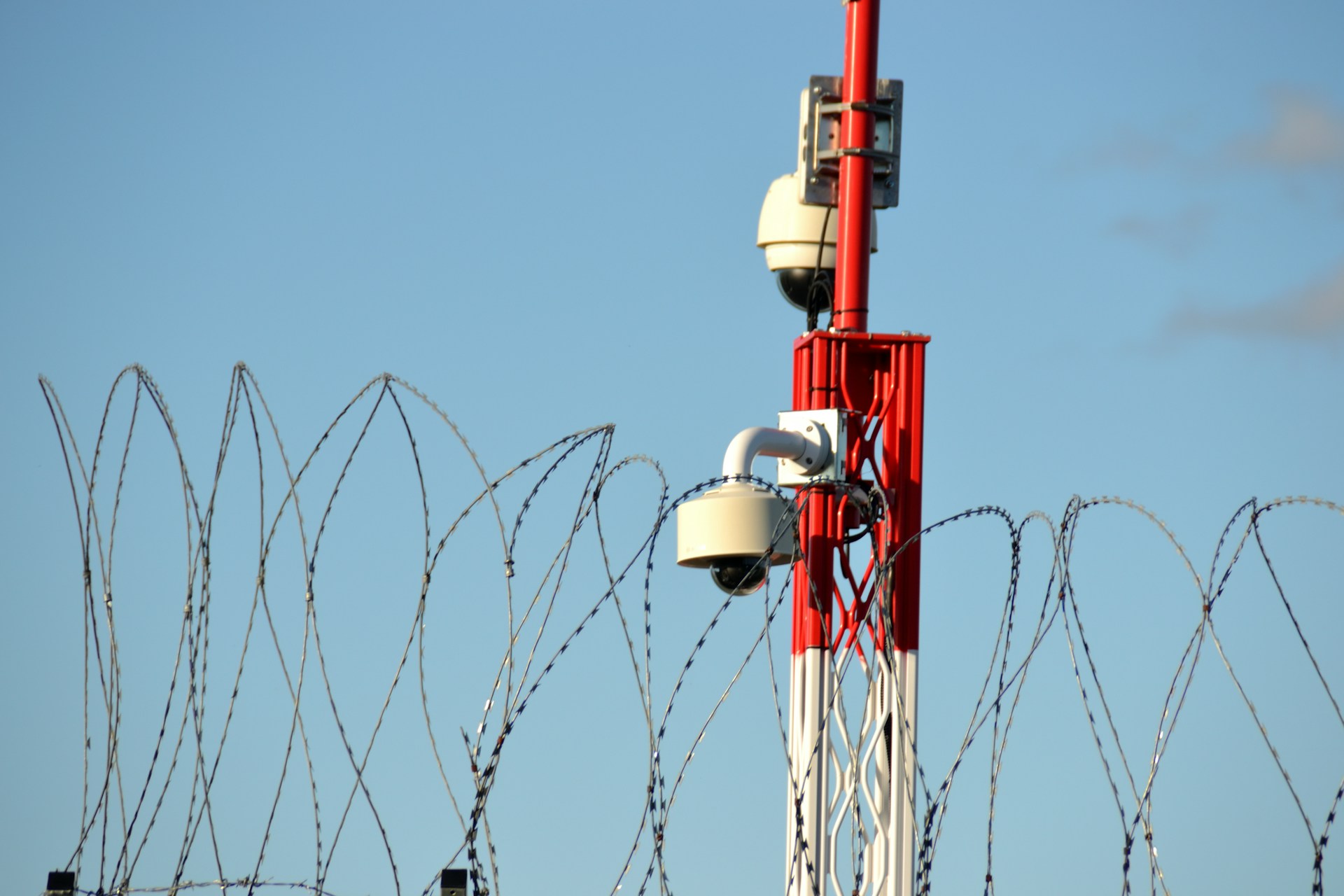
Unsecured property lines are where most problems begin. Without commercial perimeter security cameras, businesses often miss early warning signs, leaving assets, employees, and operations exposed to avoidable risks.
Alarm Masters helps Texas businesses close those gaps with licensed, code-compliant systems and a 48-hour turnaround. You get reliable coverage that detects activity early and supports faster, more informed responses.
This guide explains how commercial perimeter security cameras work, what features matter most, and how to design a system that protects your property with confidence and clarity.
What Are Perimeter Security Cameras for Commercial Properties?
Perimeter security cameras are specialized surveillance systems designed to monitor the outer edges of your commercial property. They help you detect potential threats early and provide clear evidence if a security incident occurs. These systems act as a proactive layer of protection rather than a reactive one.
Modern systems include advanced features that improve accuracy and reduce unnecessary alerts. Motion detection sends notifications when someone approaches restricted areas, while artificial intelligence helps distinguish between real threats and harmless movement, such as animals or debris. This significantly reduces false alarms and improves response time.
Night vision is essential for continuous protection. Infrared technology allows cameras to capture clear footage even in complete darkness, which is critical since many incidents occur after hours. These cameras connect to recording systems, allowing you to review footage and monitor live feeds from your phone or computer with ease.
Types of Commercial Perimeter Cameras
Different camera types serve different security needs, and choosing the right combination improves coverage and efficiency. Bullet cameras are long and cylindrical, making them ideal for monitoring entrances and pathways. Their visible design can also deter unwanted activity.
PTZ cameras offer flexibility because you can control their movement and zoom capabilities. A single PTZ camera can cover a larger area than a fixed camera, making it useful for dynamic environments. Thermal cameras detect heat signatures instead of visible light, allowing them to identify intruders in darkness, fog, or smoke.
Wireless cameras simplify installation by eliminating the need for extensive cabling. They work well in areas where running wires is difficult or costly, while still providing reliable performance for commercial perimeter security camera systems.
Check out the best cameras for business security.
Typical Use Cases for Businesses
Businesses across industries use perimeter cameras to address specific risks and operational needs. Warehouses and distribution centers rely on them to protect inventory, monitor loading docks, and secure large outdoor areas. This helps prevent loss and improves oversight of daily operations.
Retail businesses use perimeter cameras to monitor parking lots and building exteriors. This protects customers and employees while reducing incidents like theft and vandalism after hours. Visible cameras also reinforce a sense of safety for visitors.
Manufacturing facilities use perimeter surveillance to secure raw materials and finished goods. They also monitor restricted areas where access must remain controlled. Office complexes use these systems to manage access points and parking areas, creating a safer and more organized environment.
Benefits of Commercial Perimeter Security Camera Systems
Installing perimeter security cameras provides more than just recorded footage. These systems actively deter crime, support investigations, and create a safer environment for everyone on your property.
Deterrence of Unauthorized Access
Visible cameras along your property’s perimeter discourage criminal activity. When potential intruders see cameras monitoring entry points and boundaries, they are far more likely to avoid the area. This simple visual deterrent reduces the likelihood of attempted break-ins.
Cameras placed at gates, fences, and building edges send a clear message that your property is protected. Adding signage and proper lighting further strengthens this effect. Motion-activated lights combined with cameras improve visibility and make it harder for anyone to approach unnoticed.
Together, these measures create a strong first layer of defense that reduces risk before incidents occur.
Incident Evidence Collection
Perimeter cameras capture high-quality footage that becomes critical if an incident occurs. This video helps law enforcement identify suspects, supports investigations, and strengthens insurance claims. Clear documentation can make a significant difference in resolving disputes.
Modern IP cameras provide high-resolution images that capture faces, license plates, and key details. Footage includes timestamps and shows exactly what happened during an event. This level of clarity ensures you have reliable evidence when needed.
Recorded footage is stored on secure systems, allowing you to review past events and identify patterns. This also helps protect your business from false claims by providing accurate visual records.
Enhancing Employee and Customer Safety
Perimeter security cameras improve safety by allowing you to detect potential risks early. You can identify suspicious activity near entrances or in parking areas before it escalates. This enables faster response and better protection for everyone on-site.
Employees feel more confident when they know security measures are in place, especially during early or late hours. This sense of safety can improve morale and productivity. Customers also feel more comfortable in well-monitored environments.
Real-time monitoring allows your team to respond quickly to incidents, ensuring that help arrives when needed. This proactive approach creates a safer and more secure experience for both staff and visitors.
Learn about wireless commercial alarm systems for safer businesses.
Key Features to Consider in Perimeter Security Cameras
Choosing the right system requires focusing on features that directly impact performance and reliability. The right combination ensures your cameras deliver consistent protection.
High-Resolution Imaging
High-resolution imaging is essential for capturing clear and usable footage. Cameras with at least 1080p resolution provide solid performance, while 4K options deliver greater detail for larger areas. This becomes especially important when you need to zoom in on a specific activity.
Higher megapixel counts allow you to cover more space without losing clarity. This reduces the number of cameras required while maintaining strong coverage. Clear images also improve the effectiveness of investigations and reporting.
Infrared and Night Vision Capabilities
Perimeter security requires continuous monitoring, regardless of lighting conditions. Infrared cameras allow you to capture clear footage in complete darkness, ensuring no gaps in visibility. Thermal cameras take this further by detecting heat signatures in any environment.
Most systems include built-in infrared illumination that activates automatically in low light. The effective range varies, so it is important to match the camera’s capabilities to your property size. Proper night vision ensures your system remains effective at all times.
Weatherproofing and Durability
Outdoor cameras must withstand harsh environmental conditions. Look for systems with strong weatherproof ratings, such as IP66, which protect against dust and water. This ensures reliable performance in rain, heat, and other challenging conditions.
Durability also includes resistance to tampering and physical impact. Cameras with vandal-resistant ratings provide added protection in high-risk areas. Choosing durable materials helps extend the lifespan of your system and reduces maintenance needs.
Integration with Security Systems
Your perimeter cameras should integrate seamlessly with your existing security infrastructure. Compatibility with standard protocols allows different components to work together efficiently. This simplifies management and improves overall system performance.
Integration with video management systems allows centralized monitoring and control. You can set alerts, automate responses, and manage multiple cameras from a single platform. Connecting cameras with access control and sensors creates a more responsive and intelligent security system.
Strategic Camera Placement for Maximum Coverage
Proper placement is just as important as the technology itself. Strategic positioning ensures full coverage and eliminates vulnerabilities.
Entry and Exit Points Coverage
Every entry and exit point should have dedicated camera coverage. Mount cameras at a height of 8 to 10 feet to capture clear facial details while reducing the risk of tampering. Angling the cameras slightly downward improves visibility and accuracy.
Focus on key areas such as main entrances, loading docks, vehicle gates, and emergency exits. Position cameras to capture individuals as they approach, not just when they enter. This provides better context and early detection.
Proper lighting and camera placement work together to improve image quality. Avoid direct glare from sunlight or headlights, and use additional cameras if needed to eliminate blind spots.
Perimeter Fencing and Boundaries
Fence lines require consistent coverage to prevent unnoticed access. Space cameras, based on their field of view, typically every 40 to 60 feet for effective monitoring. This ensures continuous visibility along the perimeter.
Install cameras at corners and intersections to eliminate gaps. Overlapping coverage between cameras improves tracking and reduces blind spots. Position cameras high enough to capture both ground-level and climbing activity.
Monitoring critical areas such as gates, hidden sections, and property edges strengthens overall security. A well-planned layout ensures no area is left unprotected.
Blind Spot Elimination
Blind spots can compromise even the most advanced system. Identify these areas by walking your property and observing potential obstructions. Objects like vehicles, equipment, and structures can block visibility.
Use overlapping camera coverage to eliminate gaps. Each camera should share part of its view with adjacent cameras to ensure continuous monitoring. This approach improves tracking and reduces the chance of missed activity.
Test your system under different conditions, including nighttime and poor weather. Adjust placement as needed to maintain consistent performance. Adding extra cameras in challenging areas ensures complete coverage.
Choosing the Right Perimeter Security Solution for Your Business
Selecting the right system requires careful planning and evaluation. You need to align your security strategy with your property’s specific risks and operational needs.
Assessing Business Security Needs
Start by evaluating your property and identifying potential vulnerabilities. Walk the perimeter to locate blind spots, hidden areas, and access points. Understanding these risks helps you design a more effective system.
Consider factors such as property size, number of entry points, and the value of assets you need to protect. Operating hours and environmental conditions also play a role in determining your requirements. Documenting these details ensures you select a system that provides complete and reliable coverage.
Comparing Leading Brands and Technologies
Research available systems to find the best fit for your needs. Focus on features like resolution, field of view, storage options, and smart analytics. These factors directly impact performance and usability.
Testing different systems can help you understand how they perform in real-world conditions. Many providers offer demonstrations or trial periods, allowing you to evaluate functionality before making a decision. Choosing the right technology ensures your commercial perimeter security camera system delivers consistent and effective protection.
Budgeting for Installation and Maintenance
Understanding the full cost of ownership helps you plan effectively. Beyond equipment, consider installation, infrastructure, and ongoing maintenance. Professional installation ensures proper setup and reliable performance.
Ongoing costs may include storage, monitoring, and maintenance services. Planning for these expenses prevents unexpected issues and keeps your system operating smoothly.
Flexible financing options can make implementation more manageable. Some insurance providers may also offer discounts for businesses with verified security systems, helping offset costs over time.
Strengthen Your Perimeter Security Strategy
Security gaps at your property line can lead to costly incidents if left unaddressed. Commercial perimeter security cameras help you detect threats early, reduce risk, and maintain better control over your environment.
Alarm Masters delivers licensed, compliant systems with fast turnaround and complete support. You get a solution designed to protect your business while staying aligned with Texas requirements and real-world needs.
Take the next step toward stronger protection and peace of mind. Schedule service now.
Frequently Asked Questions
What Are Commercial Perimeter Security Cameras?
Commercial perimeter security cameras are systems designed to monitor the outer edges of a business property. They focus on areas like fences, parking lots, and entry points to detect activity early and prevent unauthorized access before it escalates.
Why Are Perimeter Cameras Important for Businesses?
Most security risks start outside your building. Commercial perimeter security cameras help identify threats before they reach critical areas, reducing the chances of theft, vandalism, or safety incidents.
How Many Perimeter Cameras Does My Business Need?
The number depends on your property size, layout, and risk level. Larger properties with multiple access points typically require more cameras, especially along fence lines, entrances, and blind spots to ensure full coverage.
Do Perimeter Security Cameras Work at Night?
Yes, most systems include infrared or thermal technology for night monitoring. These features allow cameras to capture clear footage even in complete darkness, ensuring continuous protection.
Can Perimeter Cameras Integrate with Existing Security Systems?
Most modern cameras integrate with video management systems, access control, and alarm systems. This allows centralized monitoring, automated alerts, and a more efficient security response.
Are Commercial Perimeter Security Cameras Weatherproof?
Yes, commercial-grade cameras are built for outdoor use and typically include weatherproof ratings like IP66. This ensures reliable performance in rain, heat, dust, and other harsh conditions.
How Much Do Commercial Perimeter Security Cameras Cost?
Costs vary based on system size, camera type, and features. Businesses should consider equipment, installation, and ongoing maintenance when budgeting for a complete solution.
Where Should Perimeter Cameras Be Installed?
Cameras should be placed at entry points, along fence lines, in parking areas, and anywhere with limited visibility. Proper placement ensures maximum coverage and eliminates blind spots.



.svg)


.svg)


