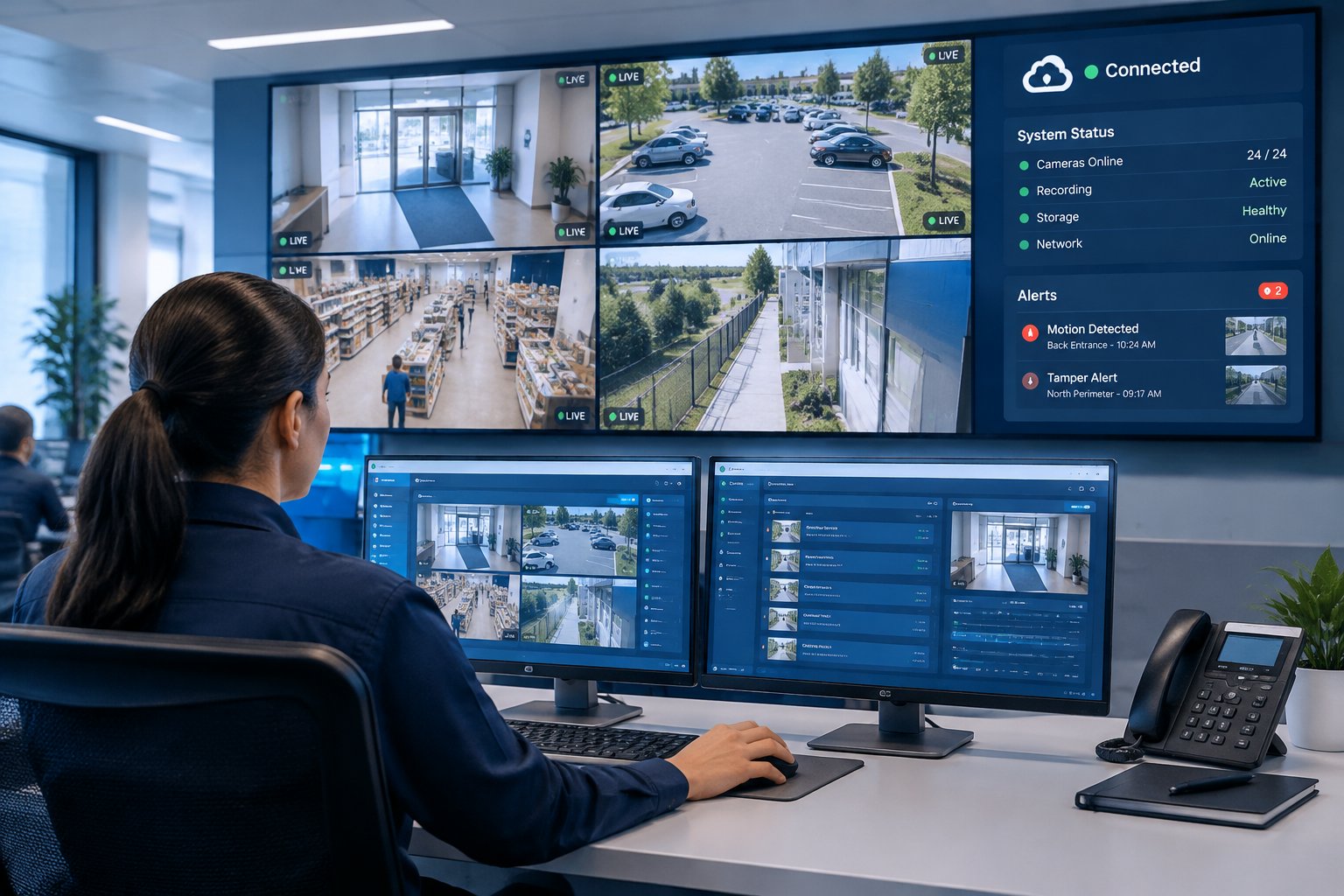
Eagle Eye Cloud VMS is a cloud video management system from Eagle Eye Networks. It records, stores and organizes video from your security cameras and lets you watch live or recorded footage from a browser or phone, at one site or many. A small on-site appliance called a Bridge (or a recorder called a CMVR) connects your cameras to the cloud, and many businesses keep cameras they already own.
For owners and facility managers, the appeal is practical. No aging recorder in a closet to patch, one login for every location, and a way to find a specific clip in minutes instead of scrolling through hours of footage. This guide explains how the platform works, which features matter most and what to plan before installation.
Cloud VMS Basics
A video management system (VMS) is the software that ties cameras together. It shows live video, stores recordings, searches past footage and controls who can see which cameras. In a traditional setup, that software runs on a recorder or server at your building, and someone has to maintain it.
A cloud VMS moves the software and, usually, the recordings to secure data centers. You log in from any device, and the provider handles software updates and security patches for the platform. If you are new to the idea, our primer on cloud video surveillance for homes and businesses covers the general model.
What the Bridge and CMVR do
Cameras connect to an Eagle Eye Bridge or a Cloud Managed Video Recorder (CMVR) on your network. Eagle Eye's Bridge documentation describes three jobs: it encrypts video in transit and at rest, manages bandwidth so uploads do not choke your business internet, and buffers video locally. The Bridge also needs no open inbound ports, which keeps firewall changes to a minimum.
A CMVR stores footage on-site while still giving you the cloud interface and remote access. It suits sites that want long local retention or have limited upload bandwidth. Either way, you manage everything from the same web and mobile apps.
Keeping your existing cameras
Eagle Eye supports a wide range of IP cameras, and Bridges generally work with ONVIF Profile S cameras (a common standard for IP camera compatibility). Analog cameras need a Combo Bridge or CMVR that accepts analog inputs. Keeping working cameras can lower the upfront cost of moving to the cloud.
Compatibility is not the only question, though. A camera that is fogged, has failing night vision or points at the wrong spot will record poor video in the cloud just as it did before. Check each model against Eagle Eye's supported list and judge each view on its own merits before deciding to keep it.
Features That Matter Day to Day
The features below are the ones customers lean on after the first month. They are where a cloud VMS saves real staff time.
Remote viewing from any device
You can watch live and recorded video from a browser or the Eagle Eye mobile app on iOS and Android. A manager can check the front door from home at night, and a security lead can pull up a camera during a call with police. Permissions decide who sees what, so a store manager can be limited to one site while your operations director sees all of them.
AI search
Eagle Eye's Smart Video Search lets you look for people or vehicles by attributes instead of scrubbing a timeline. If a vehicle came through your lot after hours, you search for it and jump straight to the matching clips. Eagle Eye also offers AI add-ons such as license plate recognition and person and vehicle detection. Which AI tools you get depends on your subscription, so confirm the features you need when you get a quote.
Alerts and camera health
Alerts can flag motion in defined areas during set hours, and the system can tell you when a camera or Bridge goes offline. The offline alert is one of the most valuable settings to turn on. It tells you about a dead camera before you discover the gap while looking for footage after an incident.
Sharing footage
Exporting a clip and sending a secure link to police, an insurer or an attorney is far faster than copying footage to a USB stick at the recorder. Set clear rules on who is allowed to export and share, and keep a record of every clip that leaves the system.
Multi-Site Management
Eagle Eye is built for organizations with more than one location. Every site appears in the same account, grouped by location, and adding a new building means installing a Bridge and cameras there and adding them to your account.
A company with sites in Spring, Katy and Pearland can see all three in one view and compare activity across locations. Standardizing camera layouts and retention across sites also makes reviews faster, because every manager knows where to look. Our guide on how cloud security systems help businesses manage multiple locations covers the operational side in more depth.
Eagle Eye Networks and Brivo have merged and now operate together under the Brivo name, so if you also run Brivo access control, door events can link straight to the matching video.
Storage, Security and Outages
Where video is kept, who can see it and what happens when the internet drops all affect how useful your footage is after an incident.
Retention choices
Retention is the number of days of video you keep. Full cloud storage protects footage from theft or storm damage at the site. Local storage on a CMVR or Bridge can extend retention without as much upload. Many sites mix both, keeping critical cameras in the cloud longer than low-risk views. Pick retention based on how long it typically takes you to learn about an incident. Multifamily and retail properties often hear about problems days later, so short retention can leave you with nothing to review.
User permissions and account hygiene
Give everyone their own login, limit each person to the cameras they need, and remove accounts the day someone leaves. Shared logins make it impossible to tell who exported or deleted something. Turn on two-factor authentication where available, and treat your camera account with the same care as any other business security system.
Internet and power outages
When the internet goes down, the Bridge keeps recording locally and syncs to the cloud after the connection returns. Eagle Eye lists a local buffer of about two days on its compact Bridge. Power is a different story. If cameras, the network switch and the Bridge lose power, recording stops. With hurricane season and summer storms in Greater Houston, put the Bridge, switches and modem on battery backup sized for your typical outage.
Planning an Eagle Eye Installation
Most problems with cloud video come from skipped planning, not the platform. A site walk before installation catches them.
Map cameras to real risks
Start with how your team uses video. Do you review footage after incidents, watch live, or share clips with police and insurers? A warehouse needs clear views of dock doors and fence lines. A multifamily property needs gates, mail rooms and parking. Placement, lens choice and lighting decide whether you can identify a face, so the design matters more than the camera count.
Check upload bandwidth
Cloud recording sends video out of your building, and many business internet plans have far less upload than download. The Bridge manages bandwidth and buffers locally, but more cameras, higher resolution and longer cloud retention need more upload capacity. Test your connection before you finalize the design. When you are ready for a licensed team to handle the survey and layout, Alarm Masters, an Eagle Eye partner, designs and installs commercial video surveillance systems built around your network and your risks.
Cost factors
Eagle Eye does not publish one flat price. Your cost comes from hardware (cameras, Bridge or CMVR, switches and cabling), the subscription (based on camera count, retention days and features), and installation and service. Ask for quotes that separate one-time costs from recurring ones so you can compare them line by line.
Training and upkeep
Plan a short session so managers can find footage, export clips and set alerts on their own. Cloud systems still need hands-on care: lenses collect dust and pollen, spiders build webs, and outdoor mounts shift in storms. A yearly service visit keeps camera views where you set them.
Clear Video at Every Site From One Login
If you want to watch every location from your phone and find footage fast when something happens, Eagle Eye Cloud VMS is a strong fit when the cameras and network behind it are planned well. Alarm Masters, a family-owned company protecting Texas since 1990, handles design, installation, monitoring and ongoing service, with a 48-hour guaranteed service turnaround. Call 281-933-3900 or request a free estimate to plan your system.
Frequently Asked Questions
Do I need to replace my current recorder to use Eagle Eye?
The Bridge or CMVR takes the recorder's place as the device your cameras connect to. Your existing cameras can often move over, but the old recorder is usually retired or kept only for its stored footage until that retention window runs out.
Can I use Eagle Eye for just one location?
Yes. A single site gets the same remote viewing, search and alerts. The multi-site tools simply become more valuable as you add locations later.
Can Eagle Eye video be monitored live by a professional center?
Eagle Eye is the platform that records and organizes video. Live professional monitoring is a separate service layered on top of it. If you want operators watching, plan that service at the same time as the cameras so views and alerts are set up for it. Alarm Masters offers live video monitoring and AI video monitoring that can be layered on an Eagle Eye system.
How many days of video can I keep?
That depends on the subscription you choose for each camera and whether you add local storage. Retention can be set differently per camera, so high-risk views can keep footage longer than low-risk ones.