.svg)
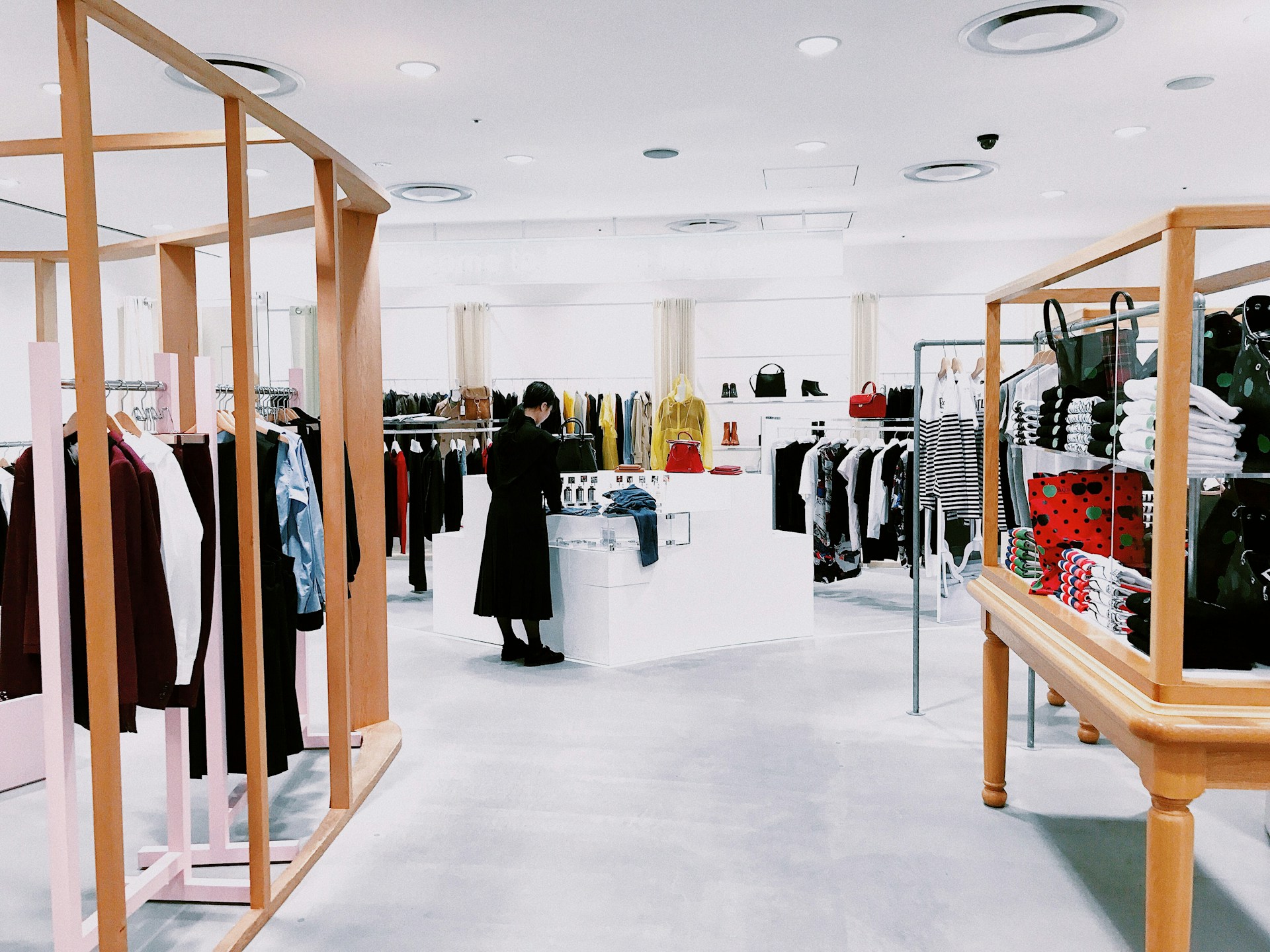
If you manage a retail store in the Houston area, you already know that a single blind spot can cost you thousands in missing inventory. Maybe a recent inventory count came up short, or a shoplifting incident near the register left your staff without clear footage to hand over to police. Retail store security camera placement is not something you can guess at. Every aisle, register, and back door carries its own risk, and each one demands a different camera angle, lens, and mounting height.
Alarm Masters has spent more than 35 years designing security systems for Texas businesses, and store layouts are rarely the same twice. Getting camera placement right means matching coverage to how your specific store actually operates, not copying a generic template.
In this guide, you'll discover how to map your store's risk points, cover the zones where loss actually happens, choose the right camera types for each area, and build a system that gives you usable video when you need it most. Keep reading for placement advice built around real Texas retail environments, not one-size-fits-all theory.
Start With a Store Walk and Risk Map
A camera system built without a site walk almost always misses the exact spots where theft happens most often. Before you mount a single camera, walk your store the way a shoplifter or dishonest employee would.
Every retail space has predictable choke points and blind corners. Tall shelving, mirrored displays, and poorly lit corners all create opportunities that experienced thieves learn to use quickly. A proper risk map identifies these weak points before you spend money on equipment that ends up pointed at the wrong wall.
Map Customer, Employee, and Delivery Paths
Trace how customers move from the entrance to the registers, and note where employees and delivery drivers cross those same paths. High-traffic intersections near high-value displays deserve extra attention, since organized retail crime (coordinated theft rings that target multiple stores) often exploits these crossing points.
See our guide to retail loss prevention systems to learn how integrated video, EAS, and POS monitoring work together against this kind of theft.
Define the Evidence Needed at Each Risk Point
Not every camera needs to identify a face. Some only need to confirm movement or item removal, while checkout counters and entrances require identification-grade detail. Decide what evidence quality each zone requires before choosing camera hardware.
Layer Overview Views With Identification Views
Pair wide sales floor coverage with tighter, focused views at entrances and high-value displays. This layered approach closes blind spots while still capturing faces clearly enough to use as evidence.
Once your risk map is complete, the next step is placing cameras in the specific retail zones where loss most often occurs.
Cover the Retail Areas Where Loss Happens
Most retail shrinkage happens in five predictable zones: entrances, checkout counters, aisles, stockrooms, and parking lots. Covering these areas with purpose closes the gaps that cost Houston retailers the most money.
Capture Clear Faces at Entrances, Exits, and Emergency Doors
Every person who enters or leaves your store passes through the entrance, making it the single most valuable camera position in the building. Mount a camera about eight to ten feet high, facing the entrance directly, so it captures faces without backlighting from outdoor sunlight. Emergency exits and staff-only doors need the same attention, since these routes are common paths for employee theft.
Protect Checkout Counters and Self-Checkout Transactions
Checkout cameras stop cashier fraud and sweethearting (an employee passing merchandise to a friend without scanning it) before they become habits. Mount the camera to capture the register screen, the cashier's hands, the scanning area, and the customer's face at once. Self-checkout stations need their own dedicated camera on each unit, since unstaffed lanes see far higher theft rates than staffed registers.
Remove Blind Spots Across Aisles and High-Value Displays
Aisles with shelving over six feet tall create blind spots at floor level that ceiling cameras alone cannot reach. High-value merchandise, including electronics, cosmetics, and liquor, needs denser coverage than standard shelving. Consider these placement priorities for aisle coverage:
- Mount dome cameras at aisle intersections to cover multiple sightlines from one position
- Add lower-mounted cameras on endcaps near high-value displays
- Increase camera density in zones with frequent theft reports
- Avoid gaps where tall shelving blocks the overhead view
Secure Stockrooms, Receiving Areas, and Loading Docks
Stockrooms give employees unsupervised access to merchandise, which is exactly why internal theft often starts there. Cover the receiving door, the general stockroom floor, and the doorway connecting the stockroom to the sales floor. Loading docks deserve entrance-level camera priority, since organized theft rings often use back doors to move product to waiting accomplices.
Extend Coverage to Parking Lots and Exterior Approaches
Parking lot cameras protect customers from vehicle break-ins and give you documentation if a slip-and-fall claim ever surfaces. License plate recognition (technology that reads and logs vehicle plates automatically) works best with dedicated cameras aimed at plate height near entrances and exits. Standard overview cameras rarely capture plates clearly enough to be useful.
With every risk zone identified, the next decision is choosing which camera types actually deliver the coverage each area needs.
Match Camera Types, Lenses, and Lighting to the Job
The wrong camera type in the right location still fails, since dome, bullet, fisheye, and PTZ cameras each serve a different purpose. Matching hardware to the job is what separates a working system from an expensive disappointment.
Use Wide Views for Context and Focused Views for Detail
A wide-angle lens gives you context across an open sales floor, but it sacrifices the detail needed to identify a face at a distance. Pair wide lenses like a 2.8mm with narrower options like an 8mm lens at points where identification matters most, such as entrances and registers.
Choose Dome, Bullet, Fisheye, and PTZ Cameras With Purpose
Dome cameras work well on sales floors because their housing hides the exact direction they point, adding a deterrent effect. Bullet cameras handle exterior areas like parking lots, since their form factor supports longer-range infrared night vision.
Fisheye cameras capture a full 360-degree view from one ceiling mount, useful for wide-open areas like entrances or food courts. PTZ (pan-tilt-zoom) cameras let an operator follow suspicious activity in real time, but they should always supplement fixed cameras rather than replace them.
Handle Glass Doors, Glare, and Low-Light Conditions
Houston's bright afternoon sun creates heavy glare through glass storefronts, which can wash out entrance footage without the right equipment. Wide dynamic range, or WDR (a camera feature that balances bright and dark areas in the same frame), solves this problem at entrances and windows. Night vision capability matters just as much for stockrooms with limited lighting and parking lots after dark.
Set Mounting Height and Angle Before Final Installation
Mounting height affects both coverage area and image quality, so this decision should never be an afterthought. Cameras placed too high lose facial detail, while cameras placed too low become vulnerable to tampering or vandalism. A licensed installer, such as the team at Alarm Masters, can calculate the exact height and angle for each zone based on ceiling height and lighting.
Camera hardware only delivers value if the system behind it stores, protects, and surfaces that footage when you need it.
Build a System That Delivers Usable Video
Footage you can't find quickly is nearly as bad as no footage at all. A retail security system needs a clear plan for recording, storage, and remote access, not just cameras on the ceiling.
Plan Recording, Storage, and Retention Around Real Incidents
Most theft and fraud claims surface days or even weeks after the incident, so storage retention becomes a real business decision. A network video recorder, or NVR (a device that stores footage from IP cameras on your network), should keep continuous recordings for at least 30 days in most retail settings. Cloud storage adds an off-site backup layer in case the local recorder is damaged or stolen.
Use Analytics and Alerts to Focus Attention on Meaningful Events
AI-powered video analytics can flag motion in restricted areas, count customers, or send real-time alerts when someone lingers near a high-value display. These tools help your staff focus attention on meaningful events instead of watching hours of routine footage. Object detection and queue monitoring also support staffing decisions during busy periods.
Connect Video With Access Control, Alarms, and Remote Monitoring
Integrating cameras with access control and alarm systems gives you one unified picture of activity across the store. If a burglar alarm triggers after hours, remote video monitoring lets your team or a monitoring center confirm the threat before dispatching help. This kind of integration turns separate systems into one coordinated response.
Protect System Access and Test Coverage After Store Changes
Every time you move a display, expand a department, or remodel a section, your camera coverage can shift without you noticing. Consider building these habits into your regular store operations:
- Review camera footage quality every quarter, not just after an incident
- Re-test coverage angles after any shelving or layout change
- Limit system login access to managers who need it
- Update passwords and user permissions when staff turnover occurs
A strong technical setup means little if it ignores the privacy expectations of your customers and staff.
Respect Privacy While Strengthening Protection
Cameras placed in the wrong areas can expose your business to legal risk instead of protecting it. Respecting privacy boundaries keeps your surveillance system both effective and defensible.
Set Clear Boundaries for Employee and Customer Privacy
Break rooms, restrooms, and changing areas are places where employees have a reasonable expectation of privacy, meaning cameras generally should not be installed there. Focus retail surveillance on operational areas like sales floors, registers, and stockroom entries instead. This keeps your system focused on loss prevention rather than employee monitoring for its own sake.
Use Signage, Audio Rules, and Access Policies Carefully
Posting visible signage that surveillance is in use supports transparency and can deter potential shoplifters. Audio recording carries stricter legal rules than video in many states, so confirm your system's audio settings match local requirements. Limiting who can access live feeds and stored footage also reduces misuse risk.
Review Footage and Update the Layout as Risks Change
Retail crime patterns shift over time, and your camera layout should shift with them. Schedule a review of footage quality and coverage gaps at least once a year, or sooner if your store adds new departments or displays.
- Check that entrance cameras still capture clear faces after any remodel
- Confirm high-value display coverage matches your current inventory mix
- Verify stockroom and loading dock cameras still see the full delivery path
With privacy handled and your system reviewed regularly, the final step is putting this plan into action at your own store.
Put Your Store Layout to Work
A camera system only protects what it actually covers, which is why a store-specific layout matters more than generic advice. Every retail space in Houston has its own foot traffic, lighting, and merchandise risk profile.
Schedule a Store-Specific Camera Placement Review
A trained technician can walk your store, identify blind spots, and recommend camera types and mounting positions suited to your exact layout. This review catches issues generic placement guides can't anticipate, such as glare patterns from a specific storefront window or shelving heights unique to your merchandise.
Get a Free No-Obligation Estimate
Alarm Masters designs and installs retail security camera systems for stores across the Houston area, backed by a 48-hour service guarantee and 35+ years of Texas experience. Our team handles the full process, from the initial site walkthrough to installation and ongoing support, so you are never left managing the technical details alone.
- Request a walkthrough to map your store's specific risk points
- Receive a placement plan matched to your layout and merchandise
- Get pricing with no pressure and no obligation to move forward
Ready to see where your coverage stands? Request a free walkthrough and get a placement plan built around your actual floor plan.
Once your system is designed and installed, the remaining questions are usually about the details, which the next section answers directly.
Frequently Asked Questions
Where Should We Install Security Cameras in a Retail Store?
Install cameras at every entrance and exit, above each checkout counter, at aisle intersections near high-value merchandise, and inside stockrooms and loading docks. Parking lots also need coverage, especially near entrances where cameras can capture license plates. Each zone requires a different mounting height and lens to capture usable detail.
What Areas Need Camera Coverage to Prevent Shoplifting?
Aisles with high-value or frequently stolen items, such as electronics and cosmetics, need denser camera coverage than standard shelving areas. Entrances and exits are equally important since every shoplifter must pass through them. Fitting rooms and self-checkout stations also see elevated theft rates and deserve dedicated attention.
Where Should We Avoid Placing Security Cameras in a Store?
Avoid installing cameras inside restrooms, changing rooms, and break room areas where employees and customers have a reasonable expectation of privacy. Texas law generally allows video surveillance in areas without that expectation, such as sales floors and stockrooms, but recording in private areas like changing rooms is a criminal offense under state law. Focus coverage on operational areas like sales floors, registers, and stock areas instead.
How Many Security Cameras Does a Retail Store Need?
There is no fixed ratio of cameras to square footage. The right number depends more on your store's layout complexity, foot traffic, and merchandise risk than on any set formula, and it can range from a handful of cameras in a small shop to dozens across a large-format store. High-value display areas require denser coverage than general merchandise sections. A site walk with a licensed technician gives you an exact count based on your floor plan.
What Are the Legal Rules for Security Camera Placement in Texas?
Texas law generally allows video surveillance in areas without a reasonable expectation of privacy, such as sales floors and stockrooms. Audio recording carries stricter consent rules than video since Texas is a one-party consent state, so many businesses disable audio capture on retail cameras. Consult a licensed security provider or legal advisor to confirm your specific setup meets current requirements.
How Long Do Retail Stores Keep Security Camera Footage?
Most retail stores retain footage for at least 30 days, since theft and fraud claims often surface days or weeks after the incident. Some businesses extend retention further for high-value zones or ongoing investigations. Storage capacity and retention needs should be part of the initial system design conversation.



.svg)


.svg)


