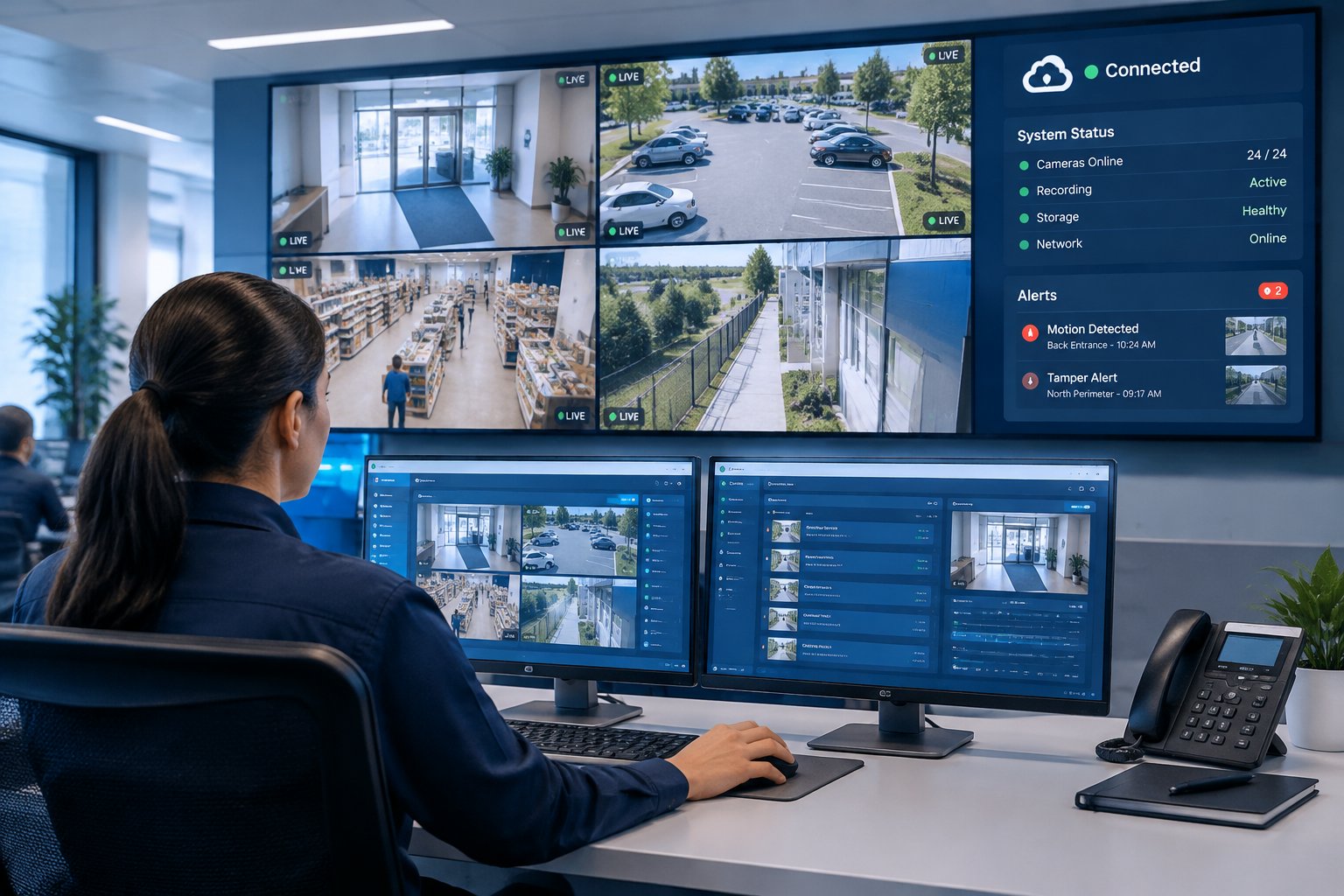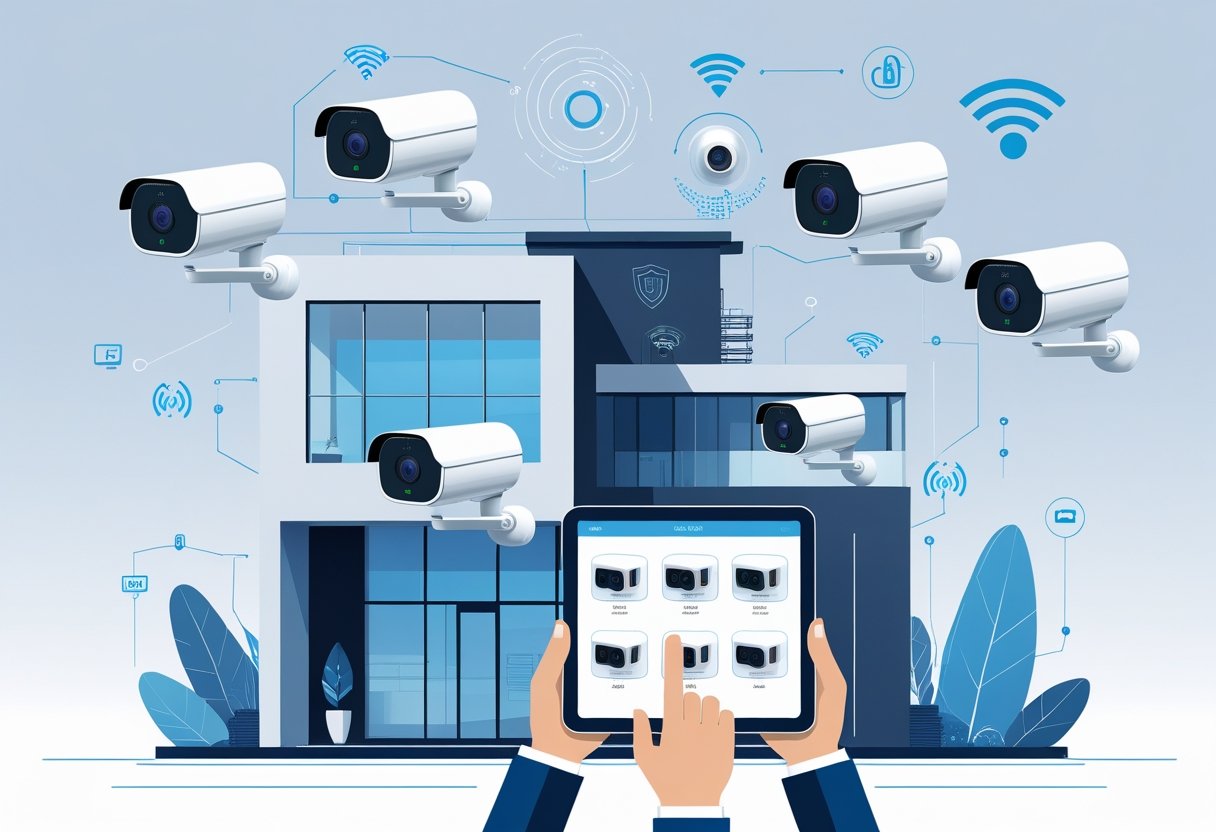
When it comes to safeguarding your home or business, remote access security camera systems provide the flexibility and control you need to monitor your property from anywhere. These systems allow you to keep an eye on your premises through your smartphone, tablet, or computer, ensuring that you can respond quickly to any unexpected situations. With the rise of connectivity and smart technology, these security solutions have become more accessible and user-friendly.
Living in the greater Houston area means you can take advantage of advanced surveillance technology designed specifically to meet your needs. By investing in a reliable remote access system, you can easily access live feeds, receive alerts, and even interact with visitors from the comfort of your couch or while on the go. Visible cameras also act as a strong deterrent to potential intruders.
Whether you're concerned about security at your home or business, exploring the various options available in remote access security camera systems can help you make an informed decision. With numerous models offering features such as high-definition video, motion detection, and night vision, you can find the ideal system to suit your specific requirements in the Houston area.
What Are Remote Access Security Camera Systems?
Remote access security camera systems enable you to effectively monitor your home or business from virtually anywhere. These systems combine advanced technology with user-friendly apps, so checking on your property takes seconds.
Key Features and Capabilities
Remote access security camera systems come equipped with several important features. One of the most notable is live viewing, allowing you to access real-time footage via smartphones, tablets, or computers. Additionally, motion detection technology alerts you to unusual activities, sending mobile alerts for immediate response.
These systems often include cloud storage, ensuring that your video recordings are securely backed up and accessible. Multi-camera support is also common, enabling you to monitor multiple angles at once. Many setups now integrate with smart home technology, allowing you to control various devices remotely.
Remote Viewing Technology
The technology behind remote viewing is essential for effective surveillance. Typically, you connect your security camera system to the internet, enabling access from anywhere. Many systems utilize Wi-Fi or Ethernet connections for stable connections.
Most systems rely on mobile apps that allow you to view footage, receive alerts, and even control camera angles. Features such as two-way audio provide communication capabilities, allowing you to interact with anyone near your camera. Some advanced systems utilize AI for enhanced detection and response, improving overall security effectiveness.
Benefits of Remote Access for Home Security
Utilizing remote access for your home security adds numerous benefits. The primary advantage is the ability to monitor your property 24/7, giving you peace of mind and the ability to respond immediately. Whether you are at work or on vacation, you can check in and ensure your property is secure.
Real-time mobile alerts keep you informed of any suspicious activities, allowing for quick action if needed. Access to historical footage is also valuable, providing evidence in case of incidents. This level of surveillance helps you better protect your home, especially in the greater Houston area where local crime rates may fluctuate.
Types of Remote Access Security Cameras
Remote access security cameras come in various types, each designed to meet specific needs and preferences. Understanding the different options will help you choose the best fit for your property in the greater Houston area.
Wireless Security Cameras
Wireless security cameras offer flexibility and ease of installation, making them ideal for both home and business environments. They connect via Wi-Fi, allowing you to access live feeds remotely through a smartphone or computer.
These devices usually come with features such as motion detection, night vision, and two-way audio, which enhances their functionality. Additionally, many wireless systems support cloud storage, ensuring your footage is safe and accessible anytime.
Wired Security Camera Systems
Wired security camera systems provide a strong and consistent connection. These systems use cables for video transmission, ensuring minimal signal interference, which can be an issue with wireless options.
While installation may require professional help, the benefits include higher-quality video feeds and enhanced security against hacking. A wired connection is often more reliable in areas with poor wireless connectivity. Many business owners in Houston prefer these systems for comprehensive monitoring, especially those with expansive properties requiring extensive surveillance.
Portable and LTE-Based Cameras
Portable security cameras offer convenience, especially for users needing to monitor multiple locations. They can be easily relocated and often run on battery power, making them versatile.
LTE-based cellular security cameras use mobile data for transmission, allowing you to access camera feeds without a Wi-Fi connection. These devices are perfect for remote locations or job sites needing temporary surveillance. Their portability makes them an excellent choice for homeowners or businesses looking to enhance security in different areas without a dedicated setup.
Essential Features for Secure Remote Monitoring
When it comes to remote access security camera systems, several features significantly enhance your surveillance experience. These include motion detection capabilities, night vision performance, audio communication, and weather resistance. Understanding these elements can help you choose the right system tailored to your needs.
Motion Detection and Smart Notifications
Effective motion detection is important for real-time security. Quality systems utilize AI-driven noise reduction to minimize false alarms caused by non-threatening movements, such as leaves rustling. You can set up customizable detection zones, allowing you to focus on specific areas of interest, such as entrances.
With this technology in place, you receive immediate mobile alerts whenever a significant movement is detected. Notifications can be tailored to differentiate between people and vehicles, made possible through advanced person and vehicle AI detection. This feature enables you to monitor important moments without being inundated with unnecessary alerts.
Night Vision and Low Light Performance
A reliable security camera should perform well in low-light conditions. Many modern systems offer infrared night vision capabilities, which provide a clear view even in total darkness. This technology allows your camera to capture high-quality footage during nighttime without spooking potential intruders.
Some models feature adaptive spotlight modes that automatically adjust based on ambient light, ensuring even more clarity in varying conditions. It's essential to check the range of night vision; many systems can effectively monitor areas up to 30-100 feet in total darkness. This ensures comprehensive coverage of your property around the clock.
Audio Capabilities
Integrated 2-way audio features allow effective communication between you and anyone near the camera. This can be useful for talking to delivery personnel or deterring unwanted visitors. High-quality audio performance is important to ensure that conversations are clear and not distorted.
Many systems also support smart snapshots, enabling you to capture quick images during specific scenarios. This can be especially useful for recording interactions or incidents in real-time, providing additional context to any footage captured.
Weather-Resistant and Outdoor Design
For outdoor security, your camera system must be weather-resistant. Look for cameras with an IP66 or higher rating, indicating they can withstand heavy rain, wind, and dust. This feature is vital for maintaining functionality in Houston's variable climate.
Outdoor cameras often come equipped with enhanced durability in mind, including UV-resistant housing. You may also want to consider cameras with heating elements to prevent condensation in colder months. This resilience ensures your system remains operational and effective, regardless of external conditions.
Connectivity and Storage Solutions
When selecting remote access security camera systems, understanding connectivity options and storage solutions is essential. Your system's performance heavily relies on how well it connects and stores data, ensuring reliable monitoring and accessibility.
Wi-Fi and Cellular Connections
Wi-Fi connectivity is a popular choice for remote security cameras due to its ease of installation and flexibility. Many systems, including those managed through a single security app, offer smooth connectivity via your home or business Wi-Fi network. You can monitor your property in real-time using your smartphone, making it convenient for on-the-go access.
For areas with weak Wi-Fi signals, hardwired Ethernet or Power over Ethernet (PoE) cameras can enhance connection reliability. Some systems also support cellular connections, ensuring you remain connected, even when your home network is down. This is particularly important for security, as uninterrupted access is vital for monitoring.
Local Versus Cloud Storage
When it comes to storing video footage, you have options. Local storage often involves a microSD card inserted directly into the camera or a network video recorder (NVR) on site. This setup allows for immediate access to footage without reliance on internet speed or cloud services.
However, cloud storage offers a more scalable solution. It enables you to store data off-site, protecting it from local incidents. Some systems integrate well with applications, allowing for easy access to your footage from anywhere. Weighing the pros and cons of local versus cloud storage depends on your specific needs for data security and accessibility.
Expandable Storage Options
Expandable storage is a key feature in modern security systems. Many devices allow you to increase storage capacity as needed. It can support additional hard drives or microSD cards.
This flexibility ensures you can maintain high-quality video without sacrificing storage space. When setting up your system, consider how much footage you will need to store over time. Investing in expandable options now can save you from future limitations on your security system.
Choosing a Professional Remote Access System
Rather than shopping by brand name alone, focus on the quality of the equipment, how it is installed and who supports it after the sale. Professional-grade camera lines and platforms deliver features that consumer kits often lack.
Professional-Grade Cameras and Platforms
Alarm Masters designs systems around trusted partners such as Hanwha and Axis cameras, Eagle Eye cloud video management and Alarm.com for residential and small business video. These platforms offer sharp day and night images, strong encryption, flexible cloud and local recording, and apps that make it easy to view live and recorded footage from anywhere.
Because the same app can control your cameras, burglar alarm and access control, you are not juggling separate logins for each device. That makes remote access simpler for you and for anyone else you authorize, such as managers or family members.
Professional Installation and Support
Even the best camera underperforms if it is mounted in the wrong place or connected to an unstable network. Professional design accounts for sight lines, lighting, network bandwidth and backup power, then every camera is tested before the installer leaves.
Ongoing support matters too. Firmware updates, troubleshooting and repairs are handled for you, and Alarm Masters backs its service with a 48-hour guaranteed turnaround. If you already have cameras, ask whether they can be brought onto a managed platform before you replace anything.
Innovative Features in Modern Systems
Modern remote access security camera systems incorporate a variety of innovative features that enhance security. Artificial intelligence plays a key role in differentiating between people, pets, and vehicles, leading to more relevant notifications.
Cloud storage options allow you to access footage easily without the need for extensive hardware. Many systems offer encryption for data security, protecting your information from unauthorized access.
Additionally, features like motion tracking, remote pan/tilt controls, and integration with voice assistants, can significantly enhance your surveillance capabilities. Such advancements make it easier for you to monitor your property effectively and stay connected wherever you are.
Setup, Power, and Maintenance Considerations
When installing a remote access security camera system, it's essential to focus on proper setup, power supply options, and ongoing maintenance. These elements play a key role in ensuring reliable performance and system longevity.
Installation and Configuration
Begin by selecting the right location for your cameras, considering both field of view and accessibility for maintenance. Cameras should be mounted high enough to be hard to tamper with, but not so high that they only capture the tops of heads.
Key steps:
- Mounting: Use wall anchors for secure attachment.
- Wiring: If applicable, ensure you have the right length of cabling. Conceal wires to maintain aesthetics.
Next, configure the camera settings through the designated app or web interface. Set features like motion detection sensitivity and notification preferences. You can ensure that your system functions properly by testing the camera view and adjusting angles if necessary before finalizing the installation.
Power Supply Options
Your choice of power supply significantly impacts system effectiveness. Two common options are traditional power adapters and renewable sources like solar panel technology.
If you opt for solar power:
- Ensure the panel is positioned for maximum sunlight exposure.
- Use a rechargeable lithium battery for energy storage to maintain functionality during periods of low sunlight.
For direct electrical connections, confirm that your power source is stable and meets the voltage requirements of your cameras. Backup power solutions can add another layer of reliability against outages.
Maintaining Optimal Performance
Regular maintenance is vital for keeping your security camera system in top shape. Start with periodic cleaning of the camera lenses to prevent dirt buildup, which can obstruct the view.
Maintenance tips:
- Check for firmware updates regularly to ensure your system benefits from the latest features and security patches.
- Examine wiring connections for signs of wear or damage periodically.
Additionally, monitor battery health if you are using rechargeable lithium batteries. Replace them as needed to avoid interruptions in surveillance coverage and ensure your solar panel system remains functional.
By implementing these practices, you will enhance the reliability and effectiveness of your remote access security camera system in the Greater Houston area.
Keeping Your Remote Access Secure
Remote access is only as safe as the account behind it. Change default logins to unique, strong passwords and turn on two-factor or multi-factor authentication so a stolen password alone is not enough. Keep the app and camera firmware updated, and choose systems that encrypt video and data as it travels between your cameras and your phone.
Pairing Remote Cameras With Your Alarm System
Remote access works best when your cameras and alarm are connected. From one app you can arm or disarm your system, get instant alerts, and watch live video. When an alarm goes off, you can check the camera feed right away to see what triggered it.
With professional monitoring, the alarm signal goes to a monitoring center where trained staff assess it and dispatch police or emergency services if needed. Video helps confirm real events and cuts down on false alarms.
Frequently Asked Questions
When considering remote access security camera systems, you may have specific inquiries ranging from the best options available to unique features like solar power and night vision. Here are answers to some common questions that will help you make informed decisions.
What are the best outdoor security camera systems that offer remote viewing capabilities?
The best outdoor systems combine weather-rated, professional-grade cameras with a reliable app for real-time monitoring from your smartphone. Look for strong night vision, AI-powered person and vehicle detection, encrypted storage and professional installation, which together make a system well suited to homes and businesses in the greater Houston area.
How can I find a wireless security camera system with reliable remote viewing?
Some systems record to a local NVR or SD card and allow basic remote viewing on their own. Keep in mind that a service plan often adds valuable features, such as cloud backup, smart alerts and professional monitoring, so compare what you would give up before choosing a standalone setup.
Are there any solar-powered security camera systems available that provide remote viewing options?
Yes, solar-powered cameras with battery storage and cellular or Wi-Fi connections are available. They are especially useful for gates, outbuildings and construction sites where running power is difficult.
Which wireless security camera systems are suitable for outdoor use and support remote monitoring?
Look for cameras with an IP66 or higher weather rating, HD or higher resolution and reliable connectivity. Wired PoE cameras are the most dependable option for permanent outdoor coverage, while wireless models suit spots where cabling is impractical.
What options are available for night vision wireless security camera systems with remote access?
Look for cameras with infrared night vision for total darkness and color night vision or built-in illuminators for areas with some light. Alarm Masters can recommend and install cameras that deliver clear images in low-light conditions across your property.
Can you recommend security camera systems with remote viewing that do not require Wi-Fi connectivity?
Yes, cellular (LTE) cameras and systems with cellular communicators let you access remote feeds without relying on Wi-Fi. This is beneficial for remote sites, construction areas or anywhere Wi-Fi is unreliable or unavailable.
Can I add remote monitoring to my existing alarm system?
Often, yes. Whether it works depends on the brand and model of your current system, so ask your security provider to check compatibility before you upgrade. Alarm Masters can take over monitoring and maintenance of many existing systems.
Get Remote Access Cameras from Alarm Masters
Alarm Masters is a family-owned company that has been protecting Texas since 1990. We design, install and monitor video surveillance systems for homes and businesses across greater Houston, with live video monitoring, AI video monitoring and video verification available through our monitoring services. Explore options for your home or business, then request a free estimate or call 281-933-3900.