.svg)
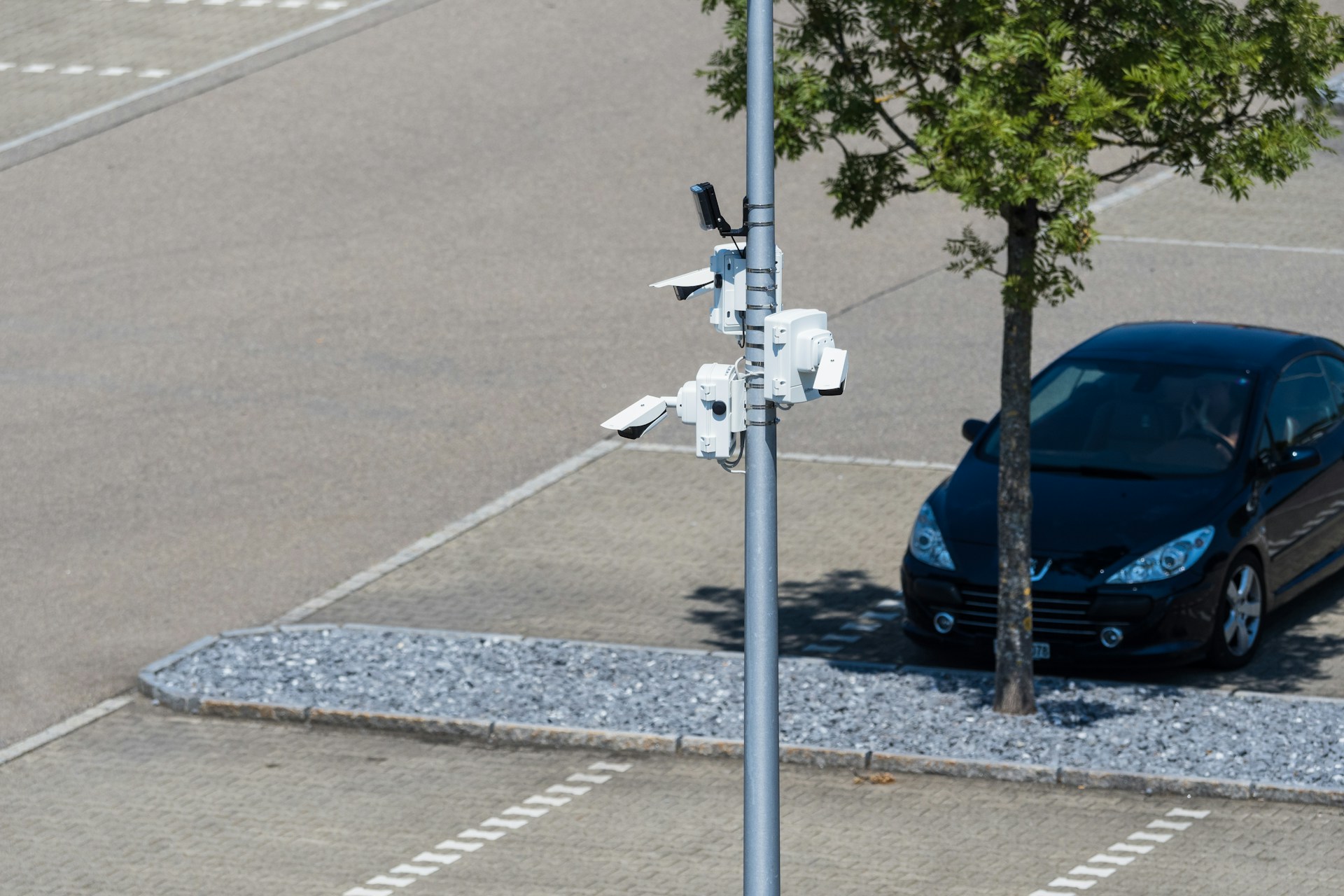
If you manage a Houston apartment complex, you know security upgrades can feel like a trade-off with resident happiness. A new gate, a camera crew in the parking lot, or a locksmith rekeying doors can spark a wave of complaints if it is not planned well. Property managers need real protection, but they also need residents to keep paying rent without feeling like they live in a construction zone.
Alarm Masters has spent more than 35 years designing fire and security systems for properties across Texas, including multi-family communities. That experience means our team knows how to plan multi-family property security improvements in Houston around occupied buildings, not empty ones.
In this guide, you'll discover how to spot the security gaps that matter most at apartment communities, how to phase access control and camera installs without shutting down entry points, and how to keep permitting and scheduling from becoming your problem to manage.
Start With the Risks at Your Community
Most security failures at Houston apartment communities trace back to one thing: unmanaged access points nobody watches closely enough. A gate that never latches, a side door propped open for movers, or a stairwell with no camera coverage creates the opening an intruder needs.
Multifamily communities differ from single-family homes because so many people share the same walkways, garages, and entrances. That shared traffic makes it harder to know who belongs and who does not, especially during move-in season or big events. Property teams that treat every entry point the same, without ranking risk, tend to overspend on low-priority areas and underspend where incidents actually happen.
Map Shared-Access Risks and Resident Traffic
Start by walking the property at different times of day and noting where resident traffic is heaviest. Leasing offices, mailrooms, and pool gates usually see the most foot traffic and the most opportunity for unauthorized access. A quick audit should flag which doors get propped open, which gates residents prop for convenience, and which stairwells feel isolated after dark.
Prioritize Parking, Packages, and Perimeter Exposure
Parking lots and package areas generate a large share of incident reports at apartment communities across Houston. Car break-ins, package theft, and loitering near carports are common complaints property managers hear week after week. Perimeter monitoring, meaning coverage of fences, gates, and outer walkways, helps close the gap between where residents feel safe and where incidents actually happen.
A short list of the highest-risk zones to review first:
- Parking lots and carports with limited lighting or camera coverage
- Package rooms and mail kiosks near unmonitored side entries
- Perimeter fence lines and secondary gates residents use as shortcuts
- Stairwells and breezeways between buildings
- Pool and amenity gates left unlocked after hours
Once you know where the risks concentrate, the next step is deciding how to close entry gaps without making daily life harder for residents.
Improve Entry Security Without Burdening Residents
Access control done right protects your gates and doors while residents barely notice a change in their daily routine. Done poorly, it means confused residents locked out, angry calls to the leasing office, and staff fielding complaints instead of leasing units.
Access control systems manage who can open a door, gate, or garage arm, and they automatically log every entry attempt. For a multi-family property, that means fewer lost keys, no more rekeying an entire building after a resident moves out, and a clear record if an incident happens.
Texas law already requires landlords to rekey or change certain security devices between tenants under Property Code Chapter 92, so a system that logs and automates that turnover saves staff time while adding compliance.
Many Houston communities also run leasing software like RealPage, so any new access system should sync resident data instead of creating a second system to manage by hand.
Phase Access Control at Gates and Common Doors
Rolling out access control all at once across a fully occupied property invites frustration and lockouts. A phased approach starts with the highest-risk entry point, often the main vehicle gate or the front lobby door, then moves building by building. This lets your team test credentials, fix bugs, and train staff before the whole property depends on the new system.
Use Credentials, Visitor Tools, and Entry Records
Modern access control gives residents more than a key fob; smart device credentials let them unlock doors with a phone instead of a physical card. Visitor management tools let residents register guests ahead of time, so front desk staff or gate attendants don't have to guess who belongs on the property.
Audit trails, the digital log of who entered and when, become critical evidence if a dispute or incident review ever happens.
- Key fobs or cards for simple, low-cost resident access
- Mobile credentials for residents who prefer using their phone
- Visitor codes tied to a specific date and time window
- Audit trail reports for management and incident review
With entry points secured and logged, the next priority is making sure cameras cover the shared spaces access control cannot fully protect.
Place Cameras Where They Protect Shared Spaces
A camera pointed at the wrong angle is nearly as useless as no camera at all, and misplaced coverage is one of the most common mistakes property teams make. Video surveillance works best when it is planned around where incidents actually happen, not just where wiring is convenient.
Security cameras at apartment communities should cover shared spaces residents pass through every day: parking lots, stairwells, lobbies, and mail areas. License plate recognition cameras at entry gates can automatically flag unregistered vehicles, which matters at properties with frequent visitor traffic. Motion detection helps reduce false alerts by only triggering recordings or notifications when real movement occurs in a monitored zone.
Cover Parking Areas, Stairwells, Lobbies, and Mail Zones
Parking lots deserve wide-angle coverage plus a secondary camera near entrances and exits to capture license plates clearly. Stairwells and breezeways need cameras positioned to avoid blind spots created by stair landings or storage closets.
Lobbies and mail zones benefit from camera angles that capture faces clearly without pointing directly into a resident's private unit window.
Balance Clear Video Coverage With Resident Privacy
Cameras should never point into resident windows, balconies, or patios, since that crosses a privacy line residents will notice quickly. Live video monitoring and remote video monitoring let your team or a monitoring partner watch shared spaces in real time without placing cameras inside private areas.
A licensed installer can angle each camera to maximize shared-space coverage while respecting the line between community property and resident privacy.
Cameras and access control work best when installed with minimal disruption, which raises the practical question of scheduling around residents.
Coordinate a Low-Disruption Installation Plan
The biggest complaint property managers hear during upgrades is not about the security itself; it is about the noise, the blocked entries, and the surprise visits from contractors. A well-planned installation schedule prevents most of those complaints before they start.
Certified security experts who specialize in multifamily properties know how to sequence work so no building loses full access at once. Customizable security features, meaning the ability to adjust which doors, cameras, or alerts go live first, let your team control the pace of rollout. This flexibility matters most at fully occupied properties where residents cannot simply relocate during construction.
Schedule Work Around Resident Routines
Morning and evening rush hours around gates and lobbies are the worst times to schedule door or gate work. Midday windows, when most residents are at work or school, tend to create far fewer complaints and lockout calls. Notify residents at least a few days ahead with clear signage and a short explanation of what to expect that day.
Handle Permitting, Notices, and Phased Cutovers
Any electrical or fire-adjacent work at a Texas multi-family property may require permits filed with the local jurisdiction before installation begins. A licensed provider handles permitting directly, so your team isn't stuck tracking paperwork on top of daily property management. Phased cutovers, switching one building or gate to the new system at a time, keep at least one working access point available during the transition.
- Notify residents in writing at least 72 hours before work begins
- Schedule door and gate work during low-traffic midday hours
- Complete one building or zone before starting the next
- Confirm permits are filed before any wiring or panel work begins
Once the new systems are physically installed, the real value comes from how well alerts and monitoring connect to a fast response.
Connect Alerts, Monitoring, and Response
An alarm that nobody answers is barely better than no alarm at all, which is why response speed matters as much as detection. Real-time alerts only help your property if someone is watching them and ready to act within seconds, not hours.
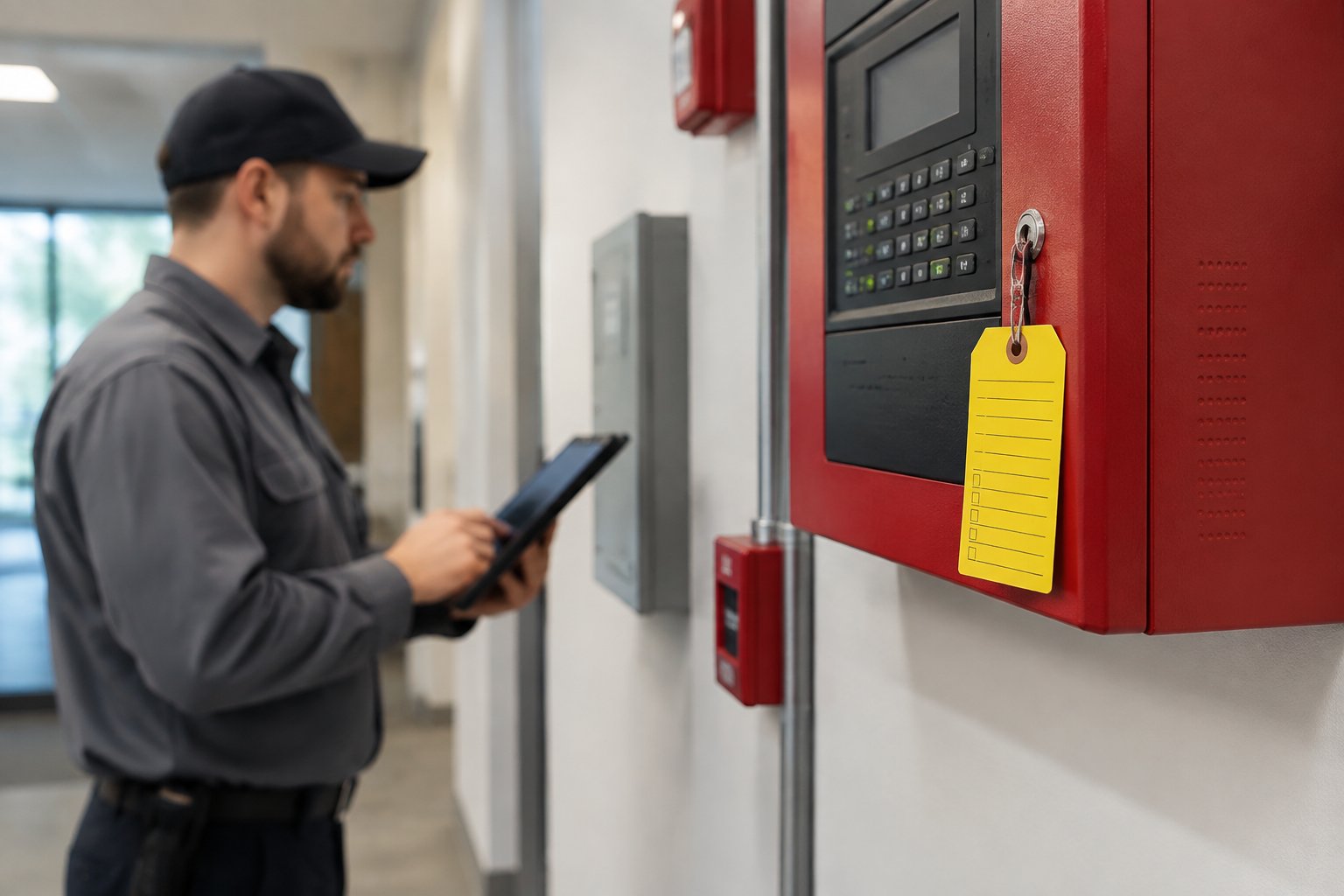
Alarm systems and video cameras generate constant data, but that data needs a clear path to a person who can respond. 24/7 professional monitoring means a trained team watches feeds and alerts as they happen, verifying whether an alert is a real threat or a false trigger. Emergency response integration automatically connects that verified alert to on-site staff, local authorities, or your management team.
Turn Real-Time Alerts Into Clear Action
A gate alarm at 2 a.m. should trigger a specific chain of events, not a confused guessing game about who gets called first. Clear escalation paths, meaning a defined order of who gets notified and when, prevent delays during an actual incident. Live video monitoring lets a monitoring team confirm what is happening on camera before deciding whether to dispatch police or notify staff.
Maintain One Integrated System After Installation
Integrated security systems combine access control, cameras, and alarms into a single dashboard instead of three separate logins. That integration matters most months after installation, when your team needs to pull footage, check entry logs, or add a new resident credential quickly. Ongoing maintenance keeps every camera, sensor, and door controller reporting correctly instead of quietly failing without anyone noticing.
With detection, monitoring, and response connected, your property has the foundation for a security plan that holds up over time.
Frequently Asked Questions
What security upgrades best protect Houston apartment complexes and multi-family communities?
Access control at main gates and common doors, video surveillance covering parking and shared spaces, and 24/7 monitoring form the strongest baseline. These three layers work together to reduce unauthorized access, deter package theft, and give management clear records if an incident occurs.
How quickly can your team install or upgrade a security system for our property?
Our team follows a 48-hour response guarantee, and installation timelines depend on the size and phasing of your property. A site walk gives you a clear, specific schedule so you know exactly when each building or gate will be upgraded.
What does White Glove security service include for apartment owners and property managers?
White Glove service means concierge-level support from the first site walk through ongoing maintenance, not just a one-time install. It includes proactive monitoring, priority response, and a dedicated team that understands your property's layout and daily routines.
Should we use access control, security cameras, or both at our multi-family property?
Most Houston apartment communities benefit from both, since access control manages who enters while cameras record what happens in shared spaces. Using them together closes more gaps than either system alone and gives management stronger evidence if a dispute or incident review comes up.
How can we improve security in parking lots, gates, and common areas?
Start with license plate recognition at entry gates, add clear camera coverage across parking rows and walkways, and confirm lighting supports night visibility. Motion-triggered alerts and phased access control at common doors round out a plan that covers the areas residents use most.
Can you monitor our multi-family security system and respond to alarms around the clock?
Yes, our team provides 24/7 professional monitoring that verifies alerts and coordinates response with staff or local authorities as needed. That continuous coverage means your property has eyes on the system even when your on-site team is off duty.
If you manage a Houston apartment complex, you know security upgrades can feel like a trade-off with resident happiness. A new gate, a camera crew in the parking lot, or a locksmith rekeying doors can spark a wave of complaints if it is not planned well. Property managers need real protection, but they also need residents to keep paying rent without feeling like they live in a construction zone.
Alarm Masters has spent more than 35 years designing fire and security systems for properties across Texas, including multi-family communities. That experience means our team knows how to plan multi-family property security improvements in Houston around occupied buildings, not empty ones. We schedule work in phases, coordinate with your leasing office, and keep residents informed so upgrades feel like progress instead of disruption.
In this guide you'll discover how to spot the security gaps that matter most at apartment communities, how to phase access control and camera installs without shutting down entry points, and how to keep permitting and scheduling from becoming your problem to manage. You'll also see how alerts, monitoring, and response fit together once the new systems are live. Expect practical, Texas-grounded advice you can bring straight into your next ownership or budget meeting.
Start With the Risks at Your Community
Most security failures at Houston apartment communities trace back to one thing: unmanaged access points that nobody is watching closely enough. A gate that never latches, a side door propped open for movers, or a stairwell with no camera coverage creates the opening an intruder needs.
Multifamily communities differ from single-family homes because so many people share the same walkways, garages, and entrances. That shared traffic makes it harder to know who belongs and who does not, especially during move-in season or big events. Property teams that treat every entry point the same, without ranking risk, tend to overspend on low-priority areas and underspend where incidents actually happen.
Map Shared-Access Risks and Resident Traffic
Start by walking the property at different times of day and noting where resident traffic is heaviest. Leasing offices, mailrooms, and pool gates usually see the most foot traffic and the most opportunity for unauthorized access. A quick audit should flag which doors get propped open, which gates residents prop for convenience, and which stairwells feel isolated after dark.
Prioritize Parking, Packages, and Perimeter Exposure
Parking lots and package areas generate a large share of incident reports at apartment communities across Houston. Car break-ins, package theft, and loitering near carports are common complaints property managers hear week after week. Perimeter monitoring, meaning coverage of fences, gates, and outer walkways, helps close the gap between where residents feel safe and where incidents actually happen.
A short list of the highest-risk zones to review first:
- Parking lots and carports with limited lighting or camera coverage
- Package rooms and mail kiosks near unmonitored side entries
- Perimeter fence lines and secondary gates residents use as shortcuts
- Stairwells and breezeways between buildings
- Pool and amenity gates left unlocked after hours
Once you know where the risks concentrate, the next step is deciding how to close entry gaps without making daily life harder for residents.
Improve Entry Security Without Burdening Residents
Access control done right protects your gates and doors while residents barely notice a change in their daily routine. Done poorly, it means confused residents locked out, angry calls to the leasing office, and staff fielding complaints instead of leasing units.
Access control systems manage who can open a door, gate, or garage arm, and they log every entry attempt automatically. For a multi-family property, that means fewer lost keys, no more rekeying an entire building after a resident moves out, and a clear record if an incident happens. Texas law already requires landlords to rekey or change certain security devices between tenants under Property Code Chapter 92, so a system that logs and automates that turnover saves real staff time on top of the compliance benefit. Many Houston communities also run leasing software like RealPage, so any new access system should be able to sync resident data instead of creating a second system to manage by hand.
Phase Access Control at Gates and Common Doors
Rolling out access control all at once across a fully occupied property invites frustration and lockouts. A phased approach starts with the highest-risk entry point, often the main vehicle gate or the front lobby door, then moves building by building. This lets your team test credentials, fix bugs, and train staff before the whole property depends on the new system.
Use Credentials, Visitor Tools, and Entry Records
Modern access control gives residents more than a key fob; smart device credentials let them unlock doors with a phone instead of a physical card. Visitor management tools let residents register guests ahead of time, so front desk staff or gate attendants are not guessing who belongs on the property. Audit trails, the digital log of who entered and when, become critical evidence if a dispute or incident review ever happens.
- Key fobs or cards for simple, low-cost resident access
- Mobile credentials for residents who prefer using their phone
- Visitor codes tied to a specific date and time window
- Audit trail reports for management and incident review
With entry points secured and logged, the next priority is making sure cameras cover the shared spaces access control cannot fully protect.
Place Cameras Where They Protect Shared Spaces
A camera pointed at the wrong angle is nearly as useless as no camera at all, and misplaced coverage is one of the most common mistakes property teams make. Video surveillance works best when it is planned around where incidents actually happen, not just where wiring is convenient.
Security cameras at apartment communities need to cover shared spaces that residents pass through every day: parking lots, stairwells, lobbies, and mail areas. License plate recognition cameras at entry gates can flag unregistered vehicles automatically, which matters at properties with frequent visitor traffic. Motion detection helps reduce false alerts by only triggering recordings or notifications when real movement occurs in a monitored zone.
Cover Parking Areas, Stairwells, Lobbies, and Mail Zones
Parking lots deserve wide-angle coverage plus a secondary camera near entrances and exits to capture license plates clearly. Stairwells and breezeways need cameras positioned to avoid blind spots created by stair landings or storage closets. Lobbies and mail zones benefit from a camera angle that captures faces clearly without pointing directly into a resident's private unit window.
Balance Clear Video Coverage With Resident Privacy
Cameras should never point into resident windows, balconies, or patios, since that crosses a privacy line residents will notice quickly. Live video monitoring and remote video monitoring let your team or a monitoring partner watch shared spaces in real time without placing cameras inside private areas. A licensed installer can angle each camera to maximize shared-space coverage while respecting the line between community property and resident privacy.
Cameras and access control work best when they are installed with minimal disruption, which brings up the practical question of scheduling around residents.
Coordinate a Low-Disruption Installation Plan
The biggest complaint property managers hear during upgrades is not about the security itself, it is about the noise, the blocked entries, and the surprise visits from contractors. A well-planned installation schedule prevents most of those complaints before they start.
Certified security experts who specialize in multifamily properties know how to sequence work so no building loses full access at once. Customizable security features, meaning the ability to adjust which doors, cameras, or alerts go live first, let your team control the pace of rollout. This flexibility matters most at fully occupied properties where residents cannot simply relocate during construction.
Schedule Work Around Resident Routines
Morning and evening rush hours around gates and lobbies are the worst times to schedule door or gate work. Midday windows, when most residents are at work or school, tend to create far fewer complaints and lockout calls. Notify residents at least a few days ahead with clear signage and a short explanation of what to expect that day.
Handle Permitting, Notices, and Phased Cutovers
Any electrical or fire-adjacent work at a Texas multi-family property may require permits filed with the local jurisdiction before installation begins. A licensed provider handles that permitting directly, so your team is not stuck tracking paperwork on top of daily property management. Phased cutovers, switching one building or gate to the new system at a time, keep at least one working access point available during the transition.
- Notify residents in writing at least 72 hours before work begins
- Schedule door and gate work during low-traffic midday hours
- Complete one building or zone before starting the next
- Confirm permits are filed before any wiring or panel work begins
Once the new systems are physically installed, the real value comes from how well alerts and monitoring connect to a fast response.
Connect Alerts, Monitoring, and Response
An alarm that nobody answers is barely better than no alarm at all, which is why response speed matters as much as detection. Real-time alerts only help your property if someone is watching them and ready to act within seconds, not hours.
Alarm systems and video cameras generate constant data, but that data needs a clear path to a person who can respond. 24/7 professional monitoring means a trained team watches feeds and alerts as they happen, verifying whether an alert is a real threat or a false trigger. Emergency response integration automatically connects that verified alert to on-site staff, local authorities, or your management team.
Turn Real-Time Alerts Into Clear Action
A gate alarm at 2 a.m. should trigger a specific chain of events, not a confused guessing game about who gets called first. Clear escalation paths, meaning a defined order of who gets notified and when, prevent delays during an actual incident. Live video monitoring lets a monitoring team confirm what is happening on camera before deciding whether to dispatch police or notify staff.
Maintain One Integrated System After Installation
Integrated security systems combine access control, cameras, and alarms into a single dashboard instead of three separate logins. That integration matters most months after installation, when your team needs to pull footage, check entry logs, or add a new resident credential quickly. Ongoing maintenance keeps every camera, sensor, and door controller reporting correctly instead of quietly failing without anyone noticing.
With detection, monitoring, and response connected, your property has the foundation for a security plan that holds up over time.
Frequently Asked Questions
What security upgrades best protect Houston apartment complexes and multi-family communities?
Access control at main gates and common doors, video surveillance covering parking and shared spaces, and 24/7 monitoring form the strongest baseline. These three layers work together to reduce unauthorized access, deter package theft, and give management clear records if an incident occurs.
How quickly can your team install or upgrade a security system for our property?
Our team follows a 48-hour response guarantee, and installation timelines depend on the size and phasing of your property. A site walk gives you a clear, specific schedule so you know exactly when each building or gate will be upgraded.
What does White Glove security service include for apartment owners and property managers?
White Glove service means concierge-level support from the first site walk through ongoing maintenance, not just a one-time install. It includes proactive monitoring, priority response, and a dedicated team that understands your property's layout and daily routines.
Should we use access control, security cameras, or both at our multi-family property?
Most Houston apartment communities benefit from both, since access control manages who enters while cameras record what happens in shared spaces. Using them together closes more gaps than either system alone and gives management stronger evidence if a dispute or incident review comes up.
How can we improve security in parking lots, gates, and common areas?
Start with license plate recognition at entry gates, add clear camera coverage across parking rows and walkways, and confirm lighting supports night visibility. Motion-triggered alerts and phased access control at common doors round out a plan that covers the areas residents use most.
Can you monitor our multi-family security system and respond to alarms around the clock?
Yes, our team provides 24/7 professional monitoring that verifies alerts and coordinates response with staff or local authorities as needed. That continuous coverage means your property has eyes on the system even when your on-site team is off duty.
Build a Safer Community With a Practical Next Step
A strong security solutions plan starts with the risk map you built early on, moves through phased access control and thoughtful camera placement, and finishes with monitoring that actually connects to a response.
Multifamily security is about closing the specific gaps your property faces. Access control systems and video surveillance work best together when a single provider designs, installs, and maintains both, instead of juggling separate vendors.
Ready to protect your property the right way? Request a free, no-obligation estimate from Alarm Masters, and our licensed team will design a system built for your specific building.



.svg)


.svg)


