.svg)
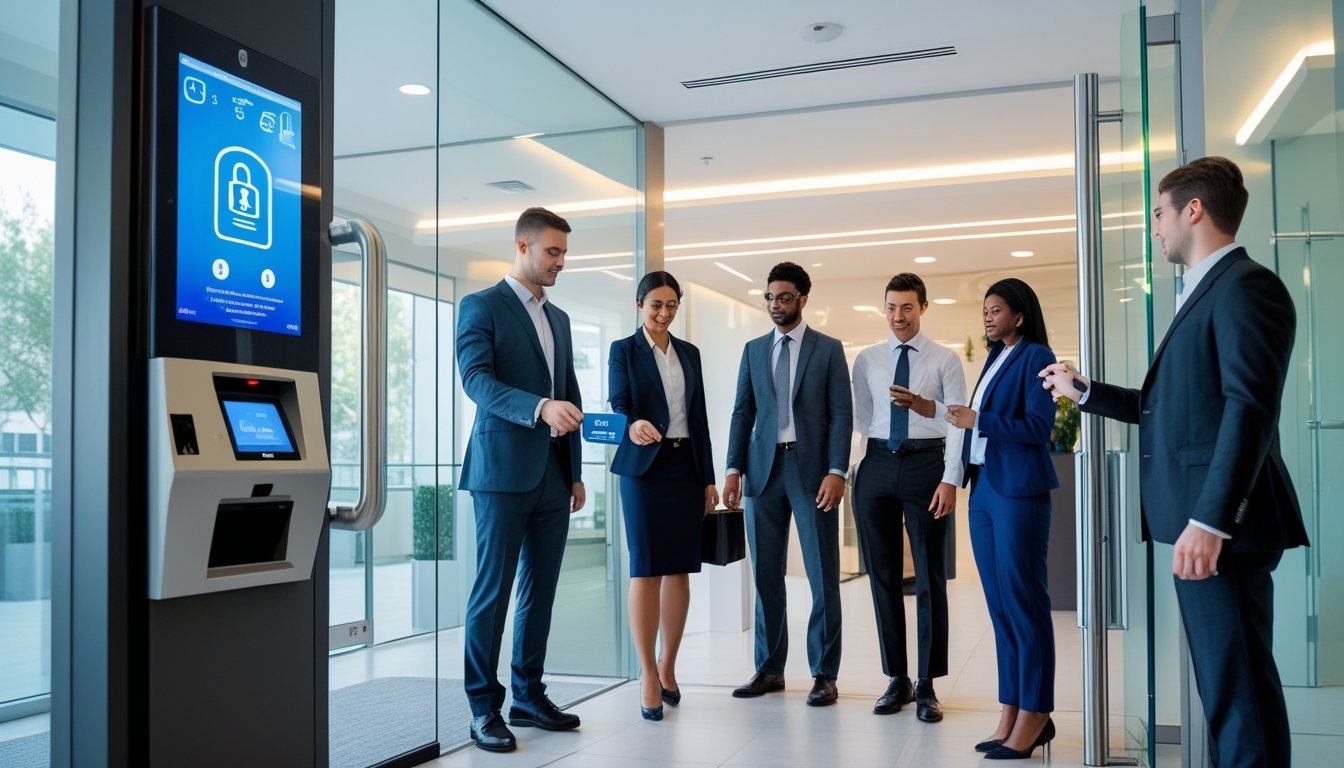
If you are looking at how access control systems improve security, you are likely concerned about who can get into your building and when. Modern access control lets you replace easily copied keys with credentials you can manage and revoke in seconds.
In Texas, Alarm Masters helps businesses and property owners use access control to protect people, property, and data with licensed, compliant installations. You get clear guidance, professional design, and a 48-hour turnaround on most service calls.
This guide walks through how access control systems improve security, from basic components to advanced integrations with cameras, cloud platforms, and AI. By the end, you will know what to look for in a system that fits your building and your budget.
What Are Access Control Systems?
Access control systems help you manage who can enter or use your property. They combine hardware and software to secure doors, gates, and digital resources. By setting rules about access, they improve safety and keep sensitive areas protected.
When you understand how access control systems improve security at both the door and network levels, it becomes easier to choose the right tools for your building.
Types of Access Control Systems
There are several types of access control systems you can choose from, depending on your needs:
- Discretionary Access Control (DAC): This lets owners decide access permissions. It is flexible but less strict.
- Mandatory Access Control (MAC): Controls access based on fixed policies set by administrators and is used for high-security sites.
- Role-Based Access Control (RBAC): Access is granted based on a person’s role in the company, which simplifies management.
- Identity-Based Access Control (IBAC): Access depends on verifying each individual’s identity, often via biometrics or credentials.
Choosing the right type depends on your property's size and security level. Each system balances ease of use, flexibility, and security needs.
Components of Access Control Solutions
An access control system is made of several key parts working together:
- Credential Readers: Devices like card readers, keypads, or biometric scanners that verify users.
- Controllers: The central units that process requests and control locks or alarms.
- Locks and Barriers: Electronic locks, turnstiles, or gates that physically restrict entry.
- Management Software: Lets you set access rules, monitor activity, and generate reports.
Together, these parts let you control entry points remotely, track who enters where, and respond quickly to security breaches.
Physical vs. Logical Access Control
Access control comes in two main forms: physical and logical.
Physical Access Control
Applies to real-world entry points like doors, gates, and turnstiles. It keeps unauthorized people from entering buildings or restricted areas.
Logical Access Control
Protects digital spaces like computers, networks, and applications. It involves passwords, biometrics, and multi-factor authentication to guard data.
Both types are important. Physical security protects your property and people, while logical security safeguards information and systems, showing how access control systems improve security across your entire operation.
Key Security Benefits of Access Control
With a well-designed system, you gain stronger protection and better control over who enters your property. Access control systems help you stop unauthorized access, lower risks from inside and outside the facility, and keep you informed with constant monitoring.
Preventing Unauthorized Entry
Access control systems limit entry to authorized people only. Instead of traditional keys, you can use card readers, PIN codes, or biometric scans like fingerprints. These methods reduce the chance of lost or copied keys being misused.
You decide who enters and when. This means your staff, visitors, or contractors have access only to areas they need. With detailed access logs, you can track every entry and exit activity.
This tracking helps you spot unusual patterns early, preventing potential breaches. By controlling access points, you make your property harder to breach, which is critical if you protect sensitive areas such as server rooms, storage, or offices with confidential information.
Reducing Internal and External Threats
Access control does more than just block outsiders; it also manages what happens inside your building. You reduce risk from employees or visitors who should not access certain zones. This helps stop theft, sabotage, and accidental damage by restricting movement.
Your system can restrict access by time of day or employee role. For example, janitorial staff might access after hours, but only in specific locations. This limits the opportunity for misuse and helps you follow compliance rules more easily.
By managing permissions tightly, you lower the chance of internal fraud or security breaches. External threats, like forced entry or unauthorized tailgating, also become harder to pull off when your system requires valid credentials at every door.
Real-Time Monitoring and Alerts
Modern access control systems offer real-time tracking of every entry point. You get immediate alerts if someone tries to enter without proper authorization or if doors are left open too long. This timely information lets you act quickly to prevent incidents.
Remote monitoring gives you control even when you are not on site. You can check who is inside your building from your phone or computer, anywhere, anytime. Alerts can be customized for different risk levels, such as low battery, door forced open, or multiple failed access attempts.
This proactive monitoring supports faster response and reduces the chance of damage or loss.
How Access Control Systems Improve Operational Security
Access control systems do more than just block unauthorized entry. They help you manage permissions automatically, link up with surveillance tools, and support fast, effective emergency responses. These features work together to keep your site secure and your operations running smoothly.
Automating Access Permissions
With an access control system, you set rules that automatically allow or block entry based on your criteria. This removes the need for physical keys and manual checks. You can assign access by time, role, or location.
For example, certain employees can enter specific areas only during their shifts. This reduces the risk of unauthorized access after hours. Systems keep detailed logs of who entered where and when.
This audit trail helps you track movements and detect unusual behavior quickly. Managing permissions remotely means you can update who has access without visiting the site, helping you respond fast to personnel changes or lost credentials.
Integrating with Surveillance Systems
Connecting your access control system to surveillance cameras gives you real-time visibility of entry points. When someone uses a badge or biometric reader, the system can trigger cameras to record or show live footage. This ensures you have a clear record of access events.
Integration allows security staff to check the video instantly if an alarm or alert occurs. This speeds up incident verification and response. You can also set automated alerts for suspicious activity, such as multiple failed access attempts.
This proactive monitoring helps prevent breaches before they escalate and strengthens how access control systems improve security across your entire property.
Enhancing Emergency Response
Access control improves emergency response by controlling and monitoring exit routes and entry points. In case of fire or lockdown, the system can unlock doors automatically to allow safe evacuation or secure areas as needed.
You have immediate reports on who is inside your building during emergencies. This information supports first responders and helps keep personnel safe.
Some systems integrate with fire alarms and public address (PA) systems, triggering coordinated responses quickly and accurately. This reduces confusion and improves overall building safety.
Role-Based and Granular Access Management
Effective access control requires clear rules about who can enter specific areas, what they can do, and how their activity is tracked. By organizing access based on roles and customizing permissions, you reduce security risks and improve compliance.
Role-Based Access Control (RBAC)
With Role-Based Access Control, you assign permissions to users based on their job role. This means employees only get the access they need to perform their tasks. For example, a receptionist might have different access than a facility manager.
RBAC helps lower the chance of unauthorized use because access is limited and carefully managed. It also makes it easier to add or change users without needing to review each one individually.
For growing companies in Texas, RBAC supports smooth, secure management that aligns with your business needs and compliance rules.
Customizing Access Levels
Granular access management goes a step further by letting you tailor permissions more precisely. Instead of broad roles, you can define who can enter certain rooms, access specific systems, or use them during what hours.
This control lets you protect sensitive areas like server rooms or financial offices with stronger restrictions. You can combine role-based settings with time-based or location-based rules, creating detailed layers of security.
This customization improves operational efficiency by ensuring only authorized users can reach the right places at the right times, reducing risk and simplifying daily access management.
Audit Trails and Compliance
Keeping solid records of access activity is vital for both security and legal compliance. Audit trails document who entered or tried to enter specific areas and when they did it. These logs help you detect unusual behavior early and respond quickly.
They also provide clear evidence during audits or investigations, helping you meet Texas safety standards and data protection laws. By integrating audit features with your RBAC and granular controls, you gain greater visibility and accountability.
This oversight supports continuous protection and peace of mind across your property.
Technologies Driving Access Control Security
Access control systems use several key technologies to keep your property safe and easy to manage. These technologies focus on verifying identity, improving convenience, and allowing fast, remote control over access points. Understanding these tools helps you choose the right system for your security needs.
Biometric Authentication
Biometric authentication verifies identity through unique physical traits like fingerprints, facial recognition, or iris scans. This method adds strong security since biometric data is hard to fake or share.
Using biometrics means you do not have to rely on keys or cards, which can be lost or stolen. Many systems also log who enters and when, providing a reliable audit trail for your property.
Biometric readers work quickly at entrances, reducing wait times while maintaining tight security. They are especially useful for high-security areas where only authorized individuals should enter.
Smart Card and Mobile Credentials
Smart cards are physical cards embedded with secure chips that store your identity information. When tapped or swiped on a reader, they grant access based on permissions assigned to you.
Mobile credentials use smartphones or wearable devices to open doors via Bluetooth or NFC (near field communication). These remove the need for a physical card and let you control access through an app.
Both smart cards and mobile credentials offer flexibility. You can easily add or revoke access without changing locks, making it simpler to manage large teams or multiple locations.
Cloud-Based Access Control
Cloud-based access control puts your security management online. You can add users, monitor activity, and adjust settings from anywhere with internet access. This technology scales well for businesses with multiple sites across Texas.
Real-time updates keep you informed instantly if there is unusual activity or access attempts. Cloud systems reduce the need for complex on-site equipment and allow your security setup to grow as your needs change.
They also provide detailed reports that support compliance and incident investigations.
Implementing and Maintaining Access Control Systems
You need to carefully plan both the installation and ongoing care of your access control system. This process includes setting up the right hardware, training your staff to use the system correctly, and keeping everything updated to avoid security gaps.
Installation Best Practices
Start by evaluating your facility to identify key entry points and sensitive areas. Choose access devices like card readers, keypads, or biometric scanners that fit your security needs.
Make sure to integrate the system with your existing security measures for full coverage. Proper wiring and network setup are crucial to avoid downtime.
Label devices clearly and test access permissions thoroughly before going live. Document every setting and configuration for future reference.
Work with licensed professionals to ensure your system complies with Texas regulations (Texas State License #B-06372; Fire Alarm License #ACR-1975) and meets industry standards.
Staff Training and Awareness
Your team must understand how to use the access control system correctly. Train staff on daily operations such as badge use, PIN entry, or biometric scanning, depending on the system installed.
Explain the importance of security policies, like not sharing credentials or reporting lost cards immediately. This helps prevent unauthorized access.
Provide clear instructions on who to contact if the system malfunctions or if suspicious activity is noticed. Regular refresher training keeps security top of mind and adapts to any system updates or policy changes.
System Updates and Maintenance
Access control systems require constant updates to fix software bugs and improve features. Schedule regular checks for firmware updates from your vendor or installer to keep everything current.
Routine maintenance includes cleaning card readers or biometric scanners and testing door locks and alarms regularly. Use audit logs to track access attempts and detect unusual patterns.
This helps you respond to security incidents faster and supports how access control systems improve security over the long term.
Overcoming Common Access Control Challenges
Access control systems face challenges like user pushback, adjusting to growth, and protection against cyber threats. Handling these issues well keeps your security strong and your system reliable.
Addressing User Resistance
People may resist new access control systems because they worry about inconvenience or privacy. You can lessen this by explaining how the system protects both them and the property.
Offer clear training on how to use key cards, codes, or biometric readers. Make the process simple and quick to avoid frustration.
Highlight benefits like faster entry, fewer security risks, and audit tracking. Regular communication helps too. Address concerns early and show how the system supports security policies and keeps everyone safe.
Managing System Scalability
As your property or business grows, your access control needs change. Your system must handle more users, doors, and data without slowing down or losing accuracy.
Choose systems built for scalability, such as cloud-based platforms. These allow you to manage access remotely and expand easily as needed.
Plan for future growth by installing flexible hardware and software that support adding new doors or integrating other security systems. Regular updates and maintenance prevent outages and keep your system running smoothly as demands increase.
Mitigating Cybersecurity Risks
Access control systems are vulnerable to cyber attacks if not properly secured. You need to protect your network and devices from unauthorized access.
Use strong authentication methods like two-factor authentication (2FA) and regularly update passwords and software. Monitor access logs to detect suspicious activity immediately.
Alerting you to possible security breaches helps you respond faster. Work with licensed and experienced providers to ensure your system follows Texas compliance standards and uses current cybersecurity practices.
Future Trends in Access Control
Access control is becoming smarter and more connected. You will see advances that use artificial intelligence, link devices across your property, and adapt quickly to new threats.
Artificial Intelligence and Automation
AI is changing how access control works by automating routine tasks like verifying identities and flagging unusual activity. Instead of relying only on passwords or cards, AI systems use behavior analysis to detect suspicious patterns in real time.
Automation can manage access permissions without manual effort, reducing errors and speeding up decisions. For you, this means fewer false alarms and faster access for authorized users.
AI also helps with predictive security, spotting potential risks before they become problems. Your system can learn from past data to improve accuracy. In facilities with many users or locations, this reduces the workload on security staff and helps keep your property secure continuously.
Integration with IoT Devices
Connecting access control to Internet of Things (IoT) devices enhances security coverage. Smart locks, cameras, motion sensors, and alarms work together to provide a full picture of your property’s safety.
This integration allows remote management, so you can monitor and control access points from anywhere using mobile apps or cloud platforms. It simplifies operations and helps you respond quickly to incidents.
IoT devices also gather data that improves security policies over time. For example, you can automate lighting or door unlocking based on presence detection, making access safer and more convenient.
This connectivity supports scalable solutions, from small buildings to large, distributed sites.
Adapting to Evolving Security Threats
Security threats keep changing. New attack methods and vulnerabilities require access control systems to be flexible and updatable. Modern systems use regular software updates and patches to stay ahead of risks.
You benefit from layered security measures such as multi-factor authentication and encryption. Real-time monitoring reduces the chance of breaches and unauthorized entry.
Systems can now detect abnormal behavior or device tampering quickly and alert you or your security team immediately. Being proactive helps you handle incidents faster and protects your business or home from emerging threats.
By understanding how access control systems improve security and keeping your technology current, you can protect people, property, and data with confidence.
Next Steps For Stronger Access Control
Modern access control systems improve security by limiting who can enter, when they can enter, and where they can go. With the right mix of credentials, monitoring, and automation, you reduce both internal and external risks. Clear logs and smart integrations also make it easier to meet safety and compliance requirements.
In Texas, Alarm Masters can help you design, install, or upgrade an access control system that fits your building, staff, and security policies. You get responsive support and clear communication at every step.
If you are ready to tighten control at every door, now is the time to act. Review your current entry points, identify high-risk areas, and plan your next upgrade with a licensed provider. Get a free estimate today and move toward a safer, more controlled facility.
Frequently Asked Questions
How Do Access Control Systems Improve Security?
Access control systems improve security by limiting who can enter specific areas and when they can enter. They replace shared keys with unique credentials, which makes it harder for intruders to gain access. Detailed logs show who used which door and at what time, so you can spot unusual activity and respond quickly.
What Are The Main Components Of An Access Control System?
Most systems include credential readers, controllers, electronic locks, and management software. Readers verify the credentials, controllers decide whether to grant access, and locks secure the door. The software ties everything together, letting you set rules, review logs, and see how access control systems improve security across your property.
Is A Cloud-Based Access Control System Secure?
Yes, when configured correctly. Cloud-based platforms use encryption, strong authentication, and regular updates to protect data. They also let you manage permissions and review events from anywhere with internet access, which can improve your ability to react to issues in real time.
How Do Access Control Systems Help With Internal Threats?
Access control systems limit each person to the areas they need for their job and only during approved times. This reduces the chance of theft, data leaks, or accidental damage from staff or contractors. If an issue occurs, audit logs help you understand what happened and who was involved.
Can Access Control Work With Existing Cameras And Alarms?
In many cases, yes. Modern systems can trigger cameras when a door opens, record video with each credential use, or send alerts to an alarm panel. This integration is a key part of how access control systems improve security, because it gives you both access data and visual verification.
What Is The Difference Between Physical And Logical Access Control?
Physical access control protects doors, gates, and other entry points in the real world. Logical access control protects digital assets such as computers, applications, and networks. Using both together helps create a layered defense that protects people, property, and information.
How Often Should Access Permissions Be Reviewed?
You should review permissions whenever staff change roles, leave the company, or when you add new areas or equipment. A scheduled review every quarter, or at least twice a year, helps ensure that only the right people have access. Regular reviews are a practical way to keep improving how access control systems improve security over time.



.svg)


.svg)


