.svg)
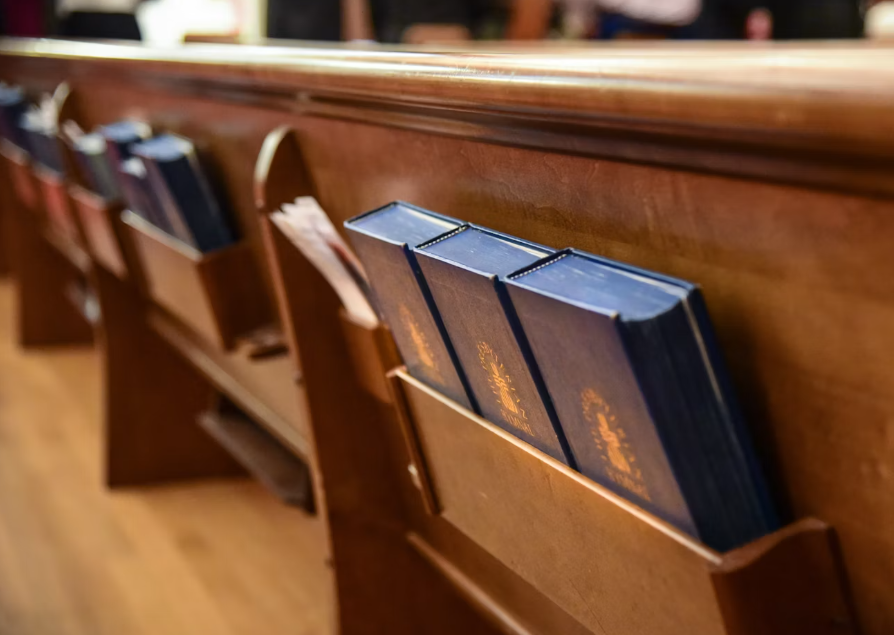
Your church is a place of trust, community, and open doors, and that openness is exactly what makes thoughtful security so important. Places of worship across Texas have faced break-ins, vandalism, and even violent incidents in recent years, and concern about safety at churches has grown across the country. Protecting the people who gather with you does not mean closing those doors. It means planning carefully so your space stays welcoming and safe at the same time.
A well-designed church security system uses cameras, access control, alarms, and monitoring in layers. Together, these tools protect your congregation, staff, and property while keeping your worship space open and warm. Church security is not just a product, it is a plan, and your system should fit your building's layout, daily schedule, and the specific risks your facility faces. You need open access during services and restricted entry during off-hours, and sensitive areas like nurseries, offices, and count rooms need protection around the clock.
Whether you meet in a small chapel or across a multi-building campus, this guide explains what a complete church security system should include, how to plan around your facility, and what to look for in a provider.
If you would like a clear picture of what stronger coverage could look like, our team can walk your property and show you where thoughtful video surveillance built for a worship space makes the biggest difference for your congregation.
What A Complete Protection Setup Should Include
A complete setup goes well beyond cameras. It combines video surveillance, access control, alarm monitoring, emergency communication, and response tools, with each piece supporting the others for stronger, more reliable protection.
Video Surveillance For Shared And High-Risk Areas
You need clear visibility over every space where people gather, enter, or handle valuables. High-definition cameras in your sanctuary, fellowship hall, lobby, and parking lot provide real footage for your security team and, if needed, for law enforcement. Live and remote video monitoring let you check your building from anywhere, at any hour.
Place cameras where they cover the most ground. Hallways, entryways, and children's check-in areas all deserve dedicated coverage, and parking lots need cameras that perform well in low light. A mix of camera types, which we cover in detail below, gives you both wide views and focused detail.
Controlled Entry For Staff, Volunteers, And Children's Spaces
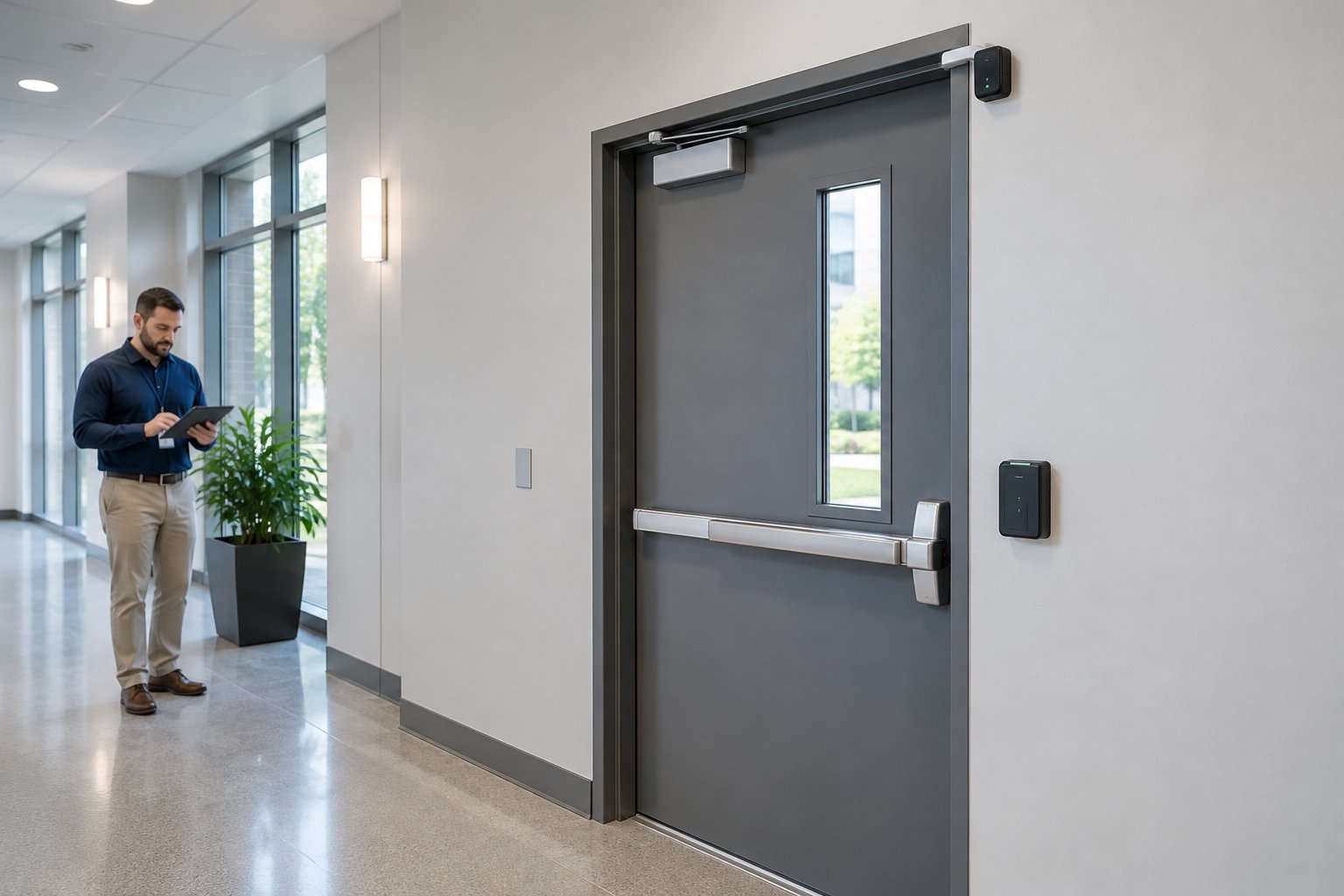
Access control lets you decide who enters which doors and when. You can issue keycards or mobile credentials to staff and volunteers while keeping nurseries, offices, and equipment rooms locked to everyone else. During services, your main entrance stays open and welcoming, and after hours, every door locks automatically.
This matters most for children's ministry areas. Controlled entry helps you track who goes in and out and adds a layer of protection that parents genuinely appreciate. Pair access readers with a camera at each controlled door, and you gain a visual record of every entry event.
Intrusion Detection And After-Hours Protection
Your church sits empty for much of the week, and that is exactly when break-ins and vandalism are most likely. Motion sensors, door and window contacts, and glass-break detectors form an intrusion detection layer that catches unauthorized entry the moment it happens. Instant alerts go to your monitoring provider and your phone so you can respond quickly.
A burglar alarm system with 24/7 monitoring means someone is always watching, even late at night. Panic buttons in the front office and sanctuary give your staff a way to call for help silently during a service or event.
Monitoring And Emergency Notification Layers
Alarm monitoring connects every sensor, camera, and access point under professional supervision. When a door sensor trips or a panic button is pressed, your monitoring provider verifies the event and contacts local authorities.
Emergency communication is just as important. A public address system lets you make clear announcements during a crisis, whether it involves weather, a medical emergency, or a lockdown. Intercoms at entry points let greeters verify visitors before buzzing them in. Together, these layers mean you never have to rely on a single device or a single person to keep your congregation safe.
How To Build A Church Security Plan Around Your Facility
A church security plan is your written blueprint for preventing, detecting, and responding to threats. It starts with an honest look at your facility's risks and ends with clear procedures for every scenario.
Start With A Risk Assessment
Walk your entire property with fresh eyes and note every door, window, and gate. Identify areas where someone could enter unnoticed, then consider your neighborhood and your own history of break-ins, vandalism, or trespassing during off-hours. A formal risk assessment documents these findings and ranks them by severity and likelihood, which keeps your spending focused on real threats.
If your building sits in a high-traffic area of Houston or Spring, your exterior risks will differ from those of a rural campus. A licensed security provider can help spot vulnerabilities your team may miss.
Map Entrances, Blind Spots, And Gathering Areas
Sketch a simple floor plan and mark every entrance, exit, hallway intersection, and large gathering space. Identify blind spots where a camera or sensor does not currently reach. Pay close attention to areas with limited foot traffic, such as back hallways, storage rooms, and exterior stairwells. Marking your gathering areas helps you plan camera angles, PA speaker placement, and evacuation routes with confidence.
Balance Open Access With Restricted Areas
Churches are welcoming by nature, but not every door should be unlocked all the time. Decide which entrances stay open during services and which remain locked. Designate interior zones, such as the nursery, pastor's office, IT closet, and count room, that require credentials at all hours. The goal is a setup where visitors feel welcomed at the front door while sensitive areas stay protected.
Access control makes this practical, letting you program doors to unlock on a schedule and lock automatically when that schedule ends.
Plan For Services, Weekday Use, And Special Events
Your building operates on very different schedules throughout the week. Sunday morning looks nothing like a Wednesday night Bible study or a Saturday wedding, and your security plan and system programming should reflect that. Build separate profiles for each type of event, and set door schedules, camera recording modes, and alarm arming levels to match.
For large special events, consider temporary signage, extra greeters at entry points, and a designated incident response contact. Having a written plan for each scenario means your volunteers know exactly what to do before anything happens.
Choosing Cameras And Analytics That Fit The Property
Camera selection depends on your building's size, layout, and the areas you need to watch. The right church security camera system uses a mix of camera types and smart features for complete coverage without overspending.
Where Bullet, Dome, And PTZ Coverage Works Best
Bullet cameras capture high-quality footage at long range with a narrow field of view. Use them for perimeters, parking lot rows, and long hallways where you need detail at a distance, and their visible shape also signals that the area is monitored.
Dome cameras sit flush against a ceiling and offer a wider viewing angle. They work well inside sanctuaries, lobbies, and fellowship halls where you want broad coverage without drawing too much attention, and the dome casing makes it harder to tell where the lens is pointed.
PTZ cameras, which pan, tilt, and zoom, let an operator move the lens remotely to follow activity in real time. A single PTZ camera can scan a large outdoor area, but it should be paired with fixed cameras so you always have a recorded baseline view.
Parking Lots, Entry Doors, Hallways, And Sanctuaries
Start camera placement at the perimeter and work inward. Your parking lot needs wide-angle coverage with night vision or infrared to capture plate numbers and identify people after dark, and Houston's heat and humidity mean those cameras should be rated for outdoor weather. Every exterior entry door should have a dedicated camera.
Inside, cover main hallways, stairwells, the sanctuary from at least two angles, and any children's check-in area. Count rooms and donation drop-off points need their own cameras as well. The goal is to eliminate blind spots in every area where people, money, or sensitive information are present.
Cloud Storage Vs Local Recording
Cloud storage lets you access recordings from any device with an internet connection. If someone breaks in and destroys a local recorder, your footage is still safe offsite, and cloud platforms make it easy to share clips with law enforcement.
Local recording through a network video recorder gives you control over your data and avoids monthly storage fees. Many churches use a hybrid approach, keeping local recording for day-to-day storage and cloud backup for critical events. Make sure your storage capacity matches the number of cameras and the retention period you need. Thirty days of recording is a common starting point.
When AI Alerts Add Value
AI-powered analytics can flag specific events so your team does not have to watch every feed manually. Audio analytics detect raised voices, breaking glass, or gunshot-like sounds, and visual weapon detection can identify the profile of a firearm and send an immediate alert. These tools help most in large facilities where a volunteer security team cannot monitor every screen, and they shorten the time between an incident starting and someone responding.
AI analytics are not a replacement for trained people or professional monitoring, but they are a strong addition when your property and budget support it.
Managing Doors, Credentials, And Daily Access
Your doors are the first line of defense, and often the weakest point. A modern access control system lets you manage who enters, when, and where, all from a single dashboard.
Keycards, PINs, And Mobile Credentials
Keycards and key fobs are simple. Hand them out to staff and volunteers, and revoke them the moment someone leaves. PINs work well for shared spaces where several people need entry but you do not want to issue individual cards.
Mobile credentials turn a smartphone into a key. Staff tap their phone at the reader to unlock a door, so there is no card to lose, copy, or forget. You can issue and revoke access remotely, which is especially helpful when volunteer rosters change often.
Nurseries, Offices, Count Rooms, And Interior Zones
Not every room needs the same level of access. Your nursery should require a credential for entry and exit so you always know who is inside. The pastor's office and administrative spaces hold sensitive information and should stay locked when unoccupied, and count rooms where donations are processed need restricted access and a camera for accountability.
Set up role-based permissions so access always matches responsibility. A nursery volunteer gets access to the children's wing, a finance committee member gets access to the count room, and no one holds access to a space they do not need.
Remote Unlock And Remote Management
Remote unlock lets you open a door from your phone or computer without being on-site. If a delivery driver arrives at the back entrance, you can verify them on camera and unlock the door from across town.
Remote management extends that control to your entire system. You can add or remove credentials, change door schedules, pull access logs, and check the status of every door from a single app. This saves hours of manual work and lets you respond instantly if something looks wrong.
Lockdown And First Responder Considerations
In a crisis, you need the ability to lock every exterior door against entry at once. A lockdown feature in your access control system does this with a single button press at the front desk, in a phone app, or at a panic station, while people inside can still exit freely through any egress door.
Plan your lockdown procedures with your local fire department and law enforcement, because first responders still need a way to get in. That might mean a secure key box for first responders, a code shared with your local precinct, or a remote unlock from your monitoring provider. Work through these details during your system design so your lockdown protects the people inside without slowing down help from outside.
Installation, Compliance, And Ongoing Support In Texas
Getting your church security system installed correctly and keeping it compliant is just as important as choosing the right equipment. This is where working with an experienced provider of commercial fire and security services truly pays off.
When Professional Design And Installation Matter
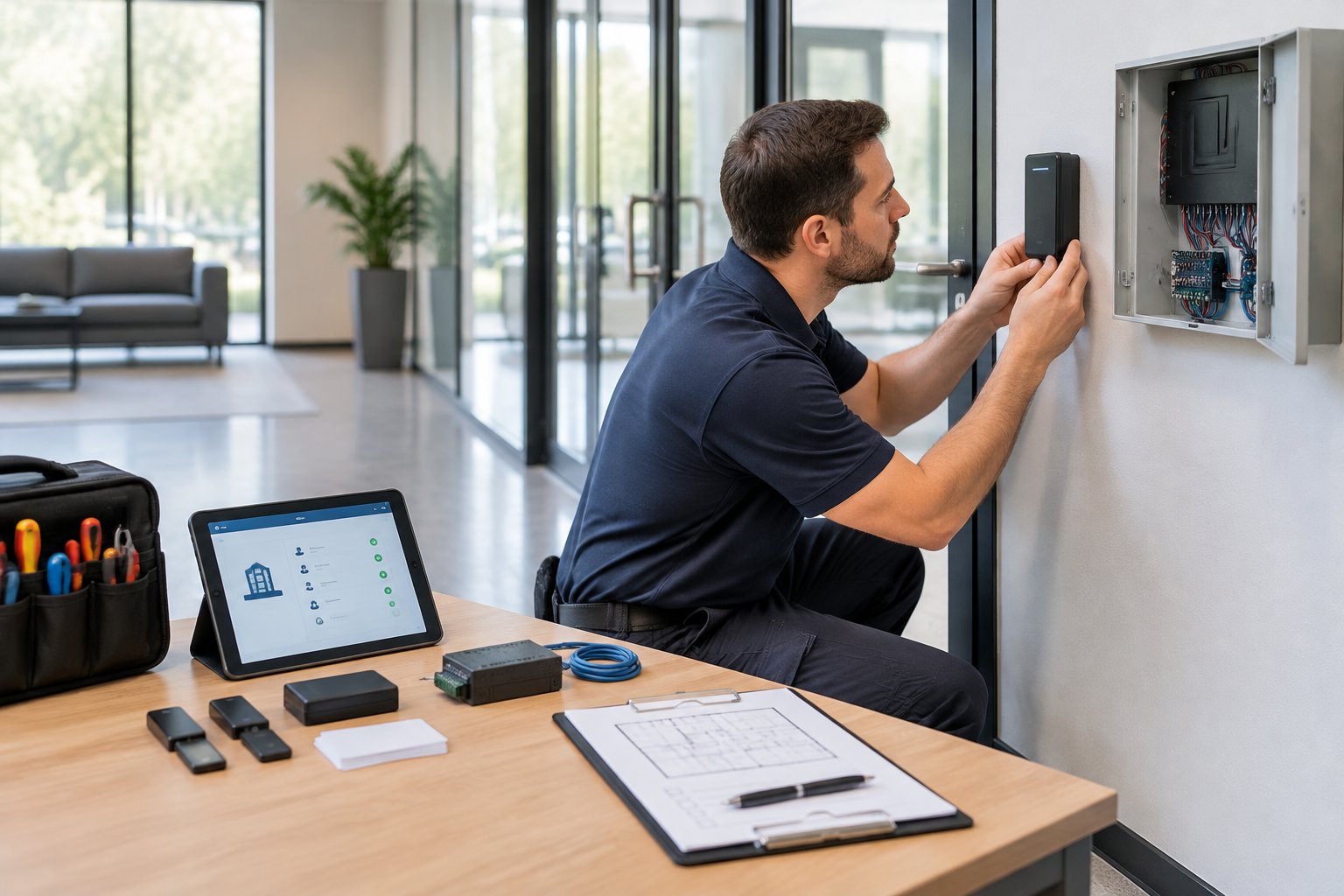
Church buildings come in every shape and size. A professional site walk identifies the right camera placements, reader locations, sensor zones, and cable routes before any equipment goes on the wall. Licensed technicians know how to run wiring through older construction, mount outdoor cameras to handle Texas weather, and configure systems so every component works together.
A do-it-yourself kit might be fine for a single camera at home, but a multi-zone church system with access control, fire alarms, and monitoring integration needs professional design and installation to function reliably.
Permits, Inspections, And Commercial Code Considerations
In Texas, commercial alarm systems typically require a permit from your local municipality. Houston, Spring, and many surrounding cities have alarm permit ordinances, and operating without one can result in fines or delayed police response.
If your church has a fire alarm system, it must meet NFPA 72 standards and pass inspections on a regular schedule. Your local fire marshal's office enforces the inspection schedule and can add requirements, and a licensed fire alarm company handles the testing and documentation. Code compliance protects both your congregation and your church's liability exposure.
Integrating Fire Alarm, Security, And PA Functions
The most effective church systems combine fire alarm, security, and emergency communication into one coordinated setup. When a fire alarm activates, your access control system can unlock doors to allow evacuation. If a lockdown is triggered, your PA system can broadcast instructions to every room.
This integration takes careful planning during the design phase. Each system must communicate using compatible protocols, and your monitoring provider needs to know which signals trigger which responses. A single-vendor approach can simplify all of this, because one team designs, installs, and supports everything.
Maintenance, Testing, And Monitoring Over Time
Your system needs regular attention to stay reliable. Cameras can get dirty or shift position, door readers wear out, and sensors lose battery power. Scheduled maintenance visits catch these issues before they become security gaps.
Alarm monitoring should run 24/7, every day of the year. Your monitoring provider verifies alarms, contacts authorities, and keeps a log of every event. In Texas, fire alarm systems require periodic testing and inspection by a licensed technician, with results documented for your fire marshal. Ongoing support is what separates a system that works on paper from one that works when you truly need it.
How To Compare Providers And Budget Realistically
Choosing a provider for your church security systems is a long-term decision. The right partner handles everything from initial design to years of monitoring, maintenance, and thoughtful system growth.
Questions To Ask Before You Sign
Before you commit, ask these questions:
- Are your technicians licensed in Texas?
- Do you handle fire alarm systems, security, and access control, or only one of those?
- What does your monitoring service include, and who responds when an alarm trips?
- What is your guaranteed response time for service calls?
- Can you take over and maintain our existing equipment?
- Will you handle permits and inspections?
A provider who answers all of these with specifics, not vague promises, is worth serious consideration.
Typical Cost Drivers By Building Size And Scope
Church security system costs vary based on a few key factors:
- Building size and number of doors: More doors mean more readers, sensors, and wiring.
- Camera count and type: A 4-camera system costs less than a 24-camera setup with PTZ units.
- Monitoring level: Basic alarm monitoring costs less than video-verified or AI-enhanced monitoring.
- Fire alarm integration: Adding or upgrading a fire alarm system increases design, equipment, and inspection costs.
- Infrastructure: Older buildings may need new wiring, network upgrades, or structural changes.
A small church with a few cameras and a basic alarm might spend a few thousand dollars on equipment and installation. A large campus with dozens of cameras, access control on every building, and integrated fire alarms can reach tens of thousands. Monthly monitoring fees typically range from under $50 for basic service to several hundred for comprehensive coverage. Always request a detailed, itemized estimate so you can compare providers fairly.
System Takeovers, Upgrades, And Expansion Planning
If your church already has cameras, alarms, or access readers, you may not need to start from scratch. Many providers can take over existing systems, add a cellular communicator to replace outdated phone lines, and bring your current equipment under professional monitoring.
When planning for the future, ask whether your system supports adding cameras, doors, or sensors without a full replacement. A well-designed system grows with your campus. If you add a new building or expand your children's wing, your provider should be able to extend coverage without rebuilding the core.
What Long-Term Service Should Look Like
A reliable provider stays involved long after installation. Good long-term service includes proactive maintenance visits, fast response when something breaks, and regular check-ins to make sure your system still fits your needs. Look for a provider with a guaranteed turnaround time for service calls, one who handles fire alarm inspections on schedule and gives you a single point of contact for every part of your system. Remote monitoring, incident response support, and system optimization should all be part of the ongoing relationship.
If you want to protect your Houston-area church with a system designed around your building and your congregation, we would be glad to help. We have installed church security systems across Texas since 1990, and our licensed technicians handle everything from cameras and access control to fire alarms and 24/7 monitoring. Call us at 281-933-3900 or request a free, no-obligation estimate to schedule a site walk, and know that we offer a 48-hour turnaround on service so your safety never has to wait.
Frequently Asked Questions
What security system features are most important for a place of worship?
Key features include video surveillance at entries and gathering areas, access control on sensitive doors, intrusion detection with 24/7 alarm monitoring, and a PA or intercom system for emergency communication. Panic buttons in high-traffic areas let staff call for help quickly. Together, these layers cover both occupied and unoccupied hours.
How much does a security camera and alarm setup typically cost for a church?
Costs depend on building size, camera count, the number of access-controlled doors, and monitoring level. A small church might invest a few thousand dollars in equipment and installation, while a multi-building campus can reach tens of thousands. Monthly monitoring fees usually range from under $50 to several hundred dollars. Request an itemized estimate from a licensed provider for an accurate picture.
Are security cameras allowed inside a church, and what privacy rules apply?
Yes, security cameras are allowed inside your church in Texas. There are no state laws preventing video surveillance in common areas like lobbies, hallways, sanctuaries, or parking lots. Avoid placing cameras in restrooms or private changing areas, and it is a good idea to post signage letting visitors know the property is under video surveillance.
How do you set up a security plan for services, events, and weekday activities?
Start with a risk assessment of your property, documenting every entrance, exit, and gathering area. Create separate security profiles for Sunday services, weekday activities, and special events, each with its own door schedules, alarm arming levels, and volunteer assignments. Write down incident response procedures so every team member knows what to do before an event happens.
What are the best wireless camera options for monitoring entrances and hallways?
Wireless cameras work well for entrances and hallways where running cable is difficult. Look for models with at least 1080p resolution, night vision, and a strong wireless signal. For larger churches, a hardwired system is usually more dependable because it avoids signal drops and battery concerns. A licensed installer can evaluate your building and recommend the right mix.
What type of outdoor cameras work best for parking lots and church grounds?
Bullet cameras with infrared night vision work well for parking lots and perimeters. They capture clear footage at long distances and stand up to Houston's heat and rain when rated for outdoor use. For large open areas, consider adding a PTZ camera, which can pan, tilt, and zoom so your security team can follow activity as it happens. Pair outdoor cameras with 24/7 monitoring for strong, dependable coverage.


.svg)


.svg)


