.svg)
Brivo access control is a cloud-managed door security platform. You run every reader, lock and user from a web browser or the Brivo app, while a control panel at each site carries out your changes at the door. It suits organizations that manage more than one building, or that want to issue and cancel access without a trip to the property.
The cloud dashboard gets the attention, but the hardware on your doors decides how well the system performs. A panel with no backup battery or a door that drags on its frame will cause trouble no matter how good the software is. This guide covers what the platform does, who gets the most out of it, what an installation involves and which factors shape the price.
What Is Brivo Access Control?
Brivo is a cloud access control manufacturer, and its main platform is called Brivo Access. Instead of a server in a back closet running access software, the software lives in Brivo's data centers. You log in from anywhere, and the panels at your doors stay connected to the cloud over your internet line or a cellular link.
How the cloud and the door hardware split the work
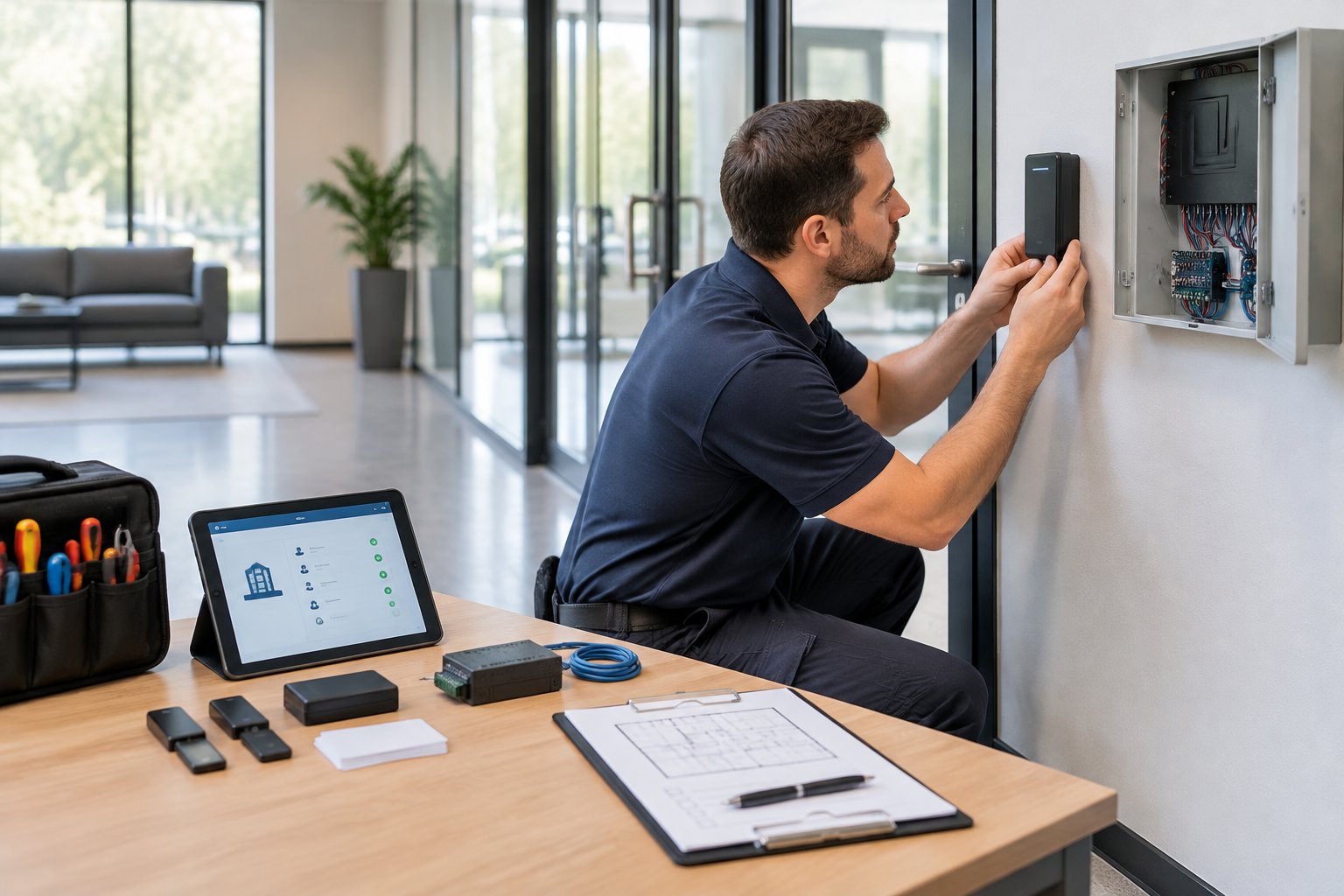
Each controlled door has a card reader, an electrified lock, a door position switch and an exit device on the inside. Those parts wire back to a Brivo control panel mounted in a secure room or ceiling space. The panel holds the list of who can open which door and when, so it can make an access decision in a fraction of a second.
The cloud is where you make changes, view history and run reports. When you add a user or change a schedule, the update goes down to the panels. When a door opens, the event goes up to your dashboard. If you want a broader primer on how this model compares with older systems, read our overview of cloud-based access control systems.
What happens if the internet goes down
Brivo panels are designed to keep making decisions locally, so card holders still get in when your connection drops. New changes made online wait until the panel reconnects. For sites with an unreliable connection, a cellular backup path keeps the dashboard current. Ask your installer to show you exactly which functions keep working offline before you sign off on the design.
Features That Change Day-to-Day Access Management
The features below are the ones property teams use every week. Each one replaces a task that used to take a site visit, a locksmith or a stack of paper logs.
Mobile credentials and lost-card revocation
Brivo Mobile Pass turns a smartphone into a key, and Brivo also offers employee badges in Apple Wallet on supported devices. Users hold the phone near the reader, and there is no plastic to print, mail or collect. Our post on why mobile access control is a must-have covers the user experience in more detail. Cards and fobs still work alongside phones, which helps during a rollout or for staff who prefer them.
When someone loses a card or leaves the company, you disable the credential from the dashboard and it stops working at every door on every site. Compare that with rekeying a building after a lost master key, which can take days and costs far more than a few clicks.
Schedules, groups and role-based permissions
You build access around groups and time windows. The front door can unlock at 7 a.m. on weekdays and stay locked on holidays. Cleaners get evenings, vendors get a two-week window, and managers keep 24/7 access to their own sites only.
Role-based administration lets a regional manager control the buildings they oversee without seeing the rest of the portfolio. Every change is logged with the name of the person who made it, which settles most questions about who approved access.
Reports, alerts and audit history
Every entry, denied attempt and door held open lands in the activity log. You can filter by person, door or site and export reports for audits, insurance claims or HR reviews. Denied-attempt reports are where problems show up first: a former employee testing an old card, or a reader that rejects valid credentials because of a failing lock.
Alerts can go to your phone or inbox for events you care about, such as a door forced open after hours or a panel losing power.
Integrations with video and business software
Brivo and Eagle Eye Networks now operate as one company, and pairing the two links each door event to the matching video clip so you can see who actually walked through. Beyond video, Brivo publishes open APIs and offers integrations with identity providers such as Okta, Google Workspace and Microsoft Entra ID, so a new hire or a termination in HR can update door access automatically. Confirm which integrations your subscription includes before you plan around them.
Who Brivo Access Control Suits Best
Brivo fits best where there are several doors, buildings or tenants to manage and nobody wants to drive between them. A single small office can use it, but the value grows with each site you add.
Multi-location businesses
Medical groups, retail chains, franchise owners, banks and office portfolios get one dashboard for every location. You can apply one access policy across all sites, compare activity between them and onboard a new location by adding its panels to the same account. A company with offices in The Woodlands, Katy and Pearland can manage all three from one login.
Commercial property managers
Property managers can control lobby doors, elevators and after-hours rules for the building while giving each tenant control of its own suite. Tenants handle their own staff turnover, and the manager keeps the shared spaces consistent. Contractor and vendor access can be set to expire automatically when the job ends.
Multifamily communities
Apartment communities use Brivo on entry doors, amenity spaces, package rooms, gyms, pools and leasing offices. Staff can activate a resident on move-in day and cut access at move-out without collecting a fob. In dense Houston-area complexes where turnover is constant, same-day revocation closes one of the most common security gaps. Maintenance teams can get timed access to common areas instead of sharing a master code.
When another approach may fit better
A single door with a handful of users may not need a cloud subscription. Sites with no reliable internet and no cellular coverage also need a frank conversation about how much of the remote management they will use. A good integrator tells you when the platform is more than you need.
What a Brivo Installation Involves
A typical project moves from a site walk to design, hardware installation, network setup, user enrollment, training and testing. Most delays trace back to door hardware condition and network access, so both get checked early.
Site walk and door survey
The installer walks every door and checks frames, closers, existing locks and cable paths. Some doors need a full reader and electrified lock, others only need a door position switch for monitoring. Older proprietary readers often have to be replaced, while many standard readers and locks can stay.
Safe exit gets planned at this stage too. People must always be able to leave freely, so each door needs the right exit device and, where codes call for it, a fire alarm release. NFPA 101, the International Fire Code and ADA Standards all apply, and your local Authority Having Jurisdiction (AHJ) has the final say. If you would rather have a licensed team handle this survey and design, Alarm Masters plans and installs commercial access control for Houston properties from the first site walk through testing.
Panels, network and backup power
Technicians mount the panels, pull cable to readers and locks, and connect the panels to your network. Your IT team may need to approve outbound connections or set up a separate network segment, so bring them in early.
Backup batteries keep panels and locks running through short outages. Each lock is set as fail-safe (unlocks when power is lost) or fail-secure (stays locked from outside), based on code and how the door is used. With hurricane season and summer storms, size batteries for your real outage risk and test them before handover.
Enrollment, training and testing
Once doors are online, users, groups and schedules get loaded, often by bulk import. Administrators learn how to add and remove people, build schedules, pull reports and handle lockouts. Then every door gets tested: valid credential, denied credential, door held open, forced door, exit device, fire alarm release where present, and power loss. Make sure the primary administrator account belongs to your company, not to the installer.
Brivo Access Control Cost Factors
Brivo does not publish a single price, because every building is different. The final number comes from a few predictable factors, and knowing them helps you compare quotes fairly.
- Door count and door type. Each door needs a reader, lock hardware, a sensor, an exit device and wiring. Glass storefronts, metal frames and fire-rated doors take more labor and specific hardware.
- Existing hardware you can reuse. Compatible readers, locks and cabling lower the cost. Proprietary or worn equipment raises it.
- Cable runs and building layout. Long runs, hard ceilings and multi-story buildings add labor.
- Extra interfaces. Elevators, gates, parking and video integration each add hardware and programming.
- Subscription. Brivo software is billed as a recurring subscription, and the amount depends on the plan, the number of doors and add-on features.
- Service and support. Ongoing maintenance and administrator support are separate from the installation.
Ask for a quote that separates one-time hardware and labor from recurring subscription costs, and get the subscription terms in writing.
Run Every Door From One Dashboard
If your goal is fewer keys, faster changes and a clear record of who opened which door, Brivo is a strong platform when the hardware underneath is installed right. Alarm Masters is a Brivo partner with licensed technicians who handle the door survey, wiring and testing, plus Hypercare Service after go-live. Call 281-933-3900 or request a free estimate to plan your doors.
Frequently Asked Questions
Can Brivo replace my current access control system without new wiring?
Often part of the existing wiring and some readers and locks can be reused, which lowers the project cost. Older proprietary panels usually need to be replaced, because they cannot talk to the Brivo cloud. A door survey tells you which parts stay.
Can visitors and contractors get temporary access?
Yes. Administrators can create users with start and end dates, limit them to certain doors and set time windows. The credential stops working when the window closes, so nobody has to remember to turn it off.
Does Brivo work on gates and elevators?
Brivo panels can control gate operators and, with the right interface, elevator floor access. These need extra hardware and coordination with the gate or elevator contractor, so include them in the first design.
Who owns the data and the administrator account?
You should. Ask that your company hold the primary administrator login and that the installer use a separate account for service. That way you keep control of your system if you ever change providers.



.svg)


.svg)


