.svg)
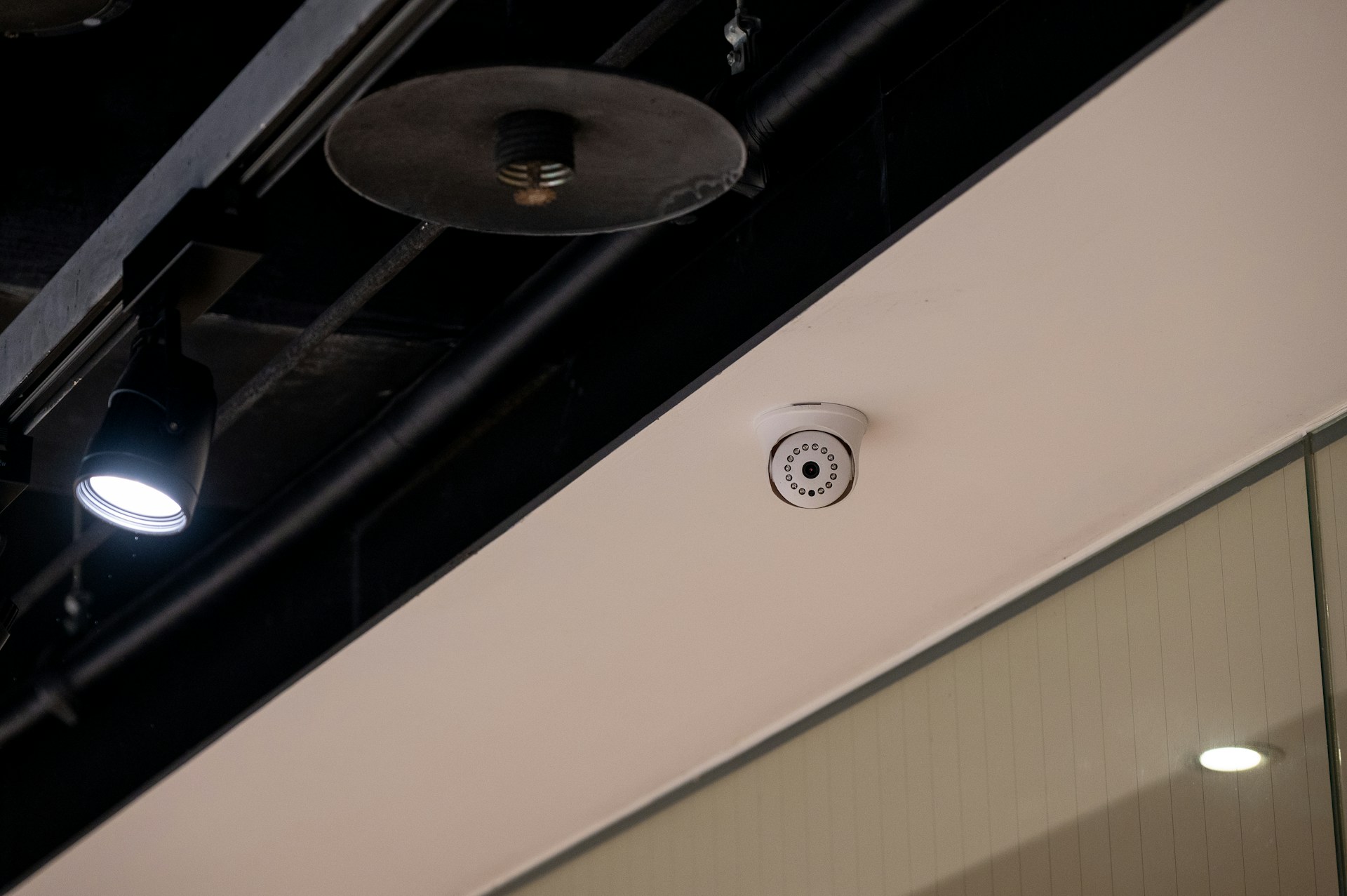
Industrial facilities face real security challenges, including theft and safety incidents, as well as limited visibility across large sites. Without reliable industrial security camera systems, blind spots can lead to costly disruptions. The right setup helps you monitor operations, protect assets, and respond quickly when something looks off.
Alarm Masters supports Texas businesses with licensed technicians and a 48-hour turnaround for system design and upgrades. You get practical guidance, compliant installation, and technology that fits your facility, not a one-size-fits-all package.
This article breaks down the types, features, installation steps, and maintenance tips you need to make an informed choice. You’ll learn what matters most, what to avoid, and how to build a system that supports daily operations without adding complexity.
Types of Industrial Security Camera Systems
Industrial facilities need camera systems that can handle tough conditions and provide clear monitoring around the clock. Your choice between IP, analog, wireless, or wired systems will depend on your facility's infrastructure, budget, and specific security needs.
Network IP Cameras
IP cameras send video data over your network using the Internet Protocol (IP). These cameras connect to your existing Ethernet infrastructure and can transmit high-definition footage to multiple devices at once.
You get better image quality with IP cameras compared to older systems. Most models support resolutions from 1080p to 4K, helping you see fine details in large industrial spaces.
These cameras can include built-in analytics that detect motion, count people, or identify unusual activity. IP systems let you access live video from anywhere with internet access.
You can check on your facility from a phone, tablet, or computer without being on-site. This remote capability makes it easier to manage multiple locations or respond quickly to alerts.
These cameras typically cost more upfront than analog options. However, you save money on installation because they use your existing network cables. You can also add more cameras to your system without major infrastructure changes. That’s a real bonus if you plan to expand later.
Analog Camera Solutions
Analog cameras transmit video signals through coaxial cables to a digital video recorder. These systems have been used in industrial settings for decades and remain a reliable choice for basic surveillance needs.
You'll find that analog systems are less expensive to purchase and install initially. They work well if you already have coaxial cable infrastructure in your facility.
The technology is straightforward, which means repairs and maintenance are often simpler and cheaper. The main limitation is video quality.
Most analog cameras max out at 1080p resolution, and older systems may only support standard definition. You also can't access footage remotely without additional equipment like a network video recorder.
Analog systems make sense if you need a simple setup for a small area. They're also useful when you're working with a tight budget or replacing an existing analog system.
Wireless vs. Wired Systems
Wired cameras connect directly to your recording equipment and power source through physical cables. They provide stable, uninterrupted video feeds that don't depend on wireless signal strength.
Your wired system will be more reliable in industrial environments with metal structures or electrical interference. The cables deliver both power and data, so you don't need to worry about battery life or wireless connectivity issues.
Installation takes more time and labor because you need to run cables throughout your facility. Wireless cameras send video over Wi-Fi or cellular networks and often run on batteries or solar power.
You can install them quickly in locations where running cables isn't practical. However, wireless signals can be blocked by thick walls, machinery, or other obstacles common in industrial settings.
Battery-powered wireless cameras need regular maintenance to replace or recharge batteries. You also need a strong, secure wireless network coverage throughout your monitoring area.
Many facilities use a hybrid approach, placing wired cameras in critical areas and wireless cameras in remote locations. Sometimes, that's the only practical way to get full coverage.
Key Features and Technologies
Industrial security cameras need specific capabilities to handle tough factory conditions and security demands. The right mix of imaging quality, night operation, remote access, and smart detection keeps your facility protected around the clock.
High-Resolution Imaging
High-resolution cameras give you clear, detailed footage of your manufacturing floor. You need to see product labels, read serial numbers, and identify people from a distance.
Most industrial cameras now offer at least 1080p resolution, but 4K cameras are becoming the standard for facilities that need extra detail. Clear images help you spot quality control issues on production lines.
When incidents happen, high-definition footage gives law enforcement the evidence they need. You can zoom in on recorded video without losing important details like facial features or equipment settings.
Look for cameras with at least 2 megapixels for basic monitoring. For areas where you need to identify small objects or read text, choose 4K or 8-megapixel cameras. The extra resolution costs more upfront but saves money by covering larger areas with fewer cameras. Sometimes, that trade-off is worth every penny.
Night Vision Capabilities
Your facility needs protection even when the lights go out. Infrared (IR) night-vision cameras let you monitor dark warehouses, parking lots, and loading docks without installing expensive lighting.
Most industrial cameras include built-in IR LEDs that illuminate areas up to 100 feet away. Some cameras use thermal imaging instead of infrared.
Thermal cameras detect heat signatures, which work better in complete darkness or through smoke and fog. They cost more than standard IR cameras but excel at perimeter security and early fire detection.
Check the camera's lux rating to understand its low-light performance. A rating of 0 lux means the camera works in total darkness with its IR illuminators.
For partially lit areas, cameras rated at 0.01 to 0.1 lux capture usable color footage. Sometimes, a little extra investment in night vision pays off when you really need it.
Remote Monitoring Platforms
Remote access lets you check your facility from anywhere using your phone, tablet, or computer. Modern systems use cloud-based platforms or network video recorders (NVRs) that stream live feeds over the internet.
You can review footage, adjust camera settings, and receive alerts without being on-site. Cloud systems store your recordings off-site, which protects footage if someone damages your local equipment.
Your team can access multiple facilities from one dashboard. The downside is monthly subscription fees and the need for reliable internet connections.
On-premise NVR systems give you full control over your data. You own the hardware and pay no monthly fees after setup. These systems work well if you have IT staff who can maintain servers and handle security updates. It's a balancing act between convenience and control.
Advanced Motion Detection
Smart motion detection cuts down on false alarms and helps you find important events quickly. Traditional motion sensors trigger on any movement, including shadows, bugs, and weather.
AI-powered cameras learn to ignore these false triggers and only alert you to real threats. Video analytics can detect specific activities like people entering restricted zones, objects left behind, or vehicles moving the wrong way.
You set custom rules for each camera based on your security needs. The system sends instant notifications when it spots suspicious behavior.
Some cameras count people, track crowd density, and generate heat maps of foot traffic. This data helps you improve workplace safety and optimize your facility layout.
Integration with access control systems lets cameras verify identities and log employee movements automatically. It’s pretty wild how much these systems can do now.
Installation and Integration Best Practices
Proper installation requires careful planning of camera locations, equipment compatibility checks, and reliable power delivery. These three elements work together to create a surveillance system that performs well from day one.
Site Assessment and Planning
You need to walk through your facility before installing any cameras. Identify high-risk areas like loading docks, production floors, storage zones, and entry points.
Look for blind spots where activity could go unmonitored. Check the lighting conditions in each area throughout the day. Some zones might need cameras with infrared or low-light capabilities. Measure the distances cameras need to cover so you can choose lenses with the right focal length.
Consider environmental factors like temperature extremes, dust, moisture, and vibration. Industrial settings often require cameras with higher IP ratings for protection.
You should also note where existing infrastructure, like network cables and power outlets are located. Create a coverage map that shows where each camera will go and what it will monitor.
This helps you avoid gaps in surveillance and reduces the number of cameras you need to buy. It’s worth the extra effort upfront.
System Compatibility Considerations
Your new cameras must work with your existing network infrastructure and recording equipment. Check that your network switches can handle the bandwidth from multiple high-resolution cameras streaming at once.
Most modern IP cameras use between 2 and 8 Mbps per camera. Make sure your video management software supports the camera brands and models you plan to install. Some systems only work with specific manufacturers. You'll also need enough storage capacity based on your recording resolution, frame rate, and retention period.
If you have other security systems like access control or alarms, verify that your cameras can integrate with them. Many industrial facilities benefit from having all security systems work together through a single platform.
Connectivity and Power Requirements
Industrial cameras typically use PoE (Power over Ethernet), which sends both data and power through a single cable. This simplifies installation but requires PoE-capable network switches.
Standard PoE provides up to 15.4 watts per device, while PoE+ delivers up to 30 watts for cameras with heaters or pan-tilt functions. Plan your cable runs carefully.
Ethernet cables should not exceed 328 feet without a network switch or extender in between. Keep network cables away from electrical wiring and machinery that generates electromagnetic interference.
Consider backup power options for critical cameras. A UPS (uninterruptible power supply) keeps cameras running during power outages. Some facilities install redundant network paths so cameras stay connected even if one network line fails. That’s peace of mind you can’t always put a price on.
Security and Data Protection Measures
Industrial security camera systems handle sensitive footage that requires strong protection against unauthorized access and cyber threats. Modern systems integrate multiple layers of security to safeguard both the physical equipment and the data they collect.
Encryption and Access Control
Your camera system needs end-to-end encryption to protect video feeds from interception. This means the footage gets encrypted at the camera level and stays protected during transmission and storage.
Most professional systems now include crypto co-processors and signed firmware built directly into the cameras. Access control determines who can view and manage your surveillance footage.
You should set up role-based permissions that give employees only the access they need for their job. Multi-factor authentication adds another security layer by requiring more than just a password to log in.
Essential access control features include:
- User authentication protocols with strong password requirements
- Activity logs that track who accessed footage and when
- Remote access restrictions based on IP addresses or locations
- Automatic timeout sessions to prevent unauthorized viewing
Data Storage Solutions
You need to decide between on-site storage, cloud storage, or a hybrid approach. On-site storage gives you complete control over your data and works well for facilities with limited internet bandwidth.
Cloud storage offers easier remote access and automatic backups but requires reliable internet connectivity. Storage capacity depends on your camera resolution, frame rate, and retention requirements.
High-definition cameras recording 24/7 can generate several terabytes of data per month. Regulatory compliance may require you to keep footage for specific time periods, which affects your storage needs.
Backup systems protect against data loss from hardware failures or security incidents. You should maintain redundant storage with regular automated backups to separate locations.
Cybersecurity for Industrial Surveillance
Your surveillance system connects to your network, which creates potential entry points for cyber attacks. Network segmentation isolates cameras on a separate network from other business systems.
This limits the damage if someone gains unauthorized access to your cameras. Regular firmware updates patch security vulnerabilities in your cameras and recording devices.
You should enable automatic updates or set a schedule to check for patches monthly. Many manufacturers release security updates throughout the year to address new threats.
Key cybersecurity practices:
- Change default passwords immediately after installation
- Disable unused ports and services on cameras
- Use VPNs for remote access to surveillance systems
- Monitor network traffic for unusual activity
Industrial facilities must also consider physical security for their surveillance equipment. Place network video recorders and servers in locked rooms with restricted access to prevent tampering or theft of storage devices.
Maintenance, Upgrades, and System Management
Industrial security cameras need regular care to work properly and protect your facility for years to come. Keeping your system updated and well-maintained prevents costly failures and ensures you can adapt to new security challenges.
Routine Inspection and Troubleshooting
You should inspect your cameras at least once a month to catch problems early. Clean the lens covers with a soft cloth to remove dust, dirt, and chemical residue that builds up in industrial settings.
Check all cable connections and mounting brackets for signs of wear or corrosion. Test each camera's video feed to verify it captures clear footage without dead zones or blind spots.
Look for image issues like blurriness, flickering, or unusual color shifts that signal hardware problems. Document any maintenance you perform so you can track patterns and predict when equipment might need replacement.
Common issues include fogged lenses in areas with temperature changes, loose connections from vibration, and power supply failures. Keep replacement parts like cables and power adapters on hand so you can fix problems quickly.
If cameras consistently fail in certain locations, you may need to upgrade to models better suited for those harsh conditions. Sometimes, trial and error is the only way to figure it out.
Software and Firmware Updates
Your camera system's software needs regular updates just like your computer or phone. Manufacturers release firmware updates that fix security vulnerabilities, improve performance, and add new features to your existing cameras.
Check for updates every three months or sign up for notifications from your camera manufacturer. Apply critical security patches immediately to prevent hackers from accessing your system.
Schedule other updates during off-hours to avoid disrupting your monitoring operations. Back up your system settings before installing updates in case you need to restore previous configurations.
Test cameras after updating to confirm they still work correctly with your recording equipment and monitoring software. Sometimes, things break after an update; it’s just the reality.
Expanding System Capabilities
Your security needs will change as your facility grows or faces new threats. You can add cameras to cover new buildings or parking areas without replacing your entire system if you chose scalable equipment initially.
Consider upgrading to cameras with better resolution in high-risk areas where you need to identify faces or read small details. Add analytics features like motion detection zones or perimeter alerts to reduce false alarms and help security staff respond faster to real threats.
Plan upgrades around your budget by prioritizing the most critical areas first. Many modern systems let you mix older and newer cameras, so you can gradually improve your coverage without a complete overhaul.
Plan A Smarter Industrial Security Strategy
Industrial sites cannot afford blind spots, unreliable footage, or systems that fail under pressure. The right industrial security camera systems give you consistent visibility, faster response times, and better oversight of daily operations. Start with your highest-risk areas and build a system that matches how your facility actually works.
Alarm Masters delivers licensed, compliant installations with fast turnaround and clear communication at every step. From planning and integration to long-term support, you get a solution designed for durability, scalability, and performance in real industrial environments.
Ready to close security gaps and improve site visibility? Schedule service now to review your layout, confirm system compatibility, and move forward with confidence.
Frequently Asked Questions
What Are Industrial Security Camera Systems?
Industrial security camera systems are surveillance solutions designed for large facilities such as warehouses, plants, and distribution centers. They are built to withstand dust, vibration, extreme temperatures, and other harsh conditions.
Unlike basic cameras, these systems often include advanced analytics, higher resolutions, and integration with access control or alarm platforms.
How Are Industrial Security Camera Systems Different From Standard Cameras?
Standard cameras are typically designed for offices or residential spaces. Industrial models use rugged housings, extended temperature ratings, and stronger mounting hardware. They also support wider coverage areas, higher storage capacity, and features that help monitor production lines and restricted zones.
What Resolution Is Best For Industrial Facilities?
Most facilities use 1080p as a baseline. However, 4K cameras are ideal when you need to identify faces, read labels, or monitor large areas with fewer devices. Higher resolution requires more bandwidth and storage, so your network and recording system must be sized correctly.
Can Industrial Security Camera Systems Work In Low-Light Or Outdoor Areas?
Yes. Many systems include infrared night vision or thermal imaging for dark environments. Outdoor-rated cameras often carry IP66 or IP67 protection against dust and water. Proper placement and lighting still matter, even with advanced low-light technology.
Should I Choose Wired Or Wireless Cameras?
Wired cameras provide stable performance and consistent power, which makes them ideal for critical areas. Wireless cameras are easier to install in locations where running cables is difficult. Many facilities use a hybrid approach to balance reliability and flexibility.
How Much Storage Do Industrial Security Camera Systems Need?
Storage depends on resolution, frame rate, number of cameras, and retention requirements. High-resolution cameras recording continuously can generate significant data each month. A properly sized network video recorder or secure cloud solution ensures you retain footage without performance issues.
How Often Should Security Cameras Be Maintained?
Monthly visual inspections help catch issues early. Cleaning lenses, checking mounts, and confirming recording quality can prevent downtime. Regular firmware updates and system testing also protect against cybersecurity risks.
Can These Systems Integrate With Other Security Tools?
Yes. Many industrial security camera systems integrate with access control, intrusion alarms, and visitor management systems. Integration allows you to centralize monitoring, improve reporting, and strengthen overall site awareness without adding unnecessary complexity.



.svg)


.svg)


