.svg)
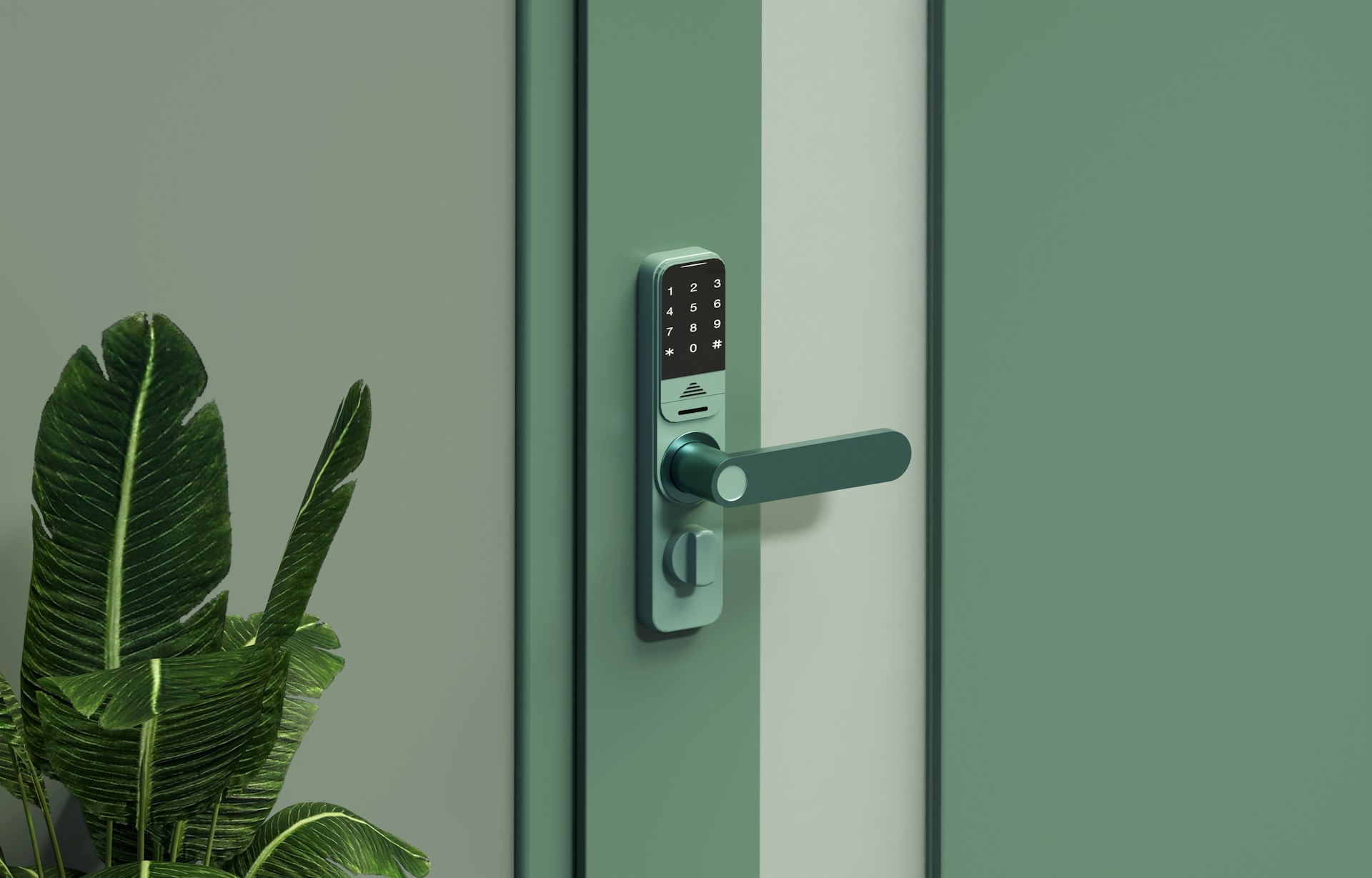
Managing who enters your building is one of the most practical security decisions you can make as a business owner in Houston. Traditional keys get copied, lost, and forgotten, which is why so many local companies are switching to door access control systems that give them real control over every entry point.
Alarm Masters have helped businesses of all sizes, from single-door offices to multi-building campuses, replace outdated locks with systems that actually match how their teams work. Houston access control options range from simple card readers on one door to cloud-managed platforms that cover dozens of locations at once.
This guide walks you through everything you need to evaluate: credential types, door hardware, remote management tools, integration options, and real cost expectations for commercial access control in the Houston market.
How Houston Businesses Choose The Right Setup
Building type, team size, and how staff actually move through your space all shape which access control system makes sense for your situation. The right credential strategy and system architecture depend on whether you manage one location or several, and whether your current hardware is worth keeping or needs replacing.
Matching Security To Building Type
Not every building needs the same level of protection at every door. A ground-floor lobby in a busy office tower carries more risk than a second-floor break room, which is why access control systems should be zoned by risk level rather than applied uniformly.
For exterior perimeter doors, you want weather-rated readers and fail-secure electric hardware that stays locked if power is cut. Interior doors like server rooms or medication storage areas benefit from additional layers such as PIN codes or biometric readers.
Retail spaces and warehouses often prioritize heavy-duty magnetic locks at loading bays, while professional offices lean toward card access at the front door and free egress everywhere else.
Matching the right commercial access control system to the right door keeps costs reasonable and avoids over-engineering low-risk areas.
Single-Door Vs Multi-Site Planning
A single-door access control installation is straightforward: one reader, one controller, one power supply. It fits small offices, clinics, or any business that needs only one controlled entry point, and it can be set up in a day.
Multi-site planning is a different conversation. If you manage several Houston locations, a cloud-based platform lets you handle credential provisioning, schedule changes, and audit logs from one dashboard.
That means a staff member who leaves can have access revoked across all locations simultaneously, without anyone needing to drive to each site.
The key question is whether your locations share staff or require coordinated management. If they do, investing in a unified access control platform from the start saves significant time and cost later.
When To Upgrade An Existing System
If your current system runs on outdated software with no vendor support, or if your readers use older 125kHz proximity card technology, upgrading is worth serious consideration. Older prox cards are easy to clone with inexpensive hardware, which removes most of the security benefit.
Signs your access control system needs an upgrade include: no ability to pull real-time audit logs, no remote management capability, and credentials that cannot be quickly revoked. If your team is managing access through a spreadsheet and physical badge handoffs, a modern access control installation will immediately improve your day-to-day operations.
An installer can often reuse existing door frames, wiring runs, and power infrastructure, which keeps upgrade costs lower than a full new installation.
Credentials And Entry Methods That Fit Daily Use
The credential you choose affects how easy your system is to use every day and how secure it stays over time. Card readers remain a practical workhorse; key fobs offer portability; mobile credentials eliminate physical cards entirely; and biometric readers add a strong second layer for high-security areas.
Card Readers And Card Access
Card access is the most widely used credential method in commercial buildings across Houston, and for good reason. Card readers are fast, reliable, and familiar to most employees, making adoption easy.
Modern card readers use 13.56MHz smart card technology, which is significantly harder to clone than older proximity cards. You can assign each card to a specific user, set time-based access rules, and pull a complete log of every entry event.
If a card is lost, you deactivate it in the software in seconds, with no lock rekeying required. For high-traffic doors like a main lobby where dozens of people badge in during a morning rush, card readers handle the volume without slowing anyone down.
Key Fobs Vs Mobile Credentials
Key fobs work on the same technology as card readers and offer a convenient alternative for staff who do not carry a badge lanyard. They attach to a keychain, which means most people already have them on hand when they arrive at the door.
Mobile credentials take that convenience further by turning a smartphone into the credential. Staff use a Bluetooth or NFC signal from their phone to unlock a door, with no physical card or fob needed.
Mobile access simplifies distribution because credentials are provisioned through an app rather than by mailing or handing over a physical card. The tradeoff is that mobile access depends on the employee having a charged phone with the app installed.
In environments where phones are restricted or connectivity is limited, key fob access or card access remains the more reliable fallback.
When Biometric Access Makes Sense
Biometric access, such as fingerprint readers or facial recognition, is best reserved for areas where the stakes of unauthorized entry are high. Server rooms, pharmaceutical storage areas, evidence lockers, and executive offices are common examples in Houston commercial buildings.
Biometrics confirm that the person presenting is actually the credential holder, which cards and fobs alone cannot do. That makes biometric access a strong second factor when combined with a card or PIN, rather than a standalone replacement.
The practical considerations are cost and throughput. Biometric readers are more expensive per door and slightly slower than card swipes, so deploying them on every door in a building is rarely the right call.
Door Hardware And Systems Behind The Scenes
The reader and credential are only part of the equation; the electric hardware at each door is what physically controls entry. Choosing among electric strikes, magnetic locks, and intercom systems depends on egress requirements, door construction, and visitor entry methods.
Electric Strikes For Controlled Doors
An electric strike replaces the static strike plate in a door frame and allows the door to open when a valid credential is presented. When power is cut, a fail-secure strike stays locked and a fail-safe strike releases, so you choose the right type based on whether that door is a fire egress path or a secure interior zone.
Electric strikes work well on standard commercial doors with push/pull hardware and are one of the most common choices for office entry doors across Houston. They are compatible with most existing door frames, which keeps installation costs lower in retrofit projects.
For doors that see heavy daily use, a commercial-grade electric strike rated for a high number of cycles is worth the added cost upfront.
Magnetic Locks And Life-Safety Considerations
Magnetic locks hold a door closed using an electromagnetic force between a magnet mounted on the frame and an armature plate on the door. They provide a high holding force and are commonly used on interior corridor doors, secure storage areas, and secondary building entrances.
The most important consideration with magnetic locks is life-safety compliance. Because they hold the door closed with power applied, they must be wired to release automatically when a fire alarm activates.
Texas code and local fire authority requirements govern where and how magnetic locks can be installed, which is why working with a licensed installer matters. Magnetic locks are not suitable for every application, but where code allows them, they are a durable and reliable option.
Intercom Systems For Front Entry Control
An intercom system at your front entry lets your staff see and speak with a visitor before releasing the door, adding a human verification layer to access control. Modern intercom systems include a camera so the person inside can visually confirm who is outside before buzzing them in.
For professional offices, medical practices, and any building where unannounced visitors are common, an intercom is often the first line of access control. It pairs naturally with a card reader setup: employees badge in, while visitors are screened through the intercom and buzzed in by a receptionist or remotely by a manager.
Cloud-connected intercom systems allow staff to answer a front door call from a smartphone anywhere, which is practical for small teams without a full-time receptionist.
Remote Oversight, Visibility, And Integrations
A modern access control platform gives you more than door locks; it gives you a clear picture of movement throughout your building at any time. Real-time remote management, detailed audit logs, and integrations with visitor management tools and video surveillance all work together to reduce response time and support accountability.
Remote Management For Admin Teams
Remote management lets you add or remove users, change access schedules, and lock or unlock specific doors from a web browser or mobile app, without being on-site. That is especially useful for Houston businesses with multiple locations or for managers who work flexible hours.
Cloud-based access control platforms update in real time, so a credential revoked at 9 a.m. becomes inactive at every door immediately. You can also set time-based rules so that a contractor has access only during specific hours on specific days, reducing the need to manually manage temporary access.
For businesses that rely on after-hours cleaning crews or scheduled vendors, timed access profiles through remote management replace the need to issue and retrieve physical keys.
Audit Logs And Activity Tracking
Every credential swipe generates a timestamped record tied to a specific user and door. Audit logs give you a searchable history that can be pulled for HR reviews, incident investigations, or insurance documentation.
If a piece of equipment goes missing or a door is left propped open, audit logs tell you exactly who accessed that area and when. That accountability changes how staff treat secure areas, and it provides documentation that a physical key system simply cannot offer.
Most cloud platforms allow you to filter logs by user, door, date range, or event type, making it practical to run regular access audits without dedicated IT staff.
Connecting Visitor Management And Video
Visitor management integrations let you pre-register guests, issue temporary credentials, and automatically log their entry and exit. That replaces paper sign-in sheets and gives you a verifiable record of every person who entered your building on a given day.
Connecting your access control system to video surveillance adds another layer of value. When a door event triggers, the associated camera footage is automatically tagged and indexed, so reviewing an incident takes minutes rather than hours of scrubbing through footage.
Unified logging across access events and video captures is particularly useful for compliance-driven industries in Houston, such as healthcare, finance, and government contracting.
Costs, Installation, And Next Steps In Houston
Houston access control pricing varies based on the number of doors, the credential type, and whether you need a cloud platform or a local controller. Understanding what goes into a per-door cost and what a full commercial installation typically includes helps you build a realistic budget before you call for quotes.
Typical Per-Door Cost Ranges
A basic single-door access control installation in Houston, including a card reader, electric strike, controller, and basic software setup, typically runs between $1,000 and $2,500 per door depending on hardware selection and wiring complexity.
Adding a cloud management platform, higher-security readers, or biometric devices increases that range. Multi-door deployments benefit from economies of scale on both hardware and labor, so a 10-door project does not cost 10 times as much as a single-door project.
Mobile credential platforms often reduce ongoing costs by eliminating card replacement fees, which add up over time in larger organizations.
What A Commercial Installation Usually Includes
A full commercial access control installation covers more than just mounting a reader and running wire. A professional installer will assess your doors, frames, power availability, and network infrastructure before proposing hardware.
The installation itself includes door prep, reader mounting, controller configuration, credential provisioning, and end-to-end system testing. A reputable Houston installer also provides administrator training, so your team can add users, run reports, and manage schedules without needing to call for help on routine tasks.
Documentation, including as-installed diagrams and warranty information, should be part of every commercial installation so you have a clear record if service or upgrades are needed later.
A Simple Walkthrough To Scope Your Project
You can do a basic self-assessment before reaching out for a quote. Walk your building and note the following for each door you want to control:
- Door construction: hollow metal, wood, aluminum storefront
- Current hardware: existing locks, closers, exit devices
- Power availability: nearby outlet or conduit access
- Network access: nearby Ethernet drop or wireless coverage
- Entry type needed: card only, card plus PIN, intercom plus card
Bring that list to your first conversation with an installer. It shortens the scoping process and helps you get a more accurate quote on your first call.
Most experienced Houston access control installers will also offer a site visit to verify conditions before submitting a formal proposal.
Frequently Asked Questions
Common questions about door access control tend to center on cost, credential choices, remote capabilities, and what happens after the system is installed.
What types of entry systems work best for small and midsize offices in Houston?
Card readers with smart card credentials are the most practical choice for most small and midsize Houston offices, offering a good balance of security, ease of use, and cost.
A single-door cloud-managed setup works well for offices with a single controlled entry point, while multi-door systems with role-based access suit businesses with restricted areas, such as server rooms or executive suites. Mobile credentials are a strong upgrade option if your team prefers not to carry physical cards.
How much does a typical door entry setup cost for a commercial building?
A basic single-door commercial access control installation in Houston typically costs between $1,000 and $2,500, covering the reader, electric hardware, controller, and initial setup. Multi-door projects reduce per-door costs through shared infrastructure and labor efficiencies.
Cloud platform subscriptions, advanced readers, and biometric devices increase the total, so getting a line-item quote from a licensed installer gives you the most accurate picture for your specific building.
Can I control and monitor employee access remotely from a phone or computer?
Yes, cloud-based access control platforms let you add or remove users, adjust access schedules, lock or unlock doors, and pull audit logs from any internet-connected device.
Changes take effect in real time across all connected doors, so revoking a former employee's credential happens instantly without anyone visiting the site.
How do I choose between key cards, fobs, PIN codes, and biometric readers?
The right credential depends on your security level, staff preferences, and budget. Key cards and fobs are fast, low-cost, and work well for most commercial environments, while PIN codes add a second factor without additional hardware costs.
Biometric readers are best reserved for high-security areas where verifying the cardholder's identity is critical, such as server rooms or pharmacy storage, rather than standard office entry points.
Will a new access system integrate with existing alarms, cameras, or a commercial security platform?
Most modern commercial access control systems are designed to integrate with existing video surveillance and alarm platforms through software APIs or manufacturer partnerships.
A licensed installer will evaluate your current camera system and alarm panel for compatibility before proposing hardware. In many cases, access events can be linked directly to camera footage, and doors can be set to unlock or lock automatically when an alarm triggers.
What ongoing maintenance, updates, and support should I expect after installation?
After installation, you should expect periodic hardware inspections, firmware and software updates, and credential audits to keep the system performing well. Most Houston access control installers offer service agreements that cover scheduled maintenance visits, emergency response for door failures, and remote health monitoring.
Staying current on software updates is especially important for cloud-connected systems, as patches address security vulnerabilities that could otherwise expose your access platform.
Secure Access Starts With The Right System
The right door access control system helps you manage employee entry, protect sensitive areas, and simplify day-to-day operations across your Houston business. With the right combination of credentials, hardware, and remote management tools, you can improve security while keeping access convenient for staff and visitors.
Alarm Masters provides licensed access control installation with tailored system design, reliable hardware, and white-glove support backed by more than 35 years of experience in Texas commercial security. Get a free estimate to build a system that fits your building, workflow, and long-term growth plans



.svg)


.svg)


