.svg)
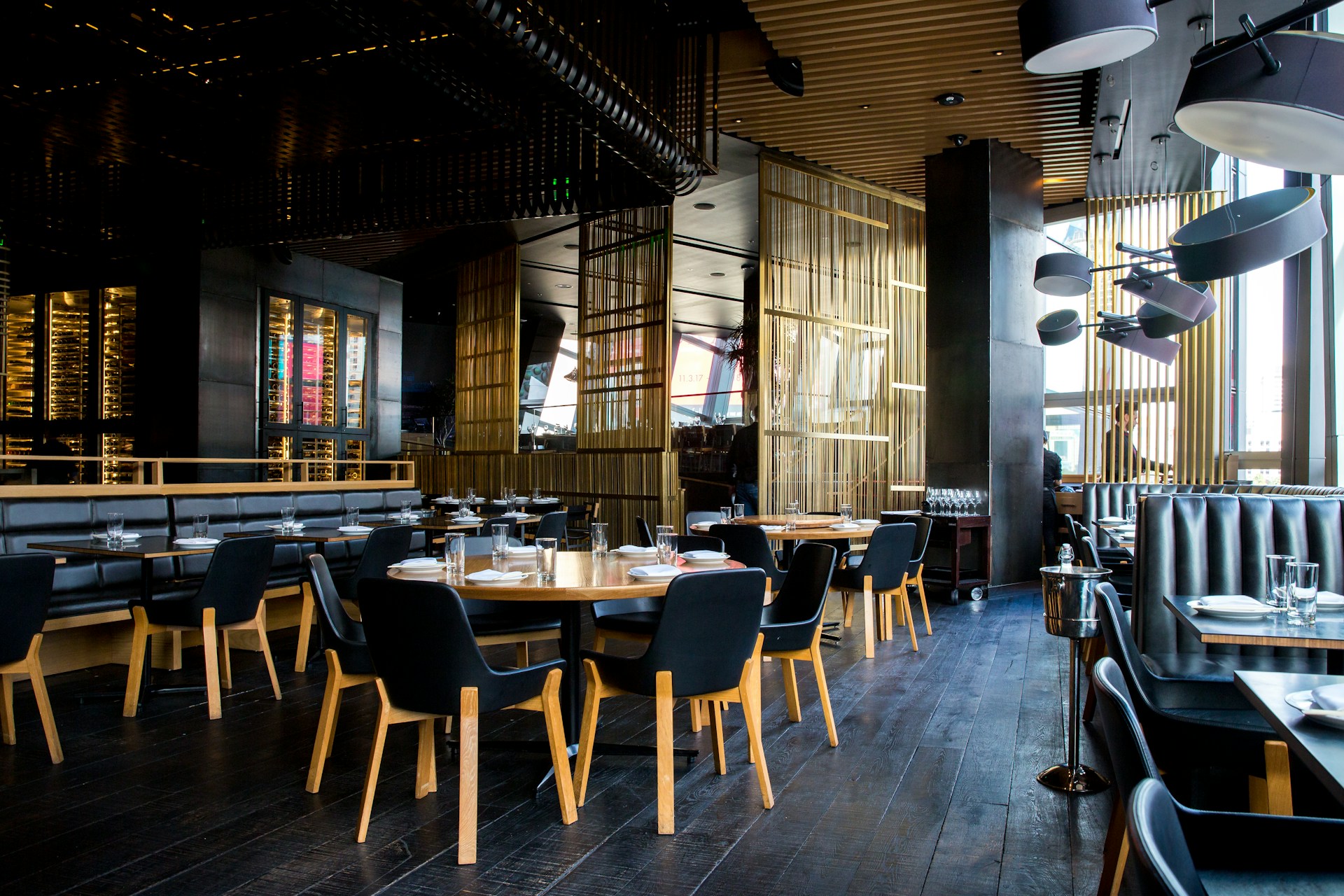
Running a restaurant leaves little room for surprises. Theft, false claims, and safety incidents can quickly hurt profits and reputation. Restaurant security cameras help you stay in control without adding daily stress.
Alarm Masters supports Texas restaurants with licensed systems designed for real-world operations, not overkill. With 48-hour turnaround and clean, professional installs, security stays practical and unobtrusive.
This guide breaks down what matters most: camera types, features, placement, and legal basics. You’ll learn how to choose a system that protects people, property, and peace of mind.
Benefits Of Restaurant Security Cameras
Security cameras protect your restaurant's assets while creating a safer environment for everyone who walks through your doors. They help reduce financial losses, document important events, and give you tools to manage your business more effectively.
Deterrence Of Theft And Crime
Visible security cameras make potential criminals think twice before acting. When people know they're being watched, they're much less likely to steal from your restaurant or cause trouble.
Employee theft is a big deal in the restaurant world. Cameras in key areas like cash registers, storage rooms, and prep zones help keep staff honest and discourage external theft from customers who might try to slip out without paying.
Break-ins and vandalism tend to drop when criminals spot security cameras on your property. Even after hours, your cameras act like silent guards, keeping an eye on your building and parking lot.
Many insurance companies recognize this protection and offer lower premiums to restaurants with proper surveillance systems.
Enhancing Employee And Customer Safety
Security cameras help you spot safety issues before they turn into real problems. You can keep an eye on crowded spaces, prevent accidents, and make sure your staff follows safety procedures in the kitchen.
If a customer slips and falls, your cameras capture what really happened. This footage protects both you and your guests by providing a clear record of the incident.
You can also use cameras to watch for suspicious behavior that could threaten your staff or customers. Kitchen cameras let you check that employees are using equipment correctly and following food safety rules.
This monitoring helps prevent injuries from burns, cuts, and other accidents common in restaurant work.
Liability Protection And Incident Recording
False liability claims can cost your restaurant thousands. Video footage gives you solid evidence if customers claim they got hurt or complain about their food.
Your cameras create a detailed record of what goes on in your restaurant. This documentation is useful for insurance claims, customer disputes, or workplace incidents.
Security recordings also help resolve conflicts between staff members or between employees and customers. When everyone knows the truth is on camera, many disputes get sorted out quickly.
Types Of Restaurant Security Cameras
Different areas of your restaurant need different types of cameras. The right camera for your dining room might not work well in your kitchen or parking lot.
Indoor Vs. Outdoor Cameras
Indoor cameras work best for dining areas, kitchens, storage rooms, and cash register zones. No need for weather protection here, so they're usually lighter and a bit cheaper.
You can find indoor models with wide-angle lenses to cover big spaces or with designs that blend into your décor. Outdoor cameras, though, need to handle rain, heat, cold, and dust.
Look for cameras with weatherproof ratings like IP65 or IP66. These ratings mean the camera can handle rough weather without breaking down.
You'll want outdoor cameras for parking lots, delivery entrances, back doors, and patio dining areas. Outdoor cameras have tougher housings and sealed components. They also typically have better night vision, since outdoor areas are much darker than indoor spaces.
Dome, Bullet, And PTZ Camera Options
Dome cameras have a rounded cover that hides which way they're pointing. This works well in dining rooms because potential thieves can't tell what the camera's watching.
Dome cameras also look less intrusive to your customers. Bullet cameras have a long, cylindrical shape that's easy to spot. They work great as deterrents in parking lots and at entry points. Most bullet cameras come with built-in infrared night vision that extends farther than that of dome cameras.
PTZ cameras can pan, tilt, and zoom in on specific areas. You control these cameras remotely from your phone or computer. They cost more but give you the flexibility to track movement across large spaces, such as big dining rooms or outdoor patios.
Wired And Wireless Camera Systems
Wired systems connect cameras to a recording device with cables. These setups provide reliable, uninterrupted video feeds that don't depend on your WiFi.
You won't deal with wireless interference or connection drops during busy times. The downside? Installation is a bit more work. You'll need to run cables through walls or ceilings, which might mean hiring someone to help. Wireless cameras connect through WiFi.
They're easier to install, and you can move them around without rewiring. You can access footage from your phone anywhere you have internet. Just make sure your WiFi signal is strong where you want each camera, especially in kitchens, where equipment can mess with signals.
Key Features To Consider
The right security camera system protects your restaurant and streamlines daily operations. You want cameras that deliver clear footage, cover all the key spots, work in low light, and let you check in from anywhere.
Resolution And Image Quality
Clear video footage makes the difference between identifying a suspect and staring at a blurry mess. Look for cameras with at least 1080p resolution - though 4K is even better if you want to see faces, read license plates, or monitor food prep closely.
Higher resolution cameras capture more detail in each frame. That means you can zoom in on recorded footage without losing clarity.
If you need to review a cash-handling dispute or identify someone who dined and dashed, high-quality video gives you the evidence you need. Your camera's image sensor also affects picture quality beyond just resolution.
Larger sensors perform better in different lighting and produce more accurate colors. This helps you keep an eye on food presentation and cleanliness throughout the day.
Field Of View And Coverage
The field of view determines how much area each camera can monitor. Wide-angle lenses cover more space with fewer cameras, saving you money on equipment and installation.
Most restaurant cameras offer between 90 and 130 degrees of viewing angle. Cameras with around 120-degree views work well for dining rooms and hallways.
You might want narrower angles for focused coverage of cash registers or safes.
Consider these coverage needs:
- Entrances and exits - See who comes and goes
- Dining areas - Watch customer interactions and staff service
- Kitchen zones - Oversee food prep and safety
- Loading docks - Track deliveries and prevent theft
- Parking lots - Protect customers and their vehicles
Pan-tilt-zoom cameras let you adjust the view remotely. These are handy for large dining rooms where you want flexibility to focus on different areas.
Night Vision Capabilities
Your restaurant doesn't shut down when the sun sets, and neither should your security coverage. Infrared night vision allows cameras to record clear footage in complete darkness - usually up to 30-100 feet, depending on the model.
Look for cameras with automatic day-night switching. These sensors detect light levels and activate infrared LEDs when needed.
You won't have to fiddle with settings as natural light changes. Some cameras use color night vision instead of standard infrared.
These systems use ambient light or built-in spotlights to capture color footage after dark, helping you identify clothing colors and other details that black-and-white infrared might miss.
Remote Viewing And Alerts
Modern security systems let you check your cameras from your phone, tablet, or computer anywhere with internet access. You can watch live feeds during dinner rush or review recorded footage from home after closing.
Real-time alerts notify you immediately when cameras detect motion or other triggers. You'll know right away if someone enters your restaurant after hours or if something weird happens in restricted areas.
Smart detection features can distinguish between a person, a vehicle, or an animal to reduce false alarms. Cloud storage and local recording options give you flexibility in how you save footage.
Cloud systems let you access video from anywhere without maintaining on-site equipment. Local storage with hard drives or SD cards keeps your data private and skips monthly subscription fees.
Placement Strategies For Maximum Coverage
Smart camera placement addresses vulnerable spots where theft, safety issues, and operational problems often occur. The right positions help you monitor customer activity, protect staff, and document incidents clearly.
Dining Area And Entry Points
Place cameras at all entrances and exit doors to capture clear footage of everyone entering your restaurant. Mount these cameras at a height of 8-10 feet, angled downward to record faces rather than just the tops of heads.
Position additional cameras to cover the main dining room from multiple angles. You want to see customer interactions, monitor for slip-and-fall incidents, and track movement throughout the space.
Corner mounting often gives you the widest view of tables and walkways. Make sure your entry cameras have decent lighting or night vision.
You need to identify people, even in the evening or in dim entryways. Cover both the inside and outside of your doors if you can.
Kitchens And Storage Rooms
Your kitchen needs cameras focused on food prep areas, cooking stations, and dishwashing zones. These spots help you verify food safety practices and resolve customer complaints about meal quality or contamination.
Storage rooms and walk-in coolers need coverage to prevent employee theft and monitor inventory handling. Point cameras at shelving units containing high-value items such as alcohol, meat, and specialty ingredients.
Back doors and delivery areas need their own cameras. These spots are common entry points for unauthorized access and theft. Position cameras to capture the faces of delivery personnel and anyone using these doors.
Cash Registers And Payment Areas
Mount cameras directly above each register, pointing down at the counter and cash drawer. This angle catches transaction details, employee handling of money, and any disputes with customers.
You should be able to see bills being counted and receipts being processed. Install a secondary camera at register height to record customers' faces during payment.
This footage helps identify people involved in fraud, chargebacks, or theft. Your point-of-sale stations need clear views of card readers and PIN pads.
These cameras protect against skimming devices and document proper payment procedures. Position them close enough to see screen displays and keypad entries, but avoid invading customer privacy.
Legal And Privacy Considerations In Restaurants
Restaurant security cameras have to follow specific laws about where you can put them and how you use the footage. You need to balance protecting your business with respecting the privacy rights of customers and employees.
Compliance With Local Regulations
Federal and state laws create a complicated patchwork for restaurant surveillance systems. The rules change depending on whether you're recording just video or video with audio.
You can't put cameras in places where people expect privacy, such as restrooms, changing rooms, and any dedicated changing areas. These spots are always off-limits, no matter where you are.
Audio recordings face stricter rules than video recordings in most states. Some states require all parties to consent before you record conversations, while others only need one-party consent.
Check your state laws before enabling audio features on your cameras. The difference between public and private spaces matters for legal compliance.
Dining areas are usually considered public spaces where surveillance is allowed. Break rooms and employee locker areas might have different requirements.
Signage And Customer Notification
Many places require you to inform customers about surveillance cameras. Post clear signs at entrances and other visible locations.
Your signage should be easy to read and understand. Simple statements like Video Surveillance in Use or This Area is Under Video Monitoring work just fine.
The signs should be large enough that customers can see them before entering. Some regions have specific rules about sign size, placement, and wording.
Check your local regulations to make sure your notifications meet legal standards. Failing to notify customers properly can lead to legal headaches, even if your cameras are placed correctly.
Employee Privacy Rights
Your employees have privacy rights that affect where and how you can use cameras. You can't record in spaces meant for employee privacy, like locker rooms or restrooms.
Recording employees without their knowledge can create legal problems. Many employers include camera policies in employee handbooks and have workers sign acknowledgment forms.
This creates documentation that employees know about the surveillance. Break rooms are a gray area in some places. Even if you can legally record these spaces, doing so can hurt morale and trust. It's worth weighing the security benefits against the impact on your workplace culture.
Choosing And Maintaining Your Security System
A good security camera system takes more than just buying some cameras. You need to think about which provider to trust, how you’ll install everything, and how you’ll keep it running smoothly.
These factors really shape whether your investment protects your restaurant for years, or just sits there gathering dust.
Selecting A Trusted Provider
Start by digging into security companies that focus on commercial or restaurant systems. Look for at least five years of experience and check reviews from other restaurant owners nearby.
Ask about camera quality, storage options, and warranty terms. You’ll want at least 1080p resolution, a choice between cloud or local storage, and a two-year warranty at minimum.
Find out if the company offers 24/7 customer support, and how fast they handle service calls. Ideally, you want someone who responds within four hours on business days.
It’s smart to request references from current restaurant clients. Give them a call and ask how things have gone; don’t just take the company’s word for it.
Pay close attention to pricing. Some companies hit you with high upfront costs and skip monthly fees, while others offer a cheaper start but require ongoing payments for storage or extra features.
Installation Best Practices
Professional installation makes a big difference. It ensures you don’t end up with blind spots or cameras pointed at useless angles.
Try to schedule installation during off-hours so you’re not disrupting your staff or guests. Place cameras at entryways, cash registers, storage rooms, dining areas, and outside spots like parking lots.
Mount cameras about 9-10 feet up, high enough to avoid tampering, but low enough for clear facial shots. Test each camera’s view before you lock in the placement.
You need to see faces clearly and catch all the action in each area. Double-check that lighting doesn’t cause glare or shadows that block the view.
Connect everything to a backup power source so you’re still covered during outages. Label your cables and keep a diagram of your setup somewhere handy; it’ll save headaches later.
Ongoing Maintenance And Upgrades
Wipe down your camera lenses every month with a soft, lint-free cloth. Dust or grease can ruin your footage faster than you’d expect. Take a few minutes each week to review your footage and make sure all cameras are working and pointed the right way. Update your system’s software as soon as new versions come out to patch vulnerabilities and get new features.
Cameras don’t last forever. Swapping them out every 5-7 years (even if they seem fine) usually means better resolution and smarter features.
Check your storage system every few months to make sure it’s not running out of space or failing. Keep your login info secure, and change passwords every 90 days.
Secure Your Restaurant Without Added Stress
Security issues rarely give warnings. The right camera system helps reduce theft, clarify incidents, and keep daily operations running smoothly without constant oversight.
Alarm Masters delivers licensed, compliant solutions built for busy Texas restaurants. Fast response times and thoughtful system design keep protection simple and effective.
Ready to protect your space and your staff? Schedule service now and get clear guidance on a system that fits your restaurant.
Frequently Asked Questions
How Many Security Cameras Does A Restaurant Usually Need?
Most small to mid-size restaurants use four to eight cameras. Coverage depends on layout, entrances, dining areas, kitchens, and cash handling zones. Larger restaurants or those with parking lots often need more for full visibility.
Where Should Restaurant Security Cameras Be Installed?
Key locations include entrances and exits, dining areas, cash registers, kitchens, storage rooms, and delivery doors. Cameras should never be placed in restrooms or other private areas where people expect privacy.
Are Restaurant Security Cameras Legal?
Yes, video recording is legal in public areas of a restaurant. Laws vary by state, especially for audio recording, so it’s important to understand local regulations and post visible surveillance signage where required.
Can Restaurant Security Cameras Help With False Claims?
Yes. Video footage provides objective evidence for slip-and-fall claims, disputes, or customer complaints. This documentation can protect your business during insurance claims or legal reviews.
Do Restaurant Security Cameras Need Wi-Fi?
Not always. Wired systems record locally and do not rely on Wi-Fi. Wireless systems use Wi-Fi for remote viewing and alerts, so a strong internet connection is important for reliable performance.
How Long Should Security Footage Be Stored?
Most restaurants store footage for 30 to 90 days. Storage needs depend on camera count, resolution, and whether recording is continuous or motion-based. Ongoing incidents may require longer retention.
Can I View Restaurant Security Cameras Remotely?
Most modern systems allow remote access through a mobile app or web browser. This lets owners monitor activity, review footage, and receive alerts from anywhere with internet access.
Do Security Cameras Improve Employee Safety?
Yes. Cameras help identify unsafe behavior, monitor busy work areas, and document incidents. This encourages safer practices and can reduce workplace injuries over time.


.svg)


.svg)


