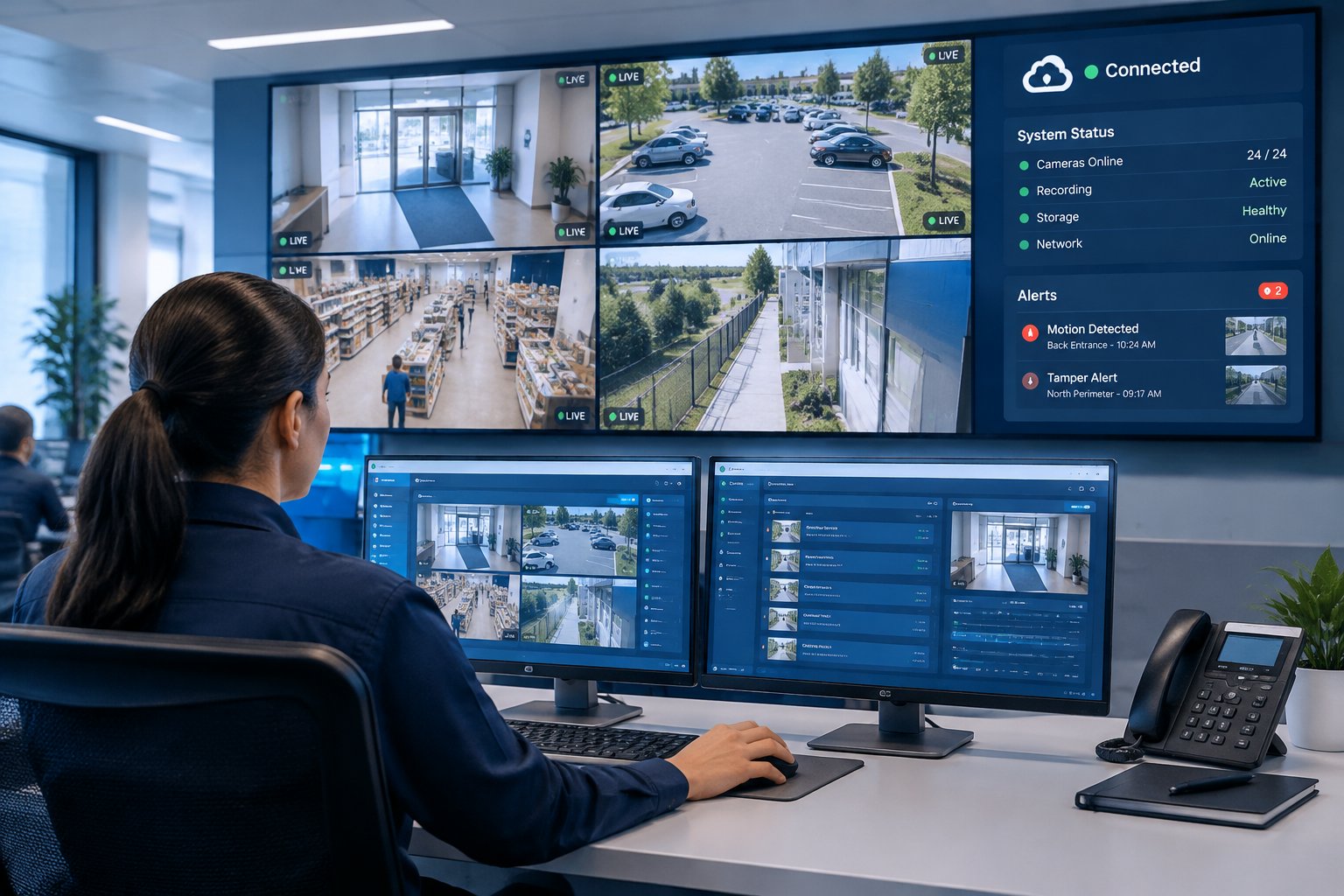
When it comes to protecting your home, investing in the right security system is essential. Many homeowners are turning to options that offer local storage for their security cameras, ensuring that their footage is safe and easily accessible without relying on cloud services. The best home security systems with local storage keep your recordings private, reduce reliance on the cloud, and still give you fast access to footage when you need it.
Security cameras with local storage provide reliable solutions for monitoring your property. These systems store footage directly on the camera or a local network video recorder (NVR), which means your data remains secure within your premises. For homes across greater Houston, a well-designed local storage system can be paired with professional monitoring, so you get both private recordings and a real person watching out for you.
Choosing the right system involves understanding your specific needs and weighing various features. Whether you prioritize video quality, ease of installation, or a user-friendly interface, there are numerous choices that can cater to your requirements for home security. The sections below walk you through the features, storage types and setup choices that matter most, so you can choose with confidence.
Essential Features of Home Security Systems With Local Storage
When selecting a home security system with local storage, understanding the benefits and key components is important. Each aspect, from video storage options to privacy considerations, enhances your overall security experience.
Benefits of Local Storage
Local storage systems offer several advantages over traditional cloud storage. One major benefit is enhanced data security. With recordings stored on-site, there is minimal risk of breaches associated with internet-based systems. This is vital for homeowners who value privacy and do not want their footage exposed online.
Additionally, local storage keeps everything in your home, and most systems do not depend on an online service. Options like a microSD card or internal storage allow you to manage your data yourself. It also provides immediate access to your recorded videos.
Key Components of a Local Storage Security Camera
A typical security camera designed for local storage includes several essential components. First, many cameras feature an internal memory or a microSD slot, enabling direct video storage. This flexibility allows you to choose the capacity based on your needs.
Moreover, encryption plays a significant role in securing your footage. Look for systems that ensure your data is encrypted for additional protection against unauthorized access. Some cameras come equipped with advanced motion detection features and remote viewing capabilities, giving you real-time access to your home’s security.
Comparing Local and Cloud Storage
When evaluating local versus cloud storage, consider your specific needs. Local storage offers faster access since you can view recorded videos without relying on internet speed. This immediacy can be critical during emergencies.
Conversely, cloud storage provides the advantage of remote accessibility. If your home is not equipped for local storage systems, cloud solutions ensure your videos are saved off-site. However, these depend on an ongoing online service.
Ultimately, by weighing these factors, you can make a more informed decision that aligns with your security needs.
Types of Local Storage
- MicroSD card: Best for single cameras. Easy to set up, with limited space, and usually records in a loop so new footage replaces the oldest.
- DVR (digital video recorder): Works with analog cameras, supports several cameras, and offers more storage.
- NVR (network video recorder): Works with IP cameras, supports higher resolution, and keeps footage from multiple cameras in one place.
- NAS (network-attached storage): A more advanced option for larger systems that lets several people access footage from different devices.
Drawbacks of Local Storage to Plan For
Local storage has a few weak spots. If a card or recorder fails, you can lose footage. A burglar can also take the recorder with them. Some local setups make remote viewing harder than cloud storage does. You can reduce these risks by placing the recorder somewhere hidden, backing up important clips to a separate drive, and choosing a system with an optional cloud backup.
Critical Factors to Consider When Choosing a System
When selecting a home security system with local storage, focus on essential features that enhance usability and effectiveness. Consider video quality, detection capabilities, and the system's durability to ensure it meets your security needs.
Video Resolution and Footage Quality
Video resolution is important for identifying faces and details in security footage. Look for systems that offer at least 1080p HD resolution. Higher resolutions, like 4K, will provide even clearer images, making it easier to discern important details.
Footage quality is also affected by frame rates. A camera with a higher frame rate (30 fps or more) will capture smoother video, useful in fast-moving situations. Additionally, ensure the system supports color night vision to enhance visibility in low-light conditions.
Smart Detection and Alerts
Smart detection features significantly improve the effectiveness of your security system. Look for options with motion detection and person detection, which can distinguish between different moving objects for more accurate alerts.
Systems that utilize smart AI detection can send real-time notifications to your phone when they recognize a person or vehicle. This means you stay informed without needing to check the footage constantly. Enhanced motion detection combined with sound recognition can also alert you to unusual noises, ensuring you never miss important events.
Audio Capabilities
Two-way audio is another valuable feature in a security system. This allows you to communicate with visitors or deter intruders directly through the system. Look for systems equipped with sound detection capabilities to monitor unusual sounds, which could indicate a breach.
Audio quality is also essential; ensure the system has clear sound transmission both ways. This feature enhances your ability to interact with whoever is on your property, adding an extra layer of security.
Weatherproof and Durability Ratings
Choosing a weatherproof system is vital, especially in the Greater Houston area, known for its varying weather conditions. Look for cameras with an IP66 rating, indicating they are dust-tight and can withstand powerful water jets.
A good weather-resistant design will ensure your cameras function optimally in rain or extreme heat. Additionally, check for durable materials that can withstand outdoor elements, which helps extend the lifespan and reliability of your security system.
Types of Local Storage Security Cameras for Home
When selecting a security camera system for your home, understanding the different types of local storage security cameras can help you make informed decisions. Each type offers unique features tailored to specific needs and environments.
Indoor Security Cameras
Indoor security cameras are designed to monitor your home's interior. They typically feature a compact design, allowing for placement on shelves or walls without being obtrusive. You can find models equipped with motion detection, night vision, and two-way audio for enhanced interaction.
Many indoor cameras include a magnetic base for easy mounting and repositioning. With local storage options, all recorded footage remains accessible without relying on cloud services, ensuring privacy. Look for models that offer adjustable settings, like sensitivity and notifications, to customize according to your needs.
Outdoor Security Cameras
Outdoor security cameras are built to withstand various weather conditions, making them ideal for exterior monitoring. These cameras are often larger and more strong than indoor models, equipped with features such as weatherproof casings and night vision capabilities.
You can choose between wired and wireless options, depending on your installation preferences. Models with local storage provide immediate access to footage, which is important for identifying potential intruders. Look for features like a wide field of view and motion alerts for real-time security updates.
Wireless Security Cameras
Wireless security cameras offer flexibility in installation since they do not require extensive wiring. These cameras connect to your home Wi-Fi, allowing for easy positioning throughout your space. Many come with rechargeable batteries, which can be a significant advantage for areas without power outlets.
With local storage options, you keep control over your footage without relying on the cloud. Wireless models often feature advanced technologies like real-time alerts and streaming capabilities through mobile apps, making it easy for you to monitor your home from anywhere.
Video Doorbells and Specialized Devices
Video doorbells are becoming increasingly popular as part of home security systems. These devices combine a camera with a doorbell, allowing you to see and communicate with visitors directly from your smartphone. They typically provide local storage for recorded video, ensuring that footage remains private.
Specialized devices may include security sensors or alarms that complement camera systems. Many of these devices work in tandem with your existing cameras, providing a comprehensive view of your security landscape. Focus on those that offer local storage and smooth integration with your current setup for enhanced security effectiveness.
Top-Rated Home Security Systems With Local Storage
The top-rated home security systems with local storage tend to share the same strengths, whatever the label on the box. Rather than chasing a single model, use the points below to judge any system you are considering, and ask your installer how their recommended setup handles each one.
A Recorder That Matches the Size of Your Home
A single memory card works for one camera watching a side gate, but most homes are better served by a network video recorder (NVR) that keeps footage from every camera in one place. A good NVR lets you add cameras later, set how long recordings are kept, and pull up a clip by time or event without digging through each camera.
Ask how many days of recording the system will hold at your chosen resolution, and whether the drive can be upgraded. A professionally designed system is sized for your actual cameras and retention needs, so you are not surprised when footage is overwritten sooner than expected.
Cameras Built for the Job
Strong local storage is only useful if the footage is clear. Look for cameras with at least 1080p resolution, good night vision and a wide field of view. Pan and tilt cameras can cover a large yard or driveway from one spot, while fixed cameras are best for doors, gates and garages where you want a steady, detailed view.
Wired cameras that draw power from the recorder are the most dependable choice for permanent coverage, because there are no batteries to recharge and no weak Wi-Fi spots to worry about. Wireless and battery cameras still have a place in spots where running cable is not practical.
Outdoor Toughness and Indoor Discretion
Outdoor cameras should carry a weather rating such as IP65 or IP66 so they stand up to Houston rain, humidity and summer heat. Vandal-resistant housings are worth considering for cameras mounted within reach.
Indoor cameras should be compact and easy to place, with motion alerts, two-way audio and privacy settings that let you switch recording off when the family is home. Together, the right mix of indoor and outdoor cameras covers your entry points without recording more than you need.
One App and Professional Monitoring
The best systems do not leave your cameras on an island. Look for a setup that brings your cameras, burglar alarm and door access into one app, so you can check footage, arm the system and get alerts from the same place.
Local recordings are excellent evidence, but they cannot call for help on their own. Pairing your cameras with professional monitoring means a real person can review an alarm, verify what is happening on video and dispatch help quickly. That combination of private local storage and live monitoring is what turns a camera system into real protection for your home.
Installation, Integration, and Maintaining Data Privacy
Proper installation and integration of your home security system with local storage are key to ensuring safety and privacy. Attention to detail during setup will enhance performance, while understanding integration options will help you create a smooth smart home environment.
Setup and Installation Tips
When setting up your local storage security camera, start by selecting strategic locations that provide a clear view of entry points. Make sure every camera has a solid connection to your recorder or network, since a weak signal leads to gaps in your footage.
Consider using a privacy shutter on your cameras to enhance security when not actively monitoring.
A professional installer will mount cameras at the right height and angle, run cable neatly, and configure recording and alerts for you. If you set up a small camera yourself, follow the manufacturer’s guidelines closely. Either way, test every camera after installation and check that recordings play back clearly.
Don't forget to verify that your storage capacity meets your needs. Opt for cameras that allow for continuous recording if you require comprehensive coverage over time.
Smart Home Compatibility and Integration
If you own smart home devices, check compatibility with your chosen security system. Many modern security cameras can work with popular voice assistants and smart home hubs, allowing for voice commands and remote management.
Use the companion app provided by your security system to facilitate integration. This app can connect various smart home gadgets, giving you control over the entire system through one interface.
Regularly update the firmware for your cameras and devices. This ensures that you benefit from the latest features and security patches, making your smart home setup more reliable.
Protecting Security Footage and Enhancing Data Privacy
Data privacy is paramount when it comes to your security footage. Use encryption features available in your storage security camera to protect recorded data from unauthorized access.
Limit access to recorded footage by setting user permissions in the camera app. Only allow trusted individuals to view or manipulate footage.
Consider storing your data on an external hard drive or a local server as a backup option. Keeping your recorder in a secure, hidden spot means recordings remain within your control rather than in the cloud.
Review the settings regularly to ensure they align with the latest privacy standards. Regular maintenance will help keep your home security system secure and functional.
Frequently Asked Questions
In this section, you will find answers to common queries regarding home security systems with local storage. These points will help clarify what to look for and how to choose the best options for your needs.
What are the top-rated security cameras that offer internal local storage?
The best options are cameras that record to a memory card as a backup while also sending footage to a network video recorder in your home. Look for clear 1080p or higher video, reliable night vision, smart motion alerts and a recorder with enough drive space for your cameras. A professionally installed system lets you compare these features based on your home rather than on a product list.
How do security systems with local storage compare to cloud storage options?
Local storage gives you complete control over your footage. While cloud storage offers remote access, it can be vulnerable to outages and hacking. A system with local storage is not dependent on internet access, ensuring you have immediate access to recorded footage.
Which outdoor security cameras provide the best local storage capabilities?
Wired outdoor cameras connected to a network video recorder give you the most dependable local storage, because footage is saved to a hard drive inside your home. Choose weather-rated cameras with good night vision and ask how many days of footage the recorder will keep. This lets you review recordings without relying on cloud storage.
What features should I look for in a home security system to ensure reliable local storage?
Ensure the system includes a large internal storage capacity, either through an SD card or a hard drive. Look for features like continuous recording options, motion detection, and easy file retrieval. Also, consider the ability to expand storage if needed, which adds flexibility to your setup.
Are there any wireless security cameras that support local storage for outdoor use?
Yes, many wireless models designed for outdoor use support local storage, usually on a memory card inside the camera or by sending footage to a recorder over Wi-Fi. They are easier to place where cables are hard to run, but check the battery life and Wi-Fi strength at each spot so you do not miss recordings.
Can you recommend home security cameras that operate solely with local storage?
Most cameras that record to a memory card or a network video recorder can run entirely on local storage with no cloud plan. Before you buy, confirm that key features such as motion alerts and remote viewing work with local storage alone. A local system keeps your footage close and accessible, which is a big part of a solid security plan.
How much local storage do I need for my home security cameras?
It depends on your camera resolution and how long you want to keep recordings. Higher resolution and longer retention need more space. For a single camera with a memory card, a larger card such as 64GB or 128GB gives you longer coverage before older footage is overwritten.
Get a Local Storage Security System Designed for Your Home
Local storage gives you private, dependable recordings, and professional design and monitoring make sure those recordings actually protect you. Alarm Masters is a family-owned company that has been protecting Texas homes and businesses since 1990. We design, install and monitor video surveillance systems with local recording, live video monitoring and one app for your cameras, alarm and access control. Explore our residential security options, then request a free estimate or call 281-933-3900 to talk through the right setup for your home.